Sea of Thieves Hack with Aimbot and Treasure ESP for PC

Included in Premium Package and One Day Trial

Steam & Microsoft Store are supported (English Language only)
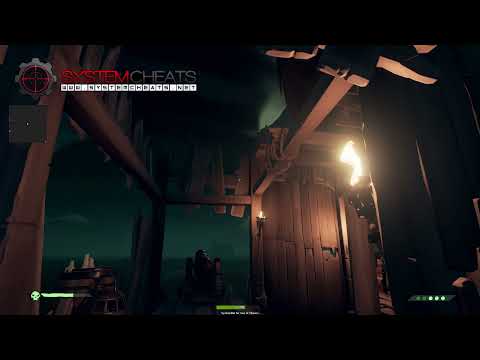
Cheat video
Cheat video
Cheat video
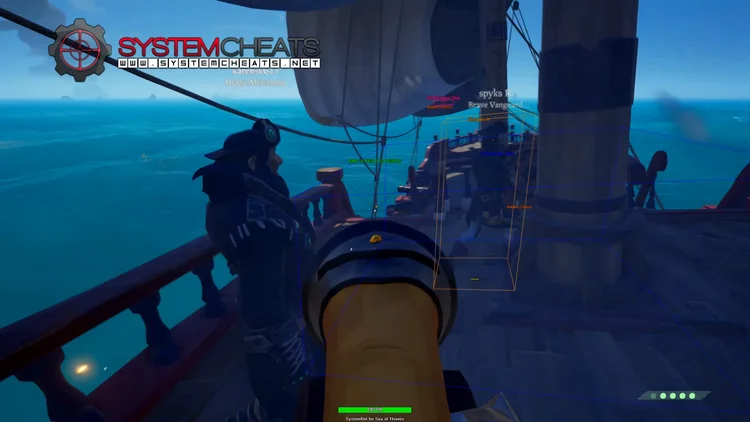
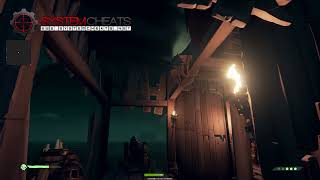
SoT Screenshot 1
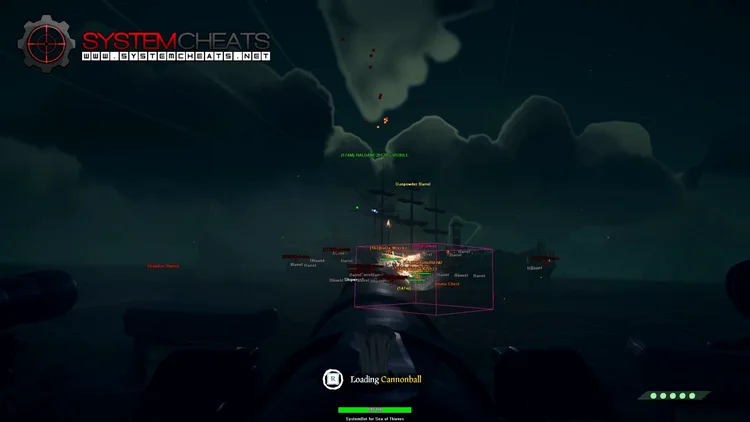
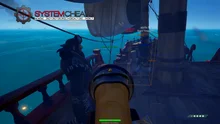
SoT Screenshot 2
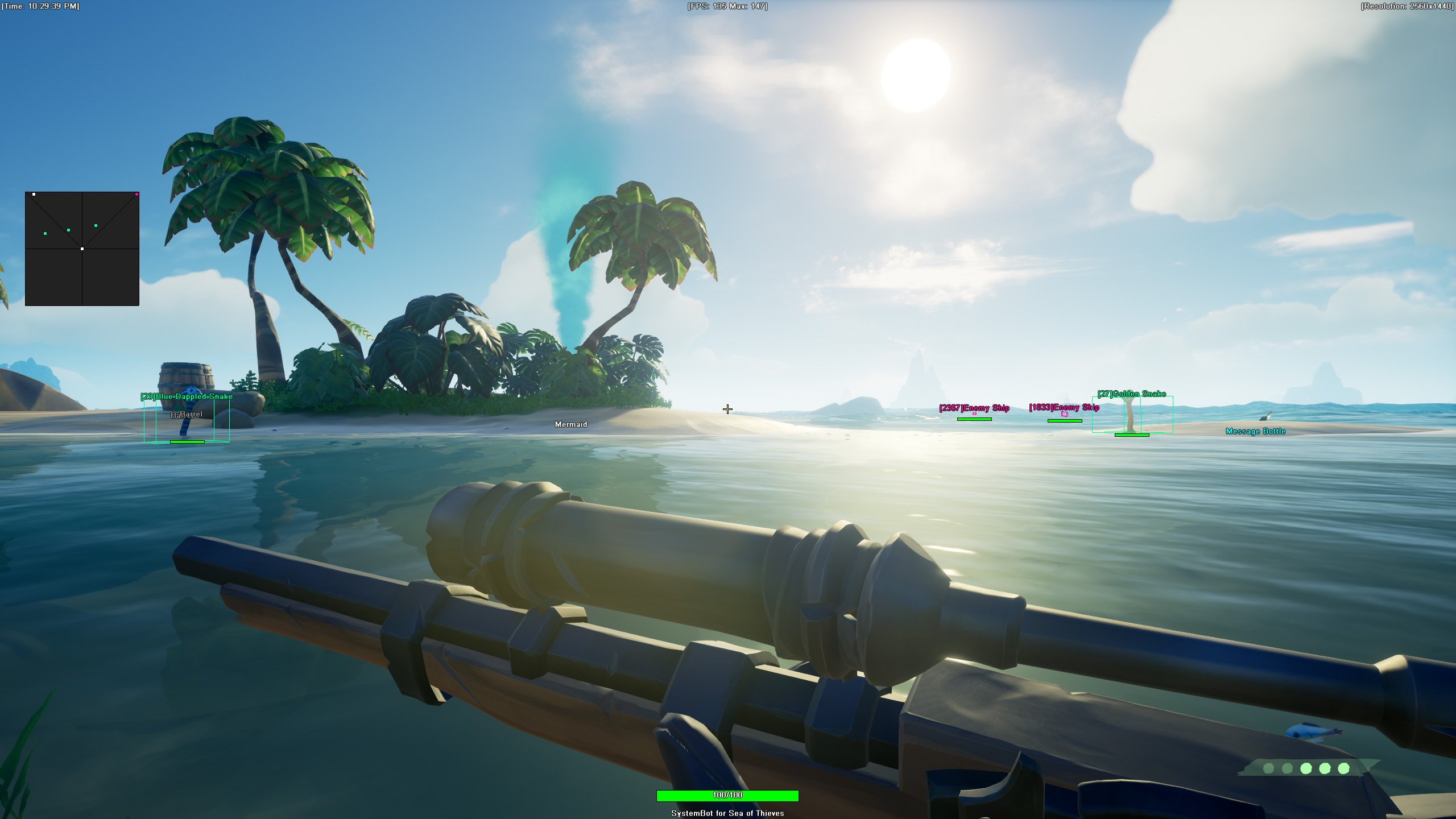
SoT Screenshot 3
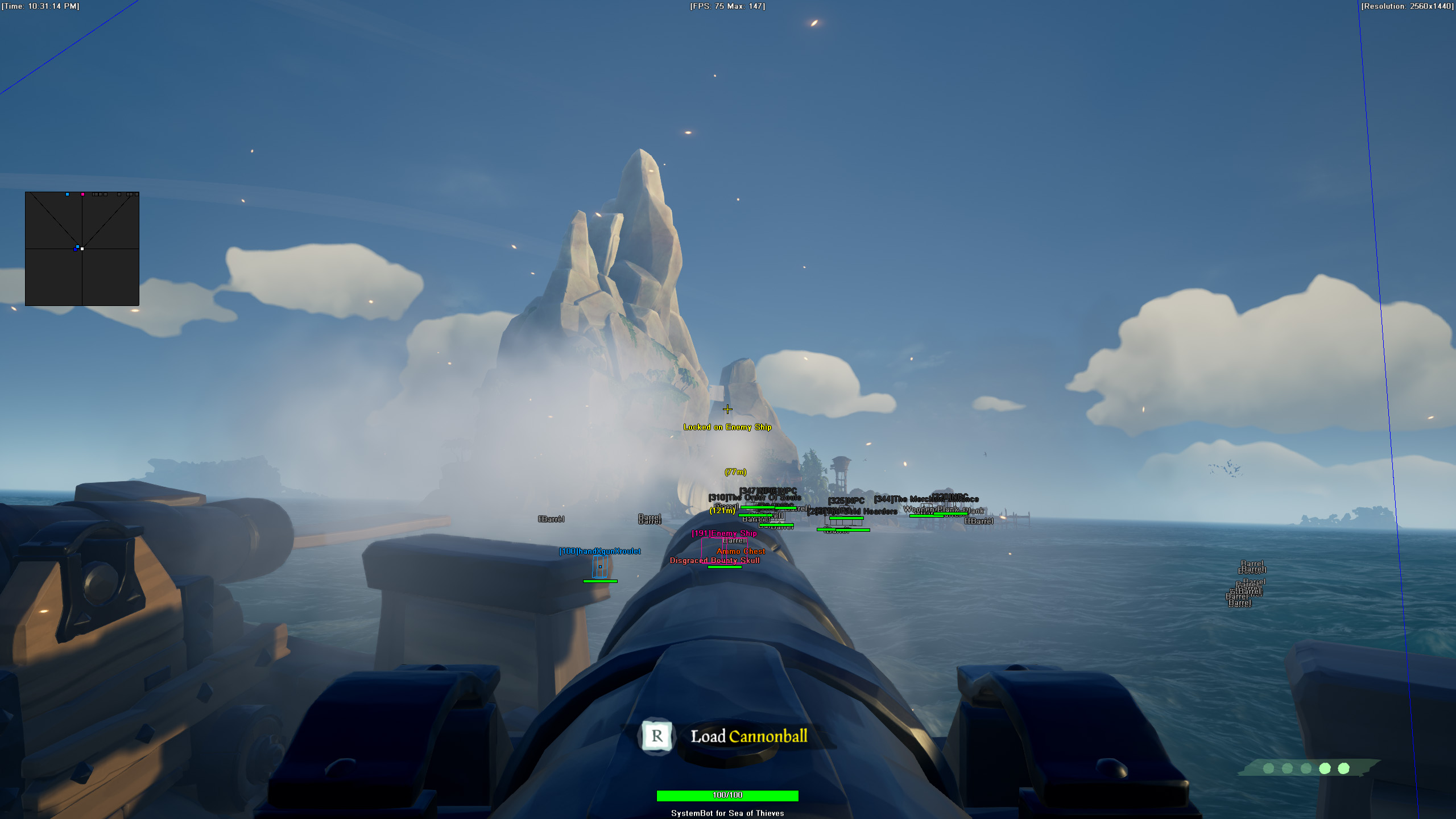
SoT Screenshot 4
Pirate adventure • Treasure ESP and Aimbot • Steam and Microsoft Store

Sea of Thieves Hack with Aimbot and ESP for PC

Get instant access to the Sea of Thieves Cheat for PC.

Sea of Thieves is a first-person pirate adventure developed by Rare and built on Unreal Engine. It plays in a shared open world where your crew sails between islands, takes voyages from the trading companies, digs up treasure and sells it at the Outposts for gold and reputation. On PC it is sold on Steam and through the Microsoft Store, and players on PC and console meet on the same seas.

The catch is that you are not alone out there. Other crews sail the same waters, and any of them can attack your ship, board it and take your loot. The pirate carrying a chest cannot fight back, so one bad moment on the beach can cost a whole evening of work. Add skeleton ships, the megalodon, the kraken and storms, and a simple treasure run can turn into a fight to keep your ship afloat.

Our Sea of Thieves hack is built for that kind of voyage: Treasure ESP, Island ESP and Dig Spot ESP for the hunt, player and ship ESP with a 2D radar for the fights, a Warning System for the moment someone lines you up, and an aimbot with bullet prediction for pistol and sniper duels.

Tactical upgrade briefing
Built for treasure runs and ship fights

Sea of Thieves rewards the crew that sees first. The Sea of Thieves cheat marks treasure, shipwrecks and barrels, labels islands with their names, shows enemy ships and pirates on a 2D radar, and warns you when someone aims at you. All of it is set in the cheat menu and saved to your own settings slots.

Sea of Thieves Hack and Cheat Features

The SoT cheat covers aim, awareness and loot. The aimbot has its own switch for pirates, ships, NPCs, skeletons, wildlife and gunpowder, the ESP marks a long list of loot and places, and three settings slots keep different setups ready. The highlights are below, and the full option list is in the Features panel on this page.

  • Aimbot with Bullet PredictionAuto Aim and Auto Fire with Smooth Aim, Limit Angle, Fire Delay and an aim key. Bullet Speed Prediction, Bullet Drop Prediction and Prediction Scale help shots land on moving targets. Aim Bone picks Head Priority, Chest Priority, Head or Chest, and Aim Style picks targets by FOV, Distance, First in list or Health.
  • Target SwitchesSeparate switches for Aim on Enemy, Aim on Friendly, Aim on Ship, Aim on NPC, Aim on Skeleton, Aim on Wildlife and Aim on Gunpowder, plus Max Distance, Visibility Check, Stick to Target and Randomize Aim.
  • Player and Ship ESPBounding Box in 3D or 2D with Box Size, Head Dot, 2D Line and Aim Laser. Player Name, Distance, Health and Weapon ESP, plus Show Ship, Show NPC, Show Skeleton and Show Wildlife, each with its own colour.
  • Treasure and Loot ESPTreasure ESP, Item ESP, Dig Spot ESP, Message Bottle ESP, Shipwreck ESP, Barrel ESP, Ammo Chest ESP, Sunken Cursed Artifact ESP, Merchant ESP and Bounty ESP, with Items Max Distance and 50 Item filter out slots.
  • Island and World ESPIsland ESP (With Their Names) with its own Max Island Distance, plus Skull Cloud ESP, Skeleton Throne ESP, Mermaid ESP, Campaign ESP and Projectile ESP.
  • 2D RadarA top-down radar with Radar Scale, Window Size and Stick To Window. Dots for friendly and enemy pirates, ships, NPCs, skeletons, wildlife and mermaids, plus Show FOV. Place the radar where you want it with the mouse.
  • Warning SystemAn on-screen warning when an enemy is aiming at you or can see you, each with its own angle, plus a Max Distance for the warnings.
  • Misc and ControlA custom crosshair (Cross, Dot or T-Cross), Draw Health Bar, Draw FPS, Draw Time, a Panic Key, 50 Wildlife filter out slots, and default plus two custom settings slots.
Sea of Thieves Hack in-game screenshot 1 of 4 Sea of Thieves Hack in-game screenshot 2 of 4 Sea of Thieves Hack in-game screenshot 3 of 4 Sea of Thieves Hack in-game screenshot 4 of 4

Sea of Thieves ESP for Treasure Hunting

Gold Hoarders voyages hand you treasure maps and riddles, and then it is up to your crew to find the right island and the right patch of sand. That search is where a lot of time goes. The Sea of Thieves ESP cuts down the guesswork. Island ESP (With Their Names) labels the islands in range, Dig Spot ESP marks dig spots, and Treasure ESP shows treasure around you in its own colour. Items Max Distance and Max Island Distance keep the screen readable, so a busy island does not turn into a wall of labels.

Loot From Shipwrecks, Bottles and Barrels

Not all loot comes from a map. Shipwrecks sit under the waves, messages in bottles and cargo wash up on beaches, and barrels float out on open water. The Sea of Thieves cheat has Shipwreck ESP, Message Bottle ESP, Item ESP and Barrel ESP, where you choose None, Island Barrels or All Barrels. Sunken Cursed Artifact ESP and Ammo Chest ESP add side loot and supplies to the list.

With 50 Item filter out slots you hide the items you do not want and keep the ones you do. Merchant Alliance voyages ask you to deliver animals and cargo on time. Merchant ESP has its own switch and colour, Show Wildlife marks animals, and the 50 Wildlife filter out slots hide the ones you do not need.

Guard the Chest With the Warning System

A pirate with a chest in their arms is an easy target, and other crews know it. One sniper on a cliff or one boarding party on your deck can end a long voyage just before you reach the Outpost. The Warning System covers that moment. It shows a warning when an enemy is aiming at you or can see you, each with its own angle, within the Max Distance you set. Player Distance ESP tells you how close a pirate is, and Player Weapon ESP shows what they carry, so you know if a blunderbuss is waiting for you on deck.

Sea of Thieves Aimbot for Pistol and Sniper Fights

Pirate fights in Sea of Thieves use the cutlass, the pistol, the blunderbuss, the sniper rifle, throwing knives, the double barrel pistol, the blowpipe and the harpoon gun. Targets on a moving ship or a busy beach rarely stand still, so the Sea of Thieves aimbot uses Bullet Speed Prediction, Bullet Drop Prediction and Prediction Scale to aim where the target will be.

Aim Bone with Head Priority or Chest Priority picks where the shot goes, Visibility Check only picks targets you can see, and Smooth Aim keeps the movement soft. Draw Aim FOV shows the aim field of view on screen, and Draw Locked marks the target it is on. Aim on Gunpowder adds gunpowder to the targets the aimbot can pick.

Enemy Ships on the 2D Radar

Ships come in three sizes. The Sloop is for solo and duo players, the Brigantine for three and the Galleon for four, and a full Galleon crew is a very different problem from a lone Sloop. Crews steer, man the cannons, patch holes with planks and scout from the crow’s nest.

The 2D Radar puts ships, pirates, NPCs and skeletons on one small window, with Show Ship, Show Enemy and Radar Scale, and the Enemy Ship and Friendly Ship colours tell you who is who. In Faction Battles, where the Guardians of Fortune and the Servants of the Flame fight through the Hourglass of Fate, the ESP with Show Ship and Player Health ESP shows the ships around you and how their crews are holding up.

Skeleton Forts, Skull Clouds and Skeleton Ships

The seas are full of skeletons. Skeleton Forts are marked by a skull cloud in the sky, skeleton ships roam the seas, and Order of Souls voyages send you after skeletons on purpose. Skull Cloud ESP points you to the cloud, Show Skeleton and the Skeleton colour mark the defenders, and Aim on Skeleton lets the aimbot work on skeletons as well as on pirates. Aim on NPC and Show NPC cover other characters in the world, each with its own colour, so you decide what the cheat pays attention to.

Settings Slots and Aim Under Your Control

High Seas, Safer Seas, Faction Battles and Tall Tales story missions each play differently, and one setup rarely fits all of them. The cheat saves a default setup plus Custom 1 and Custom 2, so one slot can hold a quiet treasure setup with Treasure ESP and Island ESP, another a fight setup with the Warning System and Player ESP, and the third your aimbot setup. With Use Aim Key on, the aimbot only works while you hold the key. Randomize Aim varies where the aim lands, Stick to Target stays on one enemy instead of jumping between them, and the Panic Key hides the whole overlay with one press.

How to Use the Sea of Thieves Cheat

Setting up your Sea of Thieves hack takes three steps.

01
Create Your Account

Register on the forum, choose a Sea of Thieves subscription or the Premium Package, and download our loader.

02
Load and Launch

Run the loader as administrator, select Sea of Thieves and start the game from Steam or the Microsoft Store. Open the cheat menu with your menu key.

03
Tune and Save

Set up aim, ESP and the radar the way you like and save them to the default slot or one of the two custom slots.

Is It Safe to Cheat in Sea of Thieves?

Rare’s release notes state that Sea of Thieves is protected by Easy Anti-Cheat, and the Steam store page lists it too. Rare also says the anti-cheat is updated outside the game’s regular update schedule to keep in sync with cheat developers. Rare’s enforcement policy uses a points system, and cheaters receive a permanent ban. No cheat is ever completely risk free. The live cheat status page always shows the current state of every cheat, so check it before you play.

Frequently Asked Questions

Is the SoT cheat online?

The live cheat status page always shows the current state of every cheat, including Sea of Thieves. Check it before you buy and before you play.

Is Sea of Thieves included in the Premium Package?

Yes. You can buy the Sea of Thieves cheat as a single cheat, and it is also included in the Premium Package and the One Day Trial. The price box on this page shows the options.

Which versions of Sea of Thieves does the cheat support?

The cheat supports the Steam and the Microsoft Store versions of Sea of Thieves on Windows 10 and 11 PC. The game must be set to English. In any other game language the ESP does not work and stays blank.

Which anti-cheat does Sea of Thieves use?

Easy Anti-Cheat. Rare’s release notes say it protects the game, and the Steam store page lists it.

Does the cheat help me find treasure?

Yes. Treasure ESP shows treasure around you, Dig Spot ESP marks dig spots, and Island ESP (With Their Names) labels the islands in range.

Can I hide loot I do not care about?

Yes. The cheat has 50 Item filter out slots, and Barrel ESP lets you choose None, Island Barrels or All Barrels.

Does the aimbot work on skeletons and NPCs?

Yes. Aim on Skeleton, Aim on NPC and Aim on Wildlife each have their own switch, next to Aim on Enemy and Aim on Friendly.

Set Sail With the Sea of Thieves Cheat

A good voyage in Sea of Thieves ends with the loot sold at the Outpost. With Treasure ESP, a 2D radar, the Warning System and an aimbot in one menu, you spend less time searching and more time selling at the Outpost. Get the Sea of Thieves cheat on its own or as part of the Premium Package.

Need Help?

Our support team is available 24 hours a day, 7 days a week through the SystemCheats forum and TeamSpeak. Read what customers say on Trustpilot, or compare all cheat packages to find the right fit.

Cheat & Hack Information

What is Sea of Thieves?


Sea of Thieves is a first-person pirate adventure developed by Rare. Your crew sails a shared open world, digs up treasure and sells it at the Outposts, while other crews can attack your ship and take your loot.


Cheating in Sea of Thieves


Our Sea of Thieves cheat has Treasure ESP, Island ESP, Dig Spot ESP, ship ESP with a 2D Radar, a Warning System and an aimbot with bullet prediction. You can buy it as a single cheat or get it with the Premium Package.


Is the Sea of Thieves cheat safe?


Sea of Thieves uses Easy Anti-Cheat, and Rare's enforcement policy gives cheaters a permanent ban. No cheat is ever completely risk free. However, you can always adjust your settings to play legitimately for the long run. Check the live status page before you play.

Reviews

Pricing

Features

Aimbot
Auto Aim Moves your aim onto a valid target for you automatically
Auto Fire Fires your weapon for you once a target is locked
Cannon Aimbot (Doesn't work well)
Fire Delay (0 ~ 1000) Adds a short wait in milliseconds before firing once a target is locked
Smooth Aim (1 ~ 50) Slows the aim movement so it looks natural, and higher values make it slower
Limit Angle (0 ~ 180) Sets how far from your crosshair a target can be for the aimbot to lock on
Use Aim Key Makes the aimbot work only while you hold or toggle your aim key
Bullet Speed Prediction Leads moving targets based on how long the shot takes to arrive
Bullet Drop Prediction Aims a little higher to make up for bullet drop over long distances
Prediction Scale (1 ~ 30) Fine tunes how strong the lead and bullet drop prediction is
Visibility Check Stops the aimbot from targeting enemies hidden behind walls or cover
Stick to Target Keeps the aimbot on one target until it is down or leaves range
Randomize Aim Adds small random changes to where your aim lands for a human look
Aim Style (FOV, Distance, First in list, Health) Sets how the aimbot chooses the best target when more than one is in range
Aim Bone (Head Priority, Chest Priority, Head, Chest) Sets which body part the aimbot aims at, such as the head or chest
Aim on Friendly Lets the aimbot target and lock onto your teammates
Aim on Enemy Lets the aimbot target and lock onto enemies
Aim on Ship Lets the aimbot target and lock onto ships
Aim on NPC Lets the aimbot target non-player characters
Aim on Skeleton Lets the aimbot target and lock onto skeleton enemies
Aim on Wildlife Lets the aimbot aim at animals and wildlife on the map
Aim on Gunpowder Lets the aimbot target gunpowder barrels
Max Distance (0 ~ 1500) Sets the farthest distance, in meters, at which targets are still picked up or shown
Draw Locked Draws a marker on the target the aimbot is locked onto
Draw Aim FOV Draws a circle on screen that shows where the aimbot is active
3D Radar
Bounding Box (None, 3D, 2D) Draws a box around each target so you can see where they are
Box Size (1 ~ 10) Sets how thick the lines of each ESP box are drawn
2D Line Draws snap lines from your screen to each target
Player Name ESP Shows the name of each player above their character
Player Distance ESP Shows how far away each player is in meters
Player Health ESP Shows a health bar for each player so you can see how hurt they are
Player Weapon ESP Shows the weapon each player is holding right now
Head Dot Draws a dot on the head of each target you can see
Dot Size (2 ~ 20) Sets how big the dot markers are drawn on each target
Aim Laser Draws a line that shows where each target is aiming
Laser Size (50 ~ 3000) Sets the length and thickness of the aim laser line
Projectile ESP Shows grenades, thrown items and other projectiles while they fly
Bounty ESP Shows where the bounties are located on the map
Treasure ESP Shows treasure on the ESP so you can find it fast
Merchant ESP Highlights items you can sell to the merchants
Item ESP Shows items and supplies in the game world
Island ESP Shows where the islands are located on the map
Message Bottle ESP Shows messages in a bottle you can pick up
Barrel ESP (None, Island Barrels, All Barrels) Shows supply barrels that you can open and loot
Ammo Chest ESP Shows ammo chests you can take ammo from
Mermaid ESP Shows where the mermaids are in the water near you
Shipwreck ESP Shows shipwrecks on the ESP so you always know where they are
Dig Spot ESP Shows spots where you can dig up buried treasure
Skull Cloud ESP Marks skull clouds so you can find them from far away
Skeleton Throne ESP Highlights skeleton thrones so you can find them fast
Sunken Cursed Artifact ESP Highlights sunken cursed artifacts in the water
Campaign ESP Highlights campaign items so you can find them on the map
Show Friendly Shows your teammates on the ESP and radar
Show Enemy Shows enemies on the ESP and radar so you always know where they are
Show Ship Shows ships on the ESP and radar so you always know where they are
Show NPC Shows non-player characters on the ESP so you always know where they are
Show Skeleton Shows skeleton enemies on the ESP so you always know where they are
Show Wildlife Shows wildlife and animals on the ESP so you always know where they are
Max Distance (0 ~ 1500) Sets the farthest distance, in meters, at which targets are still picked up or shown
Items Max Distance Sets how far away items are still shown on screen
Max Island Distance Sets how far away islands are still shown
2D Radar
Show Radar Turns on the 2D radar overlay on your screen
Show Cross Draws cross lines through the middle of the radar
Show Window Draws the background frame of the radar window
Show Dot Shows targets as dots on the radar window
Show FOV Draws a cone on the radar that shows where you are looking
Show Friendly Shows your teammates on the ESP and radar
Show Enemy Shows enemies on the ESP and radar so you always know where they are
Show Ship Shows ships on the ESP and radar so you always know where they are
Show NPC Shows non-player characters on the ESP so you always know where they are
Show Skeleton Shows skeleton enemies on the ESP so you always know where they are
Show Wildlife Shows wildlife and animals on the ESP so you always know where they are
Show Mermaid Shows where mermaids are on the radar window
Stick To Window Keeps targets that are out of range pinned to the edge of the radar
Radar Scale (0 ~ 60) Sets the radar zoom, lower zooms in and higher zooms out
Window Size (45 ~ 260) Sets the width and height of the radar window
Cross Size (45 ~ 260) Sets the length of the cross lines in the middle of the radar
Dot Size (2 ~ 20) Sets how big the dot markers are drawn on each target
Warning System
Warning System Shows on-screen warnings when enemies are near, can see you or aim at you
Aiming At You Angle Sets the angle within which an enemy aiming your way triggers the Aiming At You warning
Can See You Angle (0 ~ 180) Sets the angle used to warn you when an enemy can see you
Max Distance (0 ~ 1500) Sets the farthest distance, in meters, at which targets are still picked up or shown
Misc
Crosshair (None, Cross, Dot, T-Cross) Draws a custom crosshair in the center of your screen, over the game's own
Crosshair Size (2 ~ 200) Sets the size of the custom crosshair on your screen
Draw Resolution Shows your current screen resolution on the overlay
Draw FPS Shows your current frames per second on screen
Draw Time Shows your local system time on the overlay
Draw Watermark Shows the SystemCheats watermark on screen so you know the cheat is active
Draw Health Bar Shows your own health as a bar on screen
Use Panic Key Turns on a hotkey that instantly hides all cheat visuals and menus
Font Size (10 ~ 20) Sets the size of the ESP and overlay text on screen
Colors
Customizable Enemy Invisible RGBA Color Sets the color for enemies hidden behind walls or cover
Customizable Enemy Visible RGBA Color Sets the color for enemies in your direct line of sight
Customizable Enemy Ship RGBA Color Sets the color for enemy ships shown on the ESP
Customizable Friendly Invisible RGBA Color Sets the color for teammates hidden behind walls or cover
Customizable Friendly Ship RGBA Color Sets the color for friendly ships shown on the ESP
Customizable Projectile RGBA Color Sets the color the ESP uses for incoming hostile projectiles
Customizable NPC RGBA Color Sets the color for NPCs shown on the ESP
Customizable Skeleton RGBA Color Sets the color the ESP uses for skeletons
Customizable Wildlife RGBA Color Sets the color the ESP uses for wildlife
Customizable Bounty RGBA Color Sets the color used to draw bounty items on the ESP
Customizable Treasure RGBA Color Sets the color the ESP uses for treasure
Customizable Merchant RGBA Color Sets the color for merchants shown on the ESP
Customizable Item RGBA Color Sets the color for items shown on the ESP
Customizable Message Bottle RGBA Color Sets the color for messages in a bottle shown on the ESP
Customizable Barrel RGBA Color Sets the color used to draw barrels on the ESP
Customizable Ammo Chest RGBA Color Sets the color used to draw ammo chests on the ESP
Customizable Mermaid RGBA Color Sets the color for mermaids shown on the ESP
Customizable Menu RGBA Color Sets the color scheme for the in-game cheat menu
Customizable Shipwreck RGBA Color Sets the color the ESP uses for shipwrecks
Customizable Skull Cloud RGBA Color Sets the color the ESP uses for Skull Clouds
Customizable Skeleton Throne RGBA Color Sets the color the ESP uses for Skeleton Thrones
Customizable Sunken Cursed Artifact RGBA Color Sets the color the ESP uses for sunken cursed artifacts
Customizable Campaign RGBA Color Sets the color used to draw campaign items on the ESP
Filters
50 Item filter out slots Lets you list item names to hide from the ESP
50 Wildlife filter out slots Lets you list wildlife names to hide from the ESP
Positions
Customizable Radar position with the mouse Lets you move the radar by dragging it with the mouse
Customizable Menu position with the mouse Lets you move the menu by dragging it with the mouse
Keys
Customizable Panic Key Sets a key that instantly hides or turns off all cheat features
Customizable Menu Key Sets the key that opens and closes the cheat menu
Customizable Aim Key Sets the key that turns on the aimbot while held or toggled
Customizable Ship Aim Key Sets the hotkey that turns on the ship aim feature
Customizable Trigger Key Sets the key you hold or toggle to turn the triggerbot on
Settings
Save default settings Saves your current settings to the default profile
Load default settings Loads your saved settings from the default profile
Save custom 1 settings Saves your current settings to custom profile 1
Load custom 1 settings Loads your saved settings from custom profile 1
Save custom 2 settings Saves your current settings to custom profile 2
Load custom 2 settings Loads your saved settings from custom profile 2
Additional
Microsoft Store Supported Works with the Microsoft Store and Xbox Game Pass PC version
Steam Supported Works with the Steam version of the game