WARDOGS Hack with Aimbot & ESP

Currently included in the Premium Package only!
Updated for the Sept. 10 WARDOGS release!
WARDOGS Hack
WARDOGS Cheat
WARDOGS Aimbot
WARDOGS Hacks
Combined Arms Tactical Suite • Undetected • Steam

WARDOGS Hack with Aimbot and ESP

Get instant access to the WARDOGS Cheat for PC.

WARDOGS is a high intensity tactical military shooter built for competitive combined arms warfare and large scale combat operations. Soldiers engage in brutal infantry skirmishes, coordinate armored vehicle advances, and execute tactical squad maneuvers across expansive open battlegrounds. From capturing fortified strategic sectors and defending supply outposts to engaging enemy snipers across extreme engagement distances, victory requires flawless precision and instant tactical awareness.

Surviving armored vehicle ambushes, heavy machine gun crossfires, and concealed snipers takes extraordinary focus and rapid reaction times. Coordinating squad movement across open terrain while under intense artillery and vehicular fire demands total battlefield intelligence. Our WARDOGS hack gives you absolute combat supremacy, allowing you to detect enemy soldiers and vehicles through solid terrain, eliminate weapon recoil, scout fortifications with Ghost Mode, and land surgical long range sniper shots up to 1000 meters away.

Tactical upgrade briefing
Built for combined arms warfare

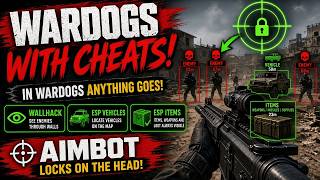
A market leading 1000m Aimbot with bullet drop and velocity compensation, Vehicle ESP out to 2000 meters, Ghost Mode reconnaissance, and Threat Warnings that tell you the moment a sniper looks your way. Spot every tank, transport, and marksman before they spot you.

WARDOGS Hack and Cheat Features

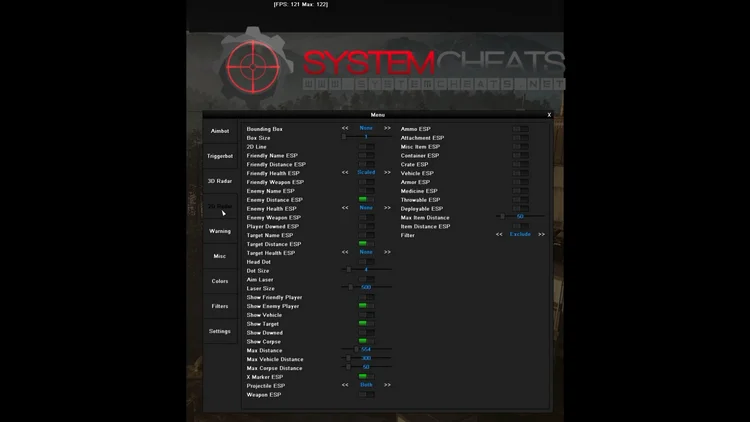
This WARDOGS cheat for PC delivers a comprehensive tactical suite engineered for competitive squad combat and combined arms dominance. Every feature is fully customizable through the in-game menu on the DELETE key, providing market leading accuracy, unshakeable security, and total map awareness. The highlights are below, and every single option with its range is listed in the Features panel on this page.

  • Precision 1000m AimbotAuto Aim, Linear and Constant Smooth Aim, and Humanized Aim with Randomize Curve to mimic natural hand movement. Bullet Speed and Bullet Drop Prediction hit moving infantry and vehicles up to 1000 meters away. Head, Neck, and Chest targeting, Deadzone Angles, Visibility Check, and Stick To Target.
  • TriggerbotFires your weapon the instant your crosshair passes over an enemy soldier, combat vehicle, or mission target, with customizable Fire Delay for natural, undetectable execution.
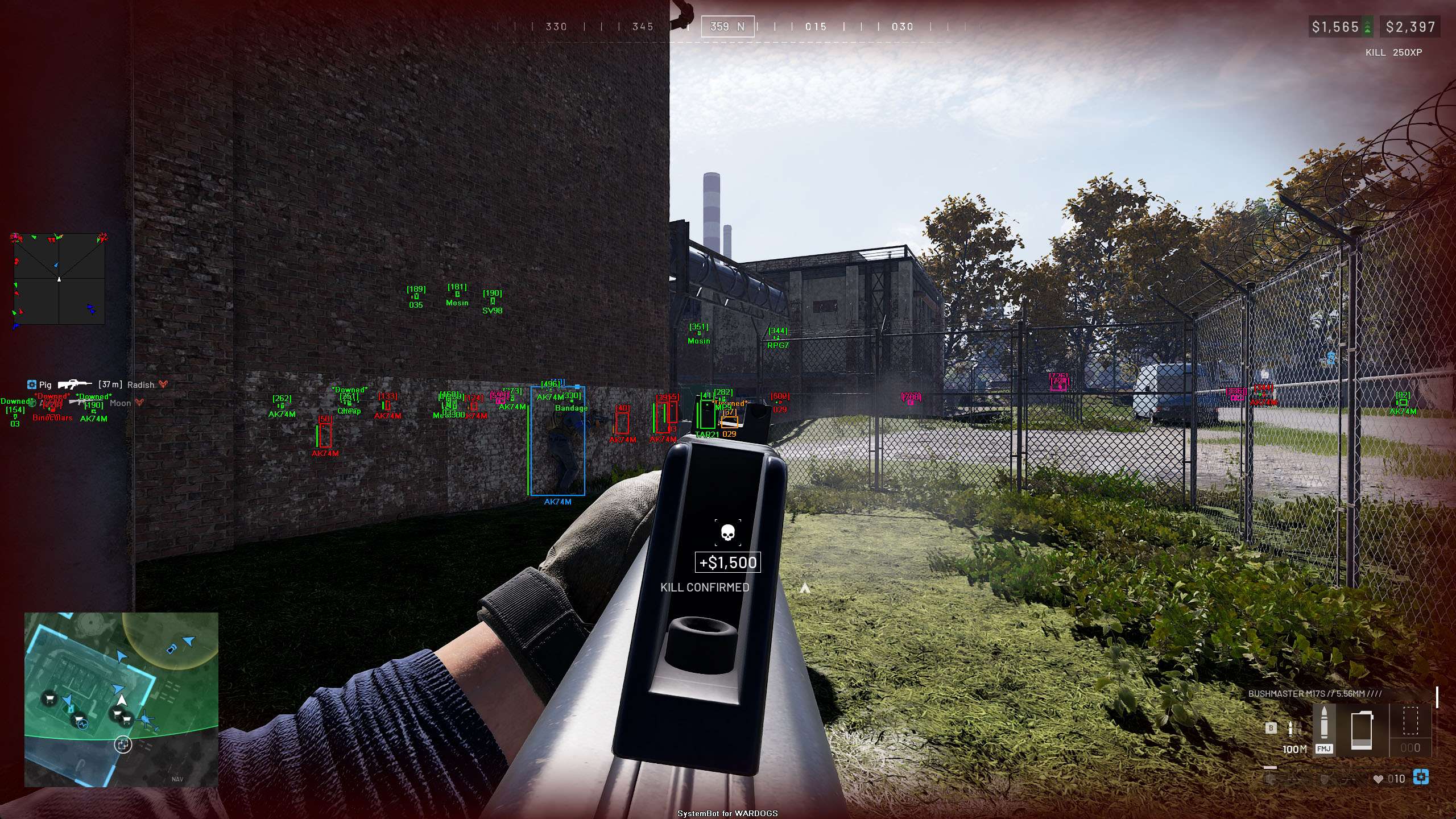
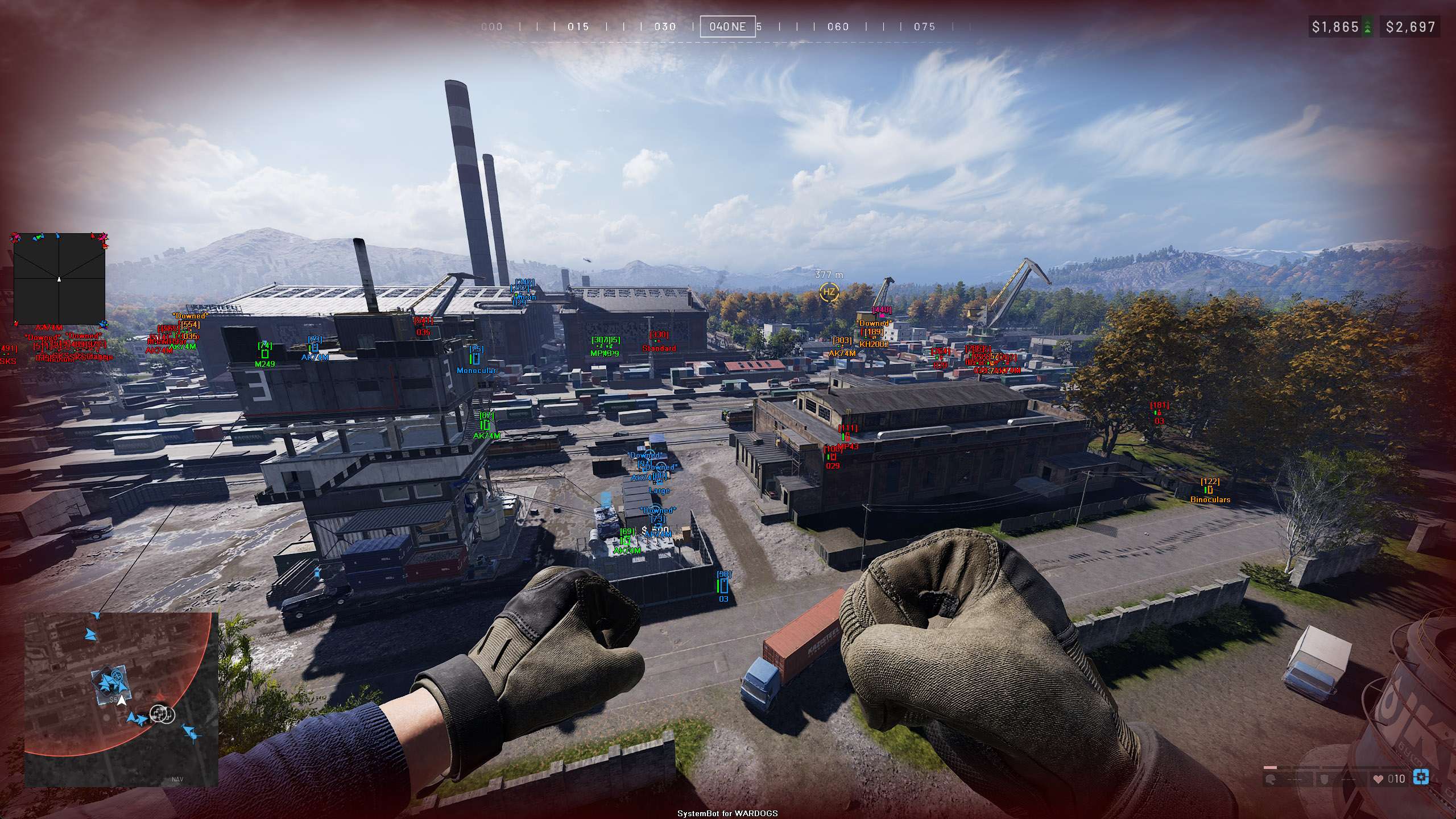
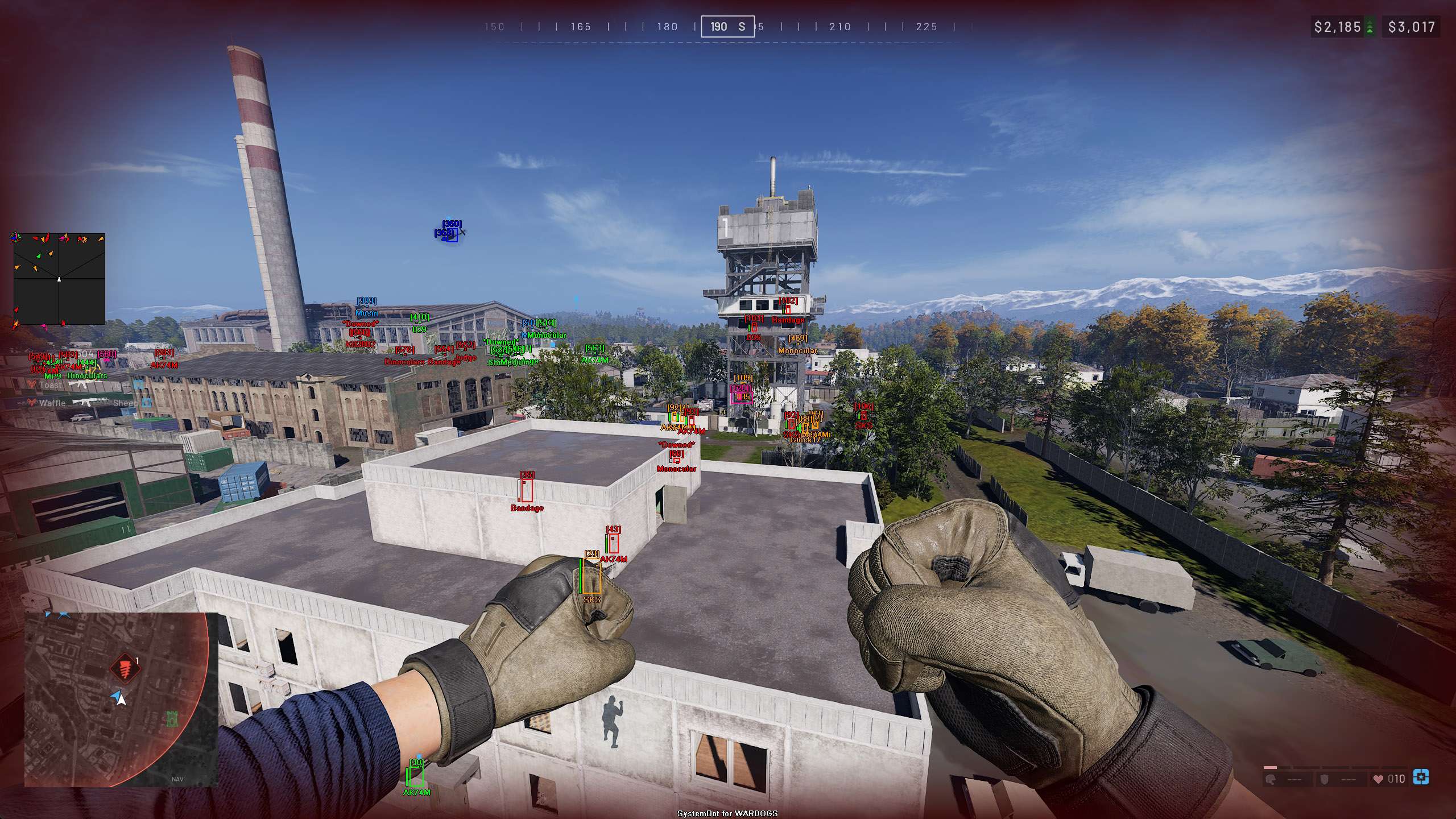
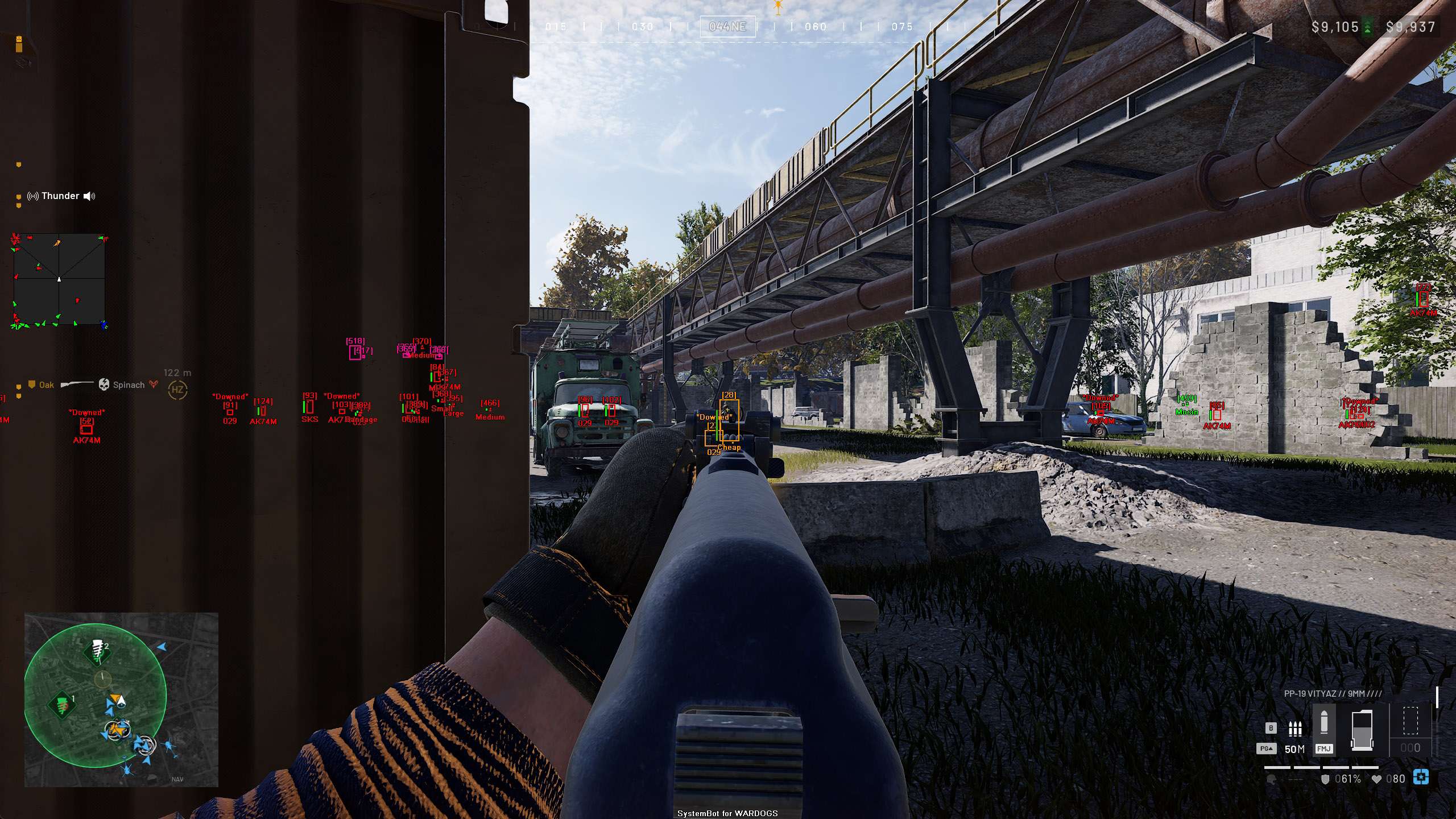
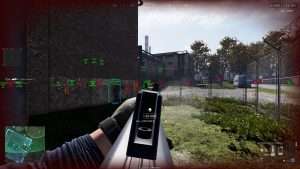
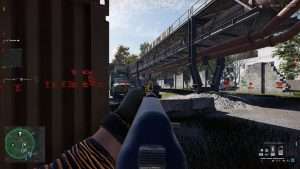
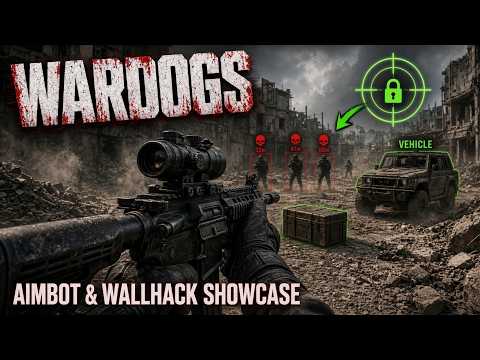
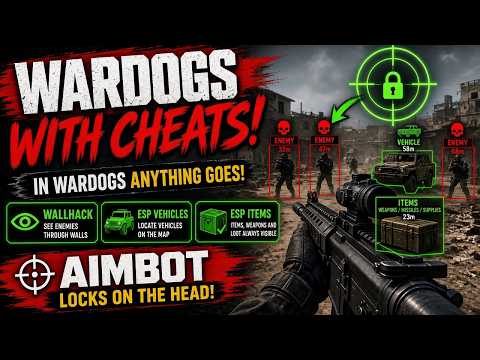
  • Player and Vehicle 3D ESPEnemy soldiers and teammates through solid structures with 2D or 3D Bounding Boxes, Player Name, Distance, Health Bars, equipped Weapon, and Downed status. Hostile tanks and armored transports up to 2000 meters, plus mission targets, objective waypoints, and corpses. Includes a fully customizable 2D Radar.
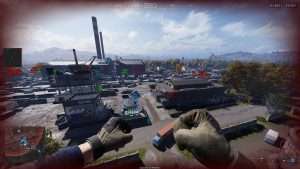
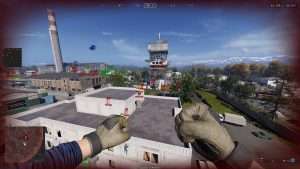
  • Ghost Mode ScoutingDetach your camera in real time to fly freely across the map, scout enemy defense fortifications, and locate concealed snipers before initiating squad assaults.
  • Threat Warnings and Beep SystemImmediate on-screen warning indicators when enemy snipers look in your direction or aim directly at your position. Configurable audio beep alerts notify you of incoming danger up to 1000 meters away.
  • Weapon Stability and Streamer PrivacyEliminate weapon kick completely with No Recoil, No Spread, and No Sway. Hide Account Info conceals your player profile tags during live streams and video recordings.

Why Aimbot and Vehicle ESP Matter in WARDOGS

Mastering large scale military maps requires dominating both close quarters combat and extreme distance engagements.
Concealed enemy marksmen and heavy tanks often control high ground positions and suppress team advances from kilometers away.
The WARDOGS cheat ESP reveals every hostile soldier, armored vehicle, and mission objective clearly on your screen.
With our market leading 1000m Aimbot with bullet drop and velocity compensation, you can eliminate threats at extreme ranges before they can return fire.
In close quarters firefights, threat warnings and head dot indicators give you the split second advantage needed to win every encounter.

How to Use the WARDOGS Cheat

Setting up your WARDOGS hack takes only a few simple steps.

01
Download the loader

Select your subscription package, download our secure loader, and run it as an administrator.

02
Load and launch

Select WARDOGS in the loader, start the game on Steam or PC, and press DELETE in game to open the cheat menu.

03
Take the field

Customize your aimbot smoothness, adjust vehicle ESP rendering distances, and set up hotkeys for Ghost Mode and target filtering.

Is it Safe to Use the WARDOGS Hack?

Security, account longevity, and anti-cheat evasion are core pillars of our software engineering.
Our development team continuously maintains and updates our cheat alongside all WARDOGS game patches and anti-cheat updates.
By combining memory protection with humanized bezier curve aiming and customizable smooth aim tracking, your gameplay remains completely natural and secure.
Our software runs smoothly in the background, providing maximum stability and complete peace of mind during extended gaming sessions.

Frequently Asked Questions

Is the WARDOGS hack undetected and safe?

Yes, our WARDOGS cheat is built with advanced security, memory protection, and continuous updates to ensure long-term undetected gameplay on PC.

Can the WARDOGS aimbot hit targets at 1000 meters?

Yes, our market-leading WARDOGS aimbot features advanced bullet speed and bullet drop prediction, allowing you to land accurate shots up to 1000m away.

What ESP features are included in the WARDOGS cheat?

The cheat includes 3D Bounding Boxes, Player Name, Distance, Health, and Weapon ESP, hostile Vehicle ESP up to 2000m, Target Objectives, and Corpse ESP.

How do I get access to the WARDOGS cheat?

You can purchase an individual subscription or get instant access to all supported games with our all-in-one Premium Package.

Dominate the Combined Arms Warzone

Stop losing squad skirmishes and getting eliminated by unseen snipers across the map.
With WARDOGS Cheats, you gain the decisive intelligence and precision firepower needed to lead your squad to victory in every match.
Equip your loadout, pilot combat vehicles with total radar vision, and conquer the battlefield today.

Need Help with your WARDOGS Cheat?

Our customer support team is available 24/7 to assist with loader setup, keybind configuration, and technical questions. Check out our Premium Package for unlimited access to our entire catalog of supported games. Read authentic reviews from thousands of active community members on our Trustpilot page.

Cheat & Hack Information

What is WARDOGS?


WARDOGS is a high-intensity tactical military shooter featuring combined arms warfare, large-scale vehicular combat, infantry skirmishes, and strategic objective-based missions.

Cheating in WARDOGS


Surviving combined arms combat and long-range sniper engagements requires superior precision. Our WARDOGS cheat delivers market-leading 1000m Aimbot with ballistic prediction, full 3D Player and Vehicle ESP, threat warnings, and Ghost Mode reconnaissance.

Should you cheat in WARDOGS?


Our WARDOGS hack is engineered with a core focus on security, longevity, and natural humanized aiming curves. Enjoy undetected performance, customize legit settings, and safeguard your account while dominating every match.

Pricing

Features

Aimbot
Auto Aim Automatically steers your aim onto enemy soldiers, occupied vehicles, and range targets
Auto Fire Automatically fires your weapon once the aimbot has a target locked
Fire Delay (0 ~ 1000) Adds a delay in milliseconds before Auto Fire pulls the trigger on a locked target
Linear Smooth Aim (1 ~ 100) Moves the aim toward the target in fixed steps for natural, human-like mouse movement
Constant Smooth Aim (1 ~ 100) Applies constant velocity smoothing to keep the aim moving steadily onto the target
Humanized Aim Follows a curved, humanized path to the target instead of a straight line
Randomize Curve (30 ~ 100) Adds random variation to the aiming curve; requires Linear Smooth Aim above 1
Limit Angle (0 ~ 180) Sets the maximum angle from your crosshair within which targets are considered
Deadzone Angle (0 ~ 20) Creates a deadzone around the crosshair where the aimbot will not pull
Angle Scaling (Static, FOV) Keeps the aim angles fixed, or scales them with your current field of view when zoomed
Use Aim Key Aimbot only activates while the bound aim key is held
Bullet Speed Prediction Uses the weapon's projectile speed to lead moving infantry and vehicles
Bullet Drop Prediction Compensates for bullet drop using the game's own ballistic table and your active zeroing
Prediction Scale (1 ~ 30) Fine-tunes the strength of the bullet speed and drop prediction
Sway Compensation Aims along the weapon's real barrel line instead of the camera, cancelling breathing and scope sway
Visibility Check Prevents the aimbot from targeting enemies behind walls or obstacles
Stick To Target Keeps the aimbot locked on the current target until it is no longer valid
Randomize Aim Shifts the aim point randomly within the target's body to mimic human aiming variance
Randomize Aim Speed (10 ~ 1000) How often, in milliseconds, the random aim offset is re-rolled
Aim Style (FOV, Distance, First In List, Health) Prioritizes targets by crosshair angle, proximity, list order, or lowest health
Aim Bone (Head Priority, Chest Priority, Head, Chest) Selects the aim bone: head or chest with fallback to the other, or head or chest only
Aim Friendly Player Allows aiming at friendly players
Aim Enemy Player Allows aiming at enemy players
Aim Vehicle Allows aiming at occupied enemy vehicles
Aim Target Allows aiming at shooting range and training targets
Aim Downed Allows aiming at downed enemy players
Max Distance (0 ~ 2000) Limits the aimbot to targets within this range, in meters
Draw Locked (None, Text, Box) Marks the currently locked target with a text label or a box, or nothing
Draw Aim FOV Draws an on-screen circle showing the active aimbot angle
Triggerbot
Triggerbot Automatically shoots when your crosshair passes over a target
Use Trigger Key Triggerbot only functions while holding the trigger hotkey
Fire Delay (0 ~ 1000) Adds a delay in milliseconds before triggering weapon fire
Trigger Friendly Player Triggers weapon fire on friendly squadmates
Trigger Enemy Player Triggers weapon fire on enemy soldiers
Trigger Vehicle Triggers weapon fire on enemy vehicles
Trigger Target Triggers weapon fire on mission targets
Trigger Downed Triggers weapon fire on downed enemies
Max Distance (0 ~ 1500) Limits maximum range for triggerbot activation up to 1500 meters
3D Radar
Bounding Box (None, 2D, 3D) Draws boxes around players, vehicles, and targets through terrain and walls
Box Size (1 ~ 10) Adjusts the line thickness of bounding boxes
2D Line Draws snap lines from the bottom centre of your screen to each drawn player
Friendly Name ESP Displays the names of friendly players
Friendly Distance ESP Displays the distance to friendly players in meters
Friendly Health ESP (None, Scaled, Static, Vertical) Displays a health bar for friendly players, sized to the box, fixed width, or vertical beside the box
Friendly Weapon ESP Displays the currently equipped weapon of friendly players
Enemy Name ESP Displays the names of enemy players
Enemy Distance ESP Displays the distance to enemy players in meters
Enemy Health ESP (None, Scaled, Static, Vertical) Displays a health bar for enemy players, sized to the box, fixed width, or vertical beside the box
Enemy Weapon ESP Displays the currently equipped weapon of enemy players
Player Downed ESP Adds a downed label above players who are down but not yet dead
Target Name ESP Displays a label on shooting range and training targets
Target Distance ESP Displays the distance to range targets in meters
Target Health ESP (None, Scaled, Static, Vertical) Displays a health bar on range targets in the same styles as player health
Head Dot Draws a dot on the head bone of every drawn player
Dot Size (2 ~ 20) Adjusts the size of the head dot
Aim Laser Draws a line from each player's head in the direction they are facing
Laser Size (50 ~ 3000) Adjusts the length of the aim laser in game units
Show Friendly Player Displays ESP for friendly players
Show Enemy Player Displays ESP for enemy players
Show Target Displays ESP for shooting range and training targets
Show Vehicle Displays ESP for crewed vehicles; the crew is drawn as the vehicle rather than as separate players
Show Downed Displays ESP for downed players
Show Corpse Displays a marker on dead players
X Marker ESP Marks the critical hit spot the hammer is currently highlighting on a structure
Projectile ESP (None, Distance, Name, Both) Labels live grenades and thrown projectiles with their name, distance, or both
Weapon ESP Displays dropped and lootable weapons on the ground
Ammo ESP Displays ammunition pickups on the ground
Attachment ESP Displays weapon attachment pickups on the ground
Misc Item ESP Displays pickups that do not fit any other item category
Container ESP Displays lootable containers and dead players' inventories
Crate ESP Displays undestroyed vehicle supply crates
Vehicle ESP Displays empty, parked vehicles as item labels
Armor ESP Displays armor pickups on the ground
Medicine ESP Displays medical item pickups on the ground
Throwable ESP Displays grenade and throwable pickups on the ground
Deployable ESP Displays deployable equipment pickups on the ground
Max Item Distance (0 ~ 500) Limits item ESP to pickups within this range, in meters
Item Distance ESP Adds the distance in meters in front of each item label
Filter (Exclude, Include) Exclude hides the item names listed on the Filters tab; Include hides everything except them
Max Distance (0 ~ 2000) Limits player ESP to targets within this range, in meters
Max Vehicle Distance (0 ~ 3000) Limits vehicle ESP, crewed or parked, to this range in meters
Max Corpse Distance (0 ~ 500) Limits corpse markers to this range in meters
2D Radar
Show Radar Toggles the 2D radar overlay on your screen
Show Cross Draws crosshair lines through the centre of the radar
Show Window Draws the radar background box in the menu colour
Show Dot Draws your own position marker at the centre of the radar
Show FOV Draws two lines from the radar centre showing your current field of view
Show Friendly Player Displays friendly players on the radar
Show Enemy Player Displays enemy players on the radar
Show Vehicle Displays crewed vehicles on the radar
Show Target Displays shooting range and training targets on the radar
Show Downed Displays downed players on the radar
Stick To Window Pins players beyond the radar's range to the edge of the window instead of hiding them
Radar Scale (0 ~ 60) Adjusts the radar zoom level; higher values show a smaller area in more detail
Window Size (45 ~ 260) Adjusts the width and height of the radar window
Cross Size (45 ~ 260) Adjusts the length of the crosshair lines inside the radar
Dot Size (2 ~ 20) Adjusts the size of player markers and your own marker
Dot Type (Triangle, Dot) Triangles point in the direction each player is facing; dots show position only
Center 2D Radar Places the radar at the centre of the screen instead of its dragged position
Max Distance (0 ~ 2000) Limits the radar to players within this range, in meters
Warning System
Warning System Shows an on-screen warning naming the enemy whose head has line of sight to you, with their distance
Aiming At You Angle (0 ~ 180) An enemy looking within this angle of you shows the "Aiming At You" warning
Can See You Angle (0 ~ 180) An enemy looking within this wider angle shows "Can See You"; beyond it the warning reads "Visible"
Max Distance (0 ~ 2000) Limits the warning system to enemies within this range, in meters
Beep System Plays a proximity beep that repeats faster the closer the nearest enemy is
Max Beep Distance (0 ~ 2000) Enemies farther than this range, in meters, do not trigger the beep
Lock-On Warning Warns when a missile seeker is tracking your vehicle, names the locker, and draws a line to them; a full lock means it can fire
Lock-On Beep Beeps slowly while a seeker is tracking your vehicle and fast at a higher pitch once it has a full lock
Misc & Exploits
Crosshair (None, Cross, Dot, T-Cross) Draws a custom crosshair in the chosen style
Crosshair Size (2 ~ 200) Adjusts the size of the custom crosshair
Crosshair Dynamic Moves the crosshair to where the weapon's barrel actually points instead of the screen centre
Draw FPS Displays the current frames per second at the top of the screen
Draw Resolution Displays the current screen resolution
Draw Time Displays the local system time
Draw Watermark Displays the watermark at the bottom of the screen
Draw Health Bar Displays your own health as a bar at the bottom of the screen, shifting from green to red
Draw Weapon Info Displays your equipped weapon name and its muzzle velocity in meters per second
Use Panic Key Enables the panic key, which hides every overlay and disables Fullbright until pressed again
Font Size (10 ~ 20) Changes the text size of the menu and all overlays
Font Shadow (Bordered, Shadow, None) Draws text with an outline, a drop shadow, or plain
No Recoil Zeroes the weapon's recoil pattern and view kick for steady firing
No Spread Zeroes the weapon's accuracy cone and random deviation for pinpoint accuracy
No Sway Zeroes the weapon's aim sway and animation sway while aiming
Ghost Mode Enables the ghost mode key; while active you fly freely with W, A, S, D, Space, and Ctrl
Ghost Mode Speed (10 ~ 500) Adjusts how far you move per tick while ghost mode is active
Save Ghost Location Remembers your ghost position between sessions so re-enabling ghost mode returns you there
Fullbright Switches the renderer to unlit mode so the whole map is evenly lit
Filters
Friendly Filter (6 slots) Player names entered here are always treated as friendly, whatever team the game reports
Enemy Filter (6 slots) Player names entered here are always treated as enemy, whatever team the game reports
Item Filter (13 slots) Item names used by the 3D Radar Filter option: Exclude hides these items, Include shows only these items
Colors
Enemy Invisible RGBA Colour for enemy players with no line of sight to you
Enemy Visible RGBA Colour for enemy players you can see
Enemy Vehicle RGBA Colour for crewed enemy vehicles
Friendly Invisible RGBA Colour for friendly players with no line of sight to you
Friendly Visible RGBA Colour for friendly players you can see
Friendly Vehicle RGBA Colour for crewed friendly vehicles
Target Invisible RGBA Colour for range targets behind cover
Target Visible RGBA Colour for range targets you can see
Corpse RGBA Colour for dead player markers
Crosshair RGBA Colour for the custom crosshair
Menu RGBA Colour for the menu and the radar window
Aiming At You RGBA Colour for the "Aiming At You" warning text
Can See You RGBA Colour for the "Can See You" warning text
Is Visible RGBA Colour for the "Visible" warning text
Aim FOV RGBA Colour for the aim FOV circle
X Marker RGBA Colour for the hammer's critical hit spot marker
Lock-On Warning RGBA Colour for the missile lock-on warning text and its line to the locker
Projectile RGBA Colour for live grenade and projectile labels
Weapon RGBA Colour for weapon pickups
Ammo RGBA Colour for ammunition pickups
Attachment RGBA Colour for weapon attachment pickups
Misc Item RGBA Colour for uncategorised item pickups
Container RGBA Colour for lootable containers and dead players' inventories
Crate RGBA Colour for vehicle supply crates
Armor RGBA Colour for armor pickups
Medicine RGBA Colour for medical item pickups
Throwable RGBA Colour for grenade and throwable pickups
Deployable RGBA Colour for deployable equipment pickups
Vehicle RGBA Colour for empty, parked vehicle labels
Positions
RadarX Position (Customizable on screen via mouse drag)
RadarY Position (Customizable on screen via mouse drag)
MenuX Position (Customizable on screen via mouse drag)
MenuY Position (Customizable on screen via mouse drag)
Settings/Keys
Panic Key Key to instantly close and hide all cheat features
Menu Key Key to toggle cheat configuration menu
Aim Key Key held to activate aimbot lock-on
Trigger Key Key held to enable triggerbot auto-firing
Corpse Key Key to toggle corpse visuals
Ghost Mode Key Key to toggle Ghost Mode free camera
Default Config Key Key to load default configuration profile
Custom 1 Config Key Key to load custom configuration profile 1
Custom 2 Config Key Key to load custom configuration profile 2
Custom 3 Config Key Key to load custom configuration profile 3
Save/Load Default Settings Saves or loads your primary configuration
Save/Load Custom 1 Settings Saves or loads your first custom profile
Save/Load Custom 2 Settings Saves or loads your second custom profile
Save/Load Custom 3 Settings Saves or loads your third custom profile