Included in Premium Package and One Day Trial
Steam & EA Launcher are supported
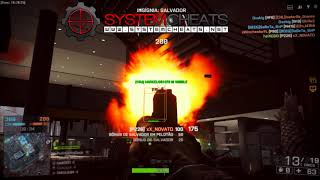
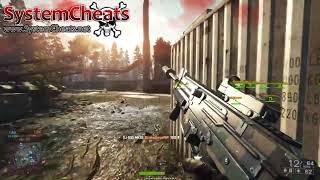
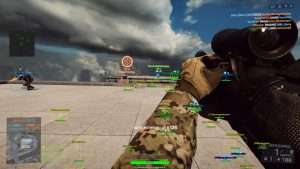
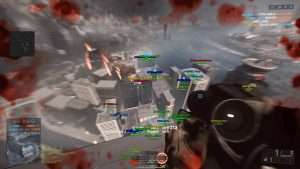
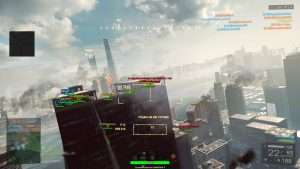
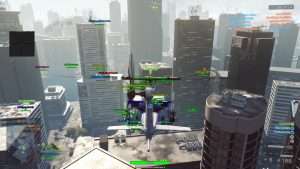
Get instant access to the Battlefield 4 Cheat for PC.
Battlefield 4 is the military first person shooter from DICE, published by Electronic Arts and built on the Frostbite 3 engine. The campaign follows Sgt. Daniel “Reck” Recker and Tombstone squad through a fictional war between the United States, China and Russia, with missions in Shanghai. Online, the same three factions meet in matches of up to 64 players on PC.
The game is built around combined arms. Four classes (Assault, Engineer, Support and Recon) share the maps with tanks, jets, helicopters and boats. Levolution lets players change a map in the middle of a round, and Commander Mode gives one player per team a strategy style view of the whole map. With that many players and vehicles on one map, the hardest part is often knowing where the danger is.
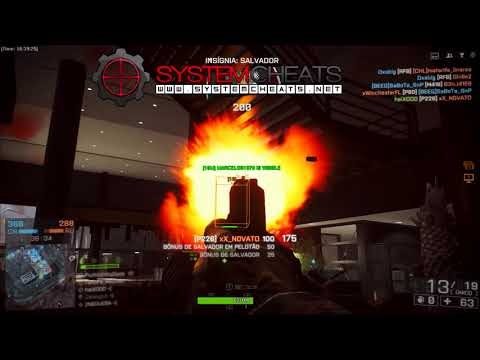
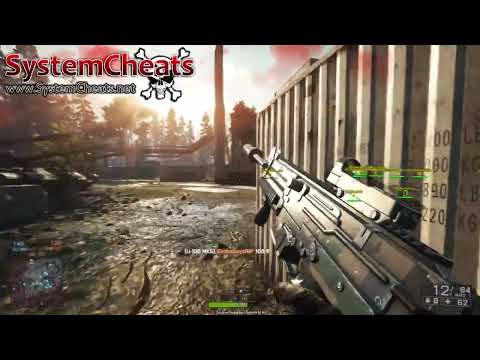
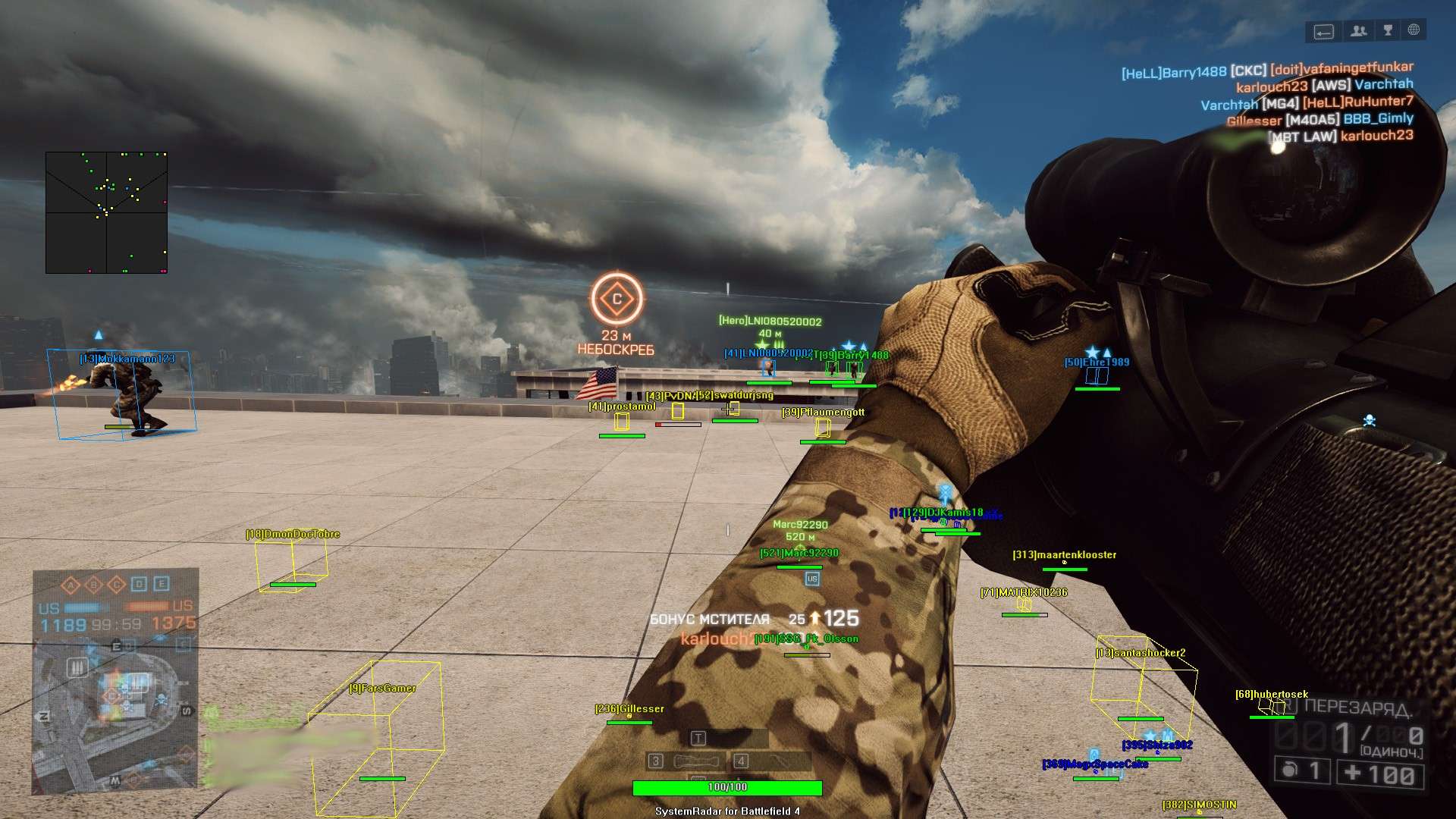
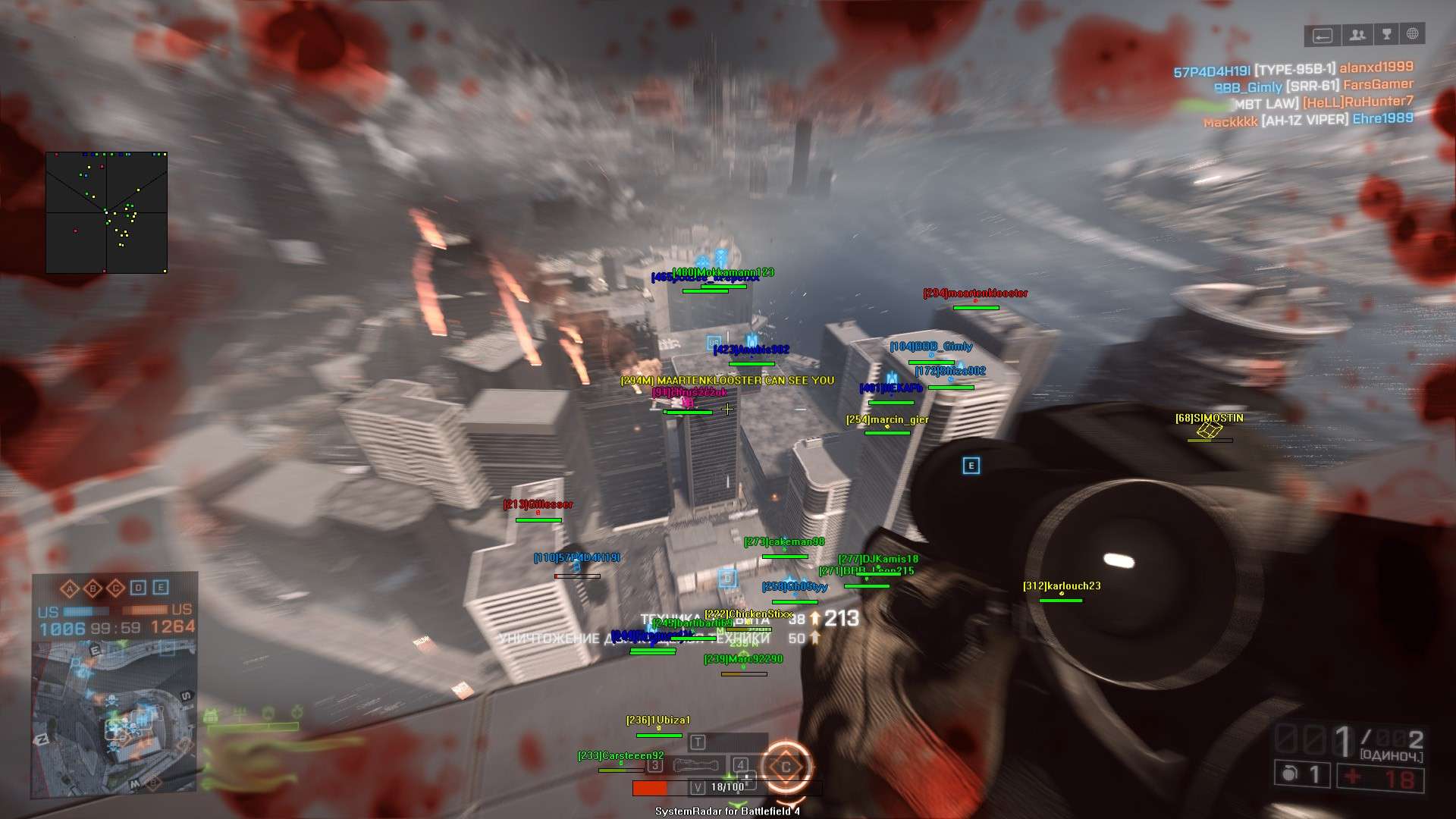
Our Battlefield 4 hack is made for exactly that problem. It is an awareness cheat: 3D Radar ESP for soldiers and vehicles, a 2D radar you place with the mouse, and a warning system that tells you when an enemy is aiming at you or can see you. It shows you the battlefield, and the shooting stays in your hands.
On maps built for up to 64 players, the enemy you did not see is the one that takes you out. The Battlefield 4 cheat puts soldiers and vehicles on a 3D overlay and a 2D radar, warns you when someone is aiming at you, and is included in the Premium Package as well as sold on its own.
The BF4 cheat is set from an in-game menu. You open it with a Menu Key you choose, and you can move the menu with the mouse. The highlights are below, and the full option list is in the Features panel on this page.
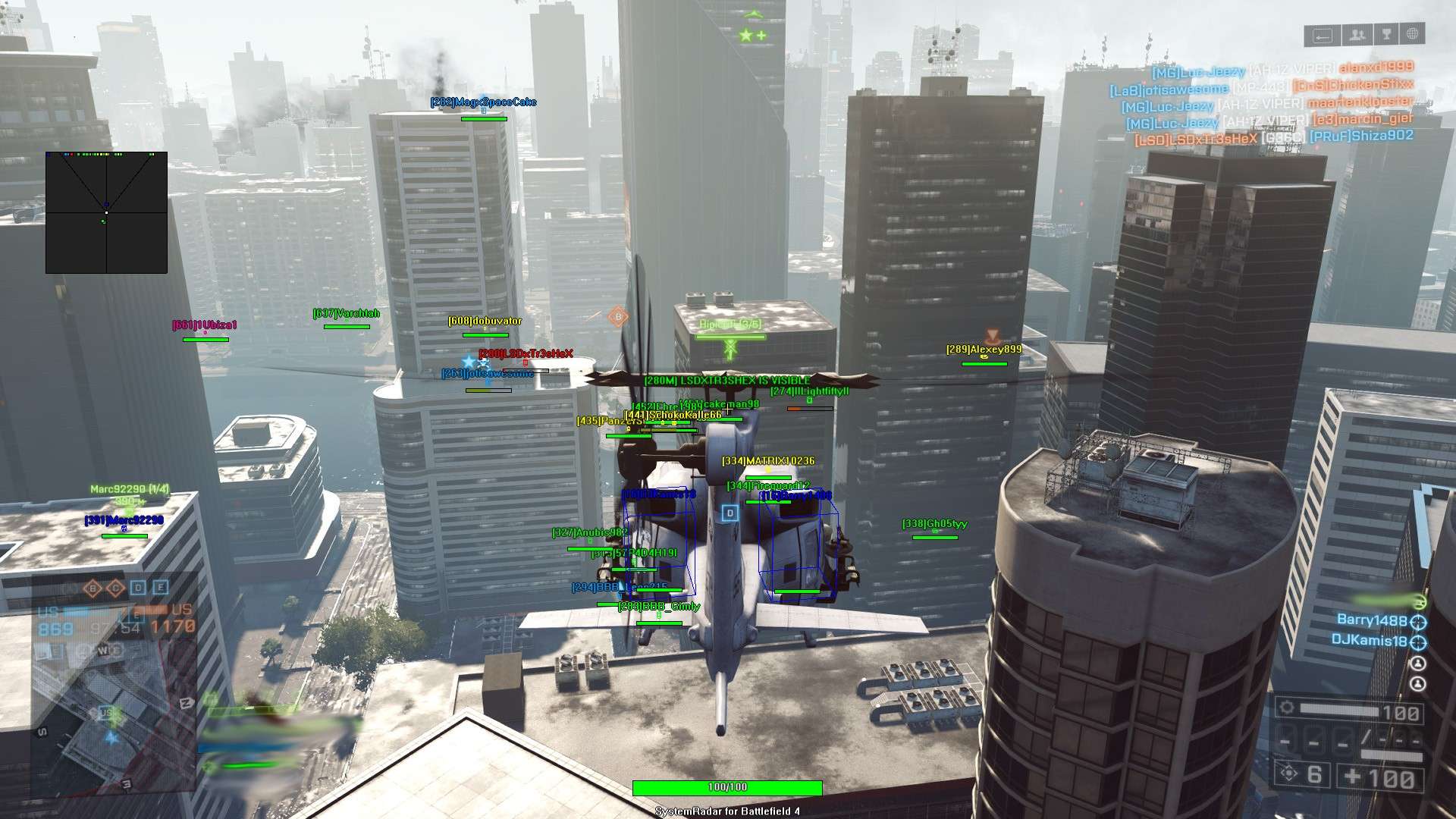
Conquest on a full server is Battlefield 4 at full scale. Up to 64 players share one big map, and the next threat can come from any side, on foot or in a vehicle. The Battlefield 4 ESP puts that information on your screen. The 3D Radar draws a Bounding Box in 2D or 3D around each player in range, with a Head Dot, a 2D Line and, if you want them, Player Name, Player Distance and Player Health ESP.
The Enemy Visible and Enemy Invisible colours show at a glance who stands in the open and who is behind cover. Max Distance keeps the overlay on the fight near you, so a full server does not turn your screen into a wall of boxes.
EA calls Golmud Railway the largest Battlefield 4 map at launch by land area, with a moving train at its centre in Conquest. On a map that size the fight can start far from where you are looking. The 2D Radar gives you a top down view with friendly, enemy and vehicle dots.
Radar Scale, Window Size, Cross Size and Dot Size shape how it looks, and Show FOV and Show Cross add extra markers. You set the radar position with the mouse, so it can sit wherever it suits your screen. Golmud Railway, Siege of Shanghai and Operation Locker do not play the same, and each may suit a different Radar Scale, so try a few and save the ones you like.
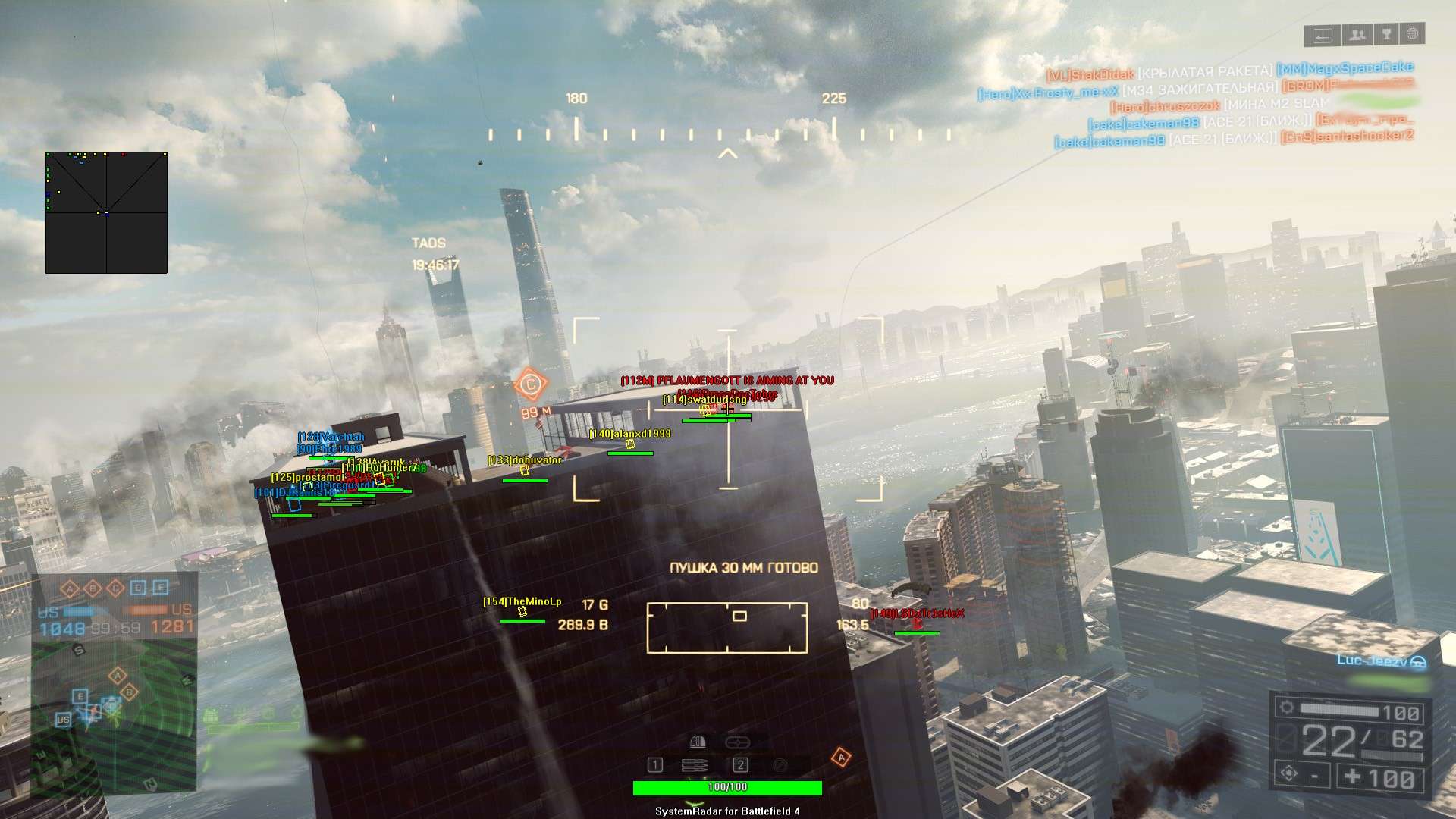
Battlefield 4 is fought on land, at sea and in the air. Tanks, jets, helicopters and boats are part of the game, and one vehicle you did not see can end a push before it starts. With Show Vehicle switched on in the 3D Radar and the 2D Radar, vehicles appear on your screen next to the soldiers. The Enemy Vehicle and Friendly Vehicle colours keep them apart from players, so vehicles stand out at a glance. That helps you decide when to stay in cover and when to change your route.
Levolution is one of the signature ideas of Battlefield 4. Players can change a map in the middle of a round. On Siege of Shanghai a skyscraper comes down in the middle of the map. Players can also drop a support pillar to trap an enemy tank. When the map changes, the sight lines change with it, and the corner you trusted may suddenly be open.
The Warning System helps in that moment. It shows a warning when an enemy is aiming at you or can see you, each with its own angle setting, and the Beep System adds a sound alert within its own Max Distance. The Is Aiming At You and Can See You colours make each warning easy to read.
Commander Mode shows how much map knowledge matters in Battlefield 4. One player per team gets a strategy style view of the whole map and gives orders from it. Out on the ground you do not get that view, but the Battlefield 4 cheat gives you a view of your own.
Show Friendly and Show Enemy work on both radars, so you can see your teammates and the enemy together or only the enemy. The Friendly Visible and Friendly Invisible colours keep teammates apart from enemy markers, and the cheat adds 4 Friendly filter slots and 4 Enemy filter slots on top. When your squad knows where the enemy is gathering, you can call it out before their push starts.
Battlefield 4 and its expansions have a long list of modes: Conquest, Domination, Rush, Obliteration, Defuse, Team Deathmatch, Squad Deathmatch, Air Superiority, Capture the Flag, Carrier Assault and Chain Link. A round of Team Deathmatch and a full Conquest server do not need the same overlay. The cheat saves a default setup plus Custom 1 and Custom 2, each with its own save and load option. One slot can hold a small radar and a short Max Distance for infantry fights, another a wide Radar Scale with Show Vehicle on for the big vehicle maps, and the third whatever suits the way you play.
Some players want every marker, others want a quiet screen. The Misc options let you choose. Crosshair gives you None, Cross, Dot or T-Cross with its own Crosshair Size and colour, Draw Health Bar adds health bars, and Draw FPS, Draw Time, Draw Resolution and Draw Watermark are there if you want them. Each colour in the overlay is a custom RGBA setting, so you pick both the colour and how see-through it is. Use Panic Key gives you a Panic Key you set yourself, and the Menu Key and the menu position are yours to choose as well.
Getting started with the Battlefield 4 cheat takes three steps.
Open the live cheat status page. It lists each cheat as online, offline or staff only.
Register on the forum for free. Your subscriptions, downloads and support all run through it.
Buy Battlefield 4 as a single cheat, or get it with the Premium Package together with the other games it includes.
Battlefield 4 uses two anti-cheat systems. PunkBuster is made by Even Balance, not by EA. It runs on the player’s PC and scans memory in real time for known cheats. FairFight works on the server side. DICE has said that FairFight watches player statistics for unusually high performance, then uses server side tools to confirm cheating, and that the full method is kept secret. The cheat’s feature list has an Anti-Cheat section that names PunkBuster, the PunkBuster Screenshot Cleaner and FairFight. No cheat is ever completely risk free. The live cheat status page always shows the current state of every cheat, so check it before you buy.
The live cheat status page always shows the current state of every cheat, including Battlefield 4. Check it before you buy.
Yes. You can buy the Battlefield 4 cheat on its own, and it is also included in the Premium Package and the One Day Trial.
The Steam and EA app versions of Battlefield 4 on Windows PC. The Steam version also needs an EA account and the EA app running in the background.
Two systems. PunkBuster by Even Balance scans memory on the player’s PC for known cheats, and FairFight checks player statistics on the server side.
No. It is an ESP, radar and warning cheat. It shows you where players and vehicles are and warns you about threats, and each shot is yours to take.
Yes. Show Vehicle works on the 3D Radar and the 2D Radar, and enemy and friendly vehicles each have their own colour.
Yes. The radar position and the menu position are both set with the mouse, and the Menu Key and Panic Key are yours to choose.
Yes. Save and load a default setup plus Custom 1 and Custom 2, so you can keep three setups for different modes.
Battlefield 4 rewards the player who knows where the threats are. The Battlefield 4 hack gives you ESP, a 2D radar and warnings for soldiers and vehicles, with settings you can shape to the way you play. Pick a single subscription or the Premium Package, and check the status page before you buy.
Our support team is available 24 hours a day, 7 days a week through the SystemCheats forum and TeamSpeak. Read what customers say on Trustpilot, or compare all cheat packages to find the right fit.
What is Battlefield 4?
Battlefield 4 is the military first person shooter from DICE, published by Electronic Arts and built on the Frostbite 3 engine. Up to 64 players fight on large maps with tanks, jets, helicopters and boats.
Cheating in Battlefield 4
Our Battlefield 4 cheat is an awareness cheat with 3D Radar ESP, a 2D Radar, a Warning System and Show Vehicle for vehicles on both radars. It has no aimbot. You can buy it as a single cheat or get it with the Premium Package.
Is the Battlefield 4 cheat safe?
Battlefield 4 uses PunkBuster by Even Balance, which scans memory on the player's PC, and FairFight, which checks player statistics on the server side. No cheat is ever completely risk free. However, you can always adjust your settings to play legitimately for the long run. Check the live status page before you play.