Enginefall Hack

Available in Premium Package during Playtest

Only Steam version supported
Enginefall Hack
Enginefall Hacks
Enginefall Aimbot
Enginefall Cheat

Enginefall Hack Aimbot ESP for PC

Get instant access to the Enginefall Cheat for PC.

Enginefall is a high-stakes multiplayer extraction shooter developed by Red Rover Interactive, where players raid colossal, moving megatrains to scavenge for resources, fight rival squads, and upgrade their mobile bases.
You play as a Freerailer, a nomadic scavenger operating out of a customizable Dagger shuttle that travels alongside the massive rail networks.
One minute you are building and expanding your mobile base or crafting high-tier gear, and the next, you are fighting carriage-by-carriage from the slums of the tail cars toward the engine room in First Class to become the Conductor.

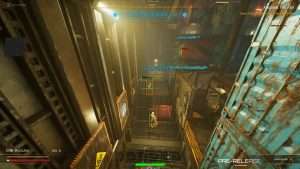
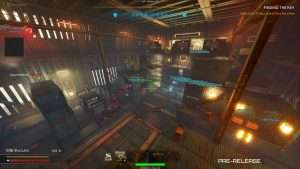
The moving carriages of the Titan Trains represent a highly vertical and dynamic open world where every cargo stack or dark corridor can hide a competitor or a security threat.
Survival in this post-apocalyptic rail war requires more than just raw firepower. It requires absolute situational awareness and tactical precision.
Whether you are cracking open a secure carriage vault, harvesting tactile resource nodes, or defending a Skyhook terminal during a frantic loot extraction phase, the stakes remain incredibly high.
Our Enginefall hack is built to help you manage that pressure, giving you the tools to track every item and lock onto every target while you build your legacy on the rails.

Enginefall Hack and Cheat Features

This Enginefall cheat for PC gives you total control over the battlefield.
Every setting is adjustable with sliders and hotkeys to keep your gameplay looking natural to other players and anti-cheat systems.

  • Aimbot: Features Auto Aim, Smooth Aim, and adjustable Limit Angles. You can target specific bones like Head, Neck, or Chest. It includes Bullet Speed and Drop Prediction, alongside Sway Compensation, to ensure your sniper and rifle shots land perfectly even while moving between train cars.
  • Triggerbot: Automatically fires when a hostile target enters your crosshair. You can configure a precise Fire Delay and bind it to a hotkey for seamless execution.
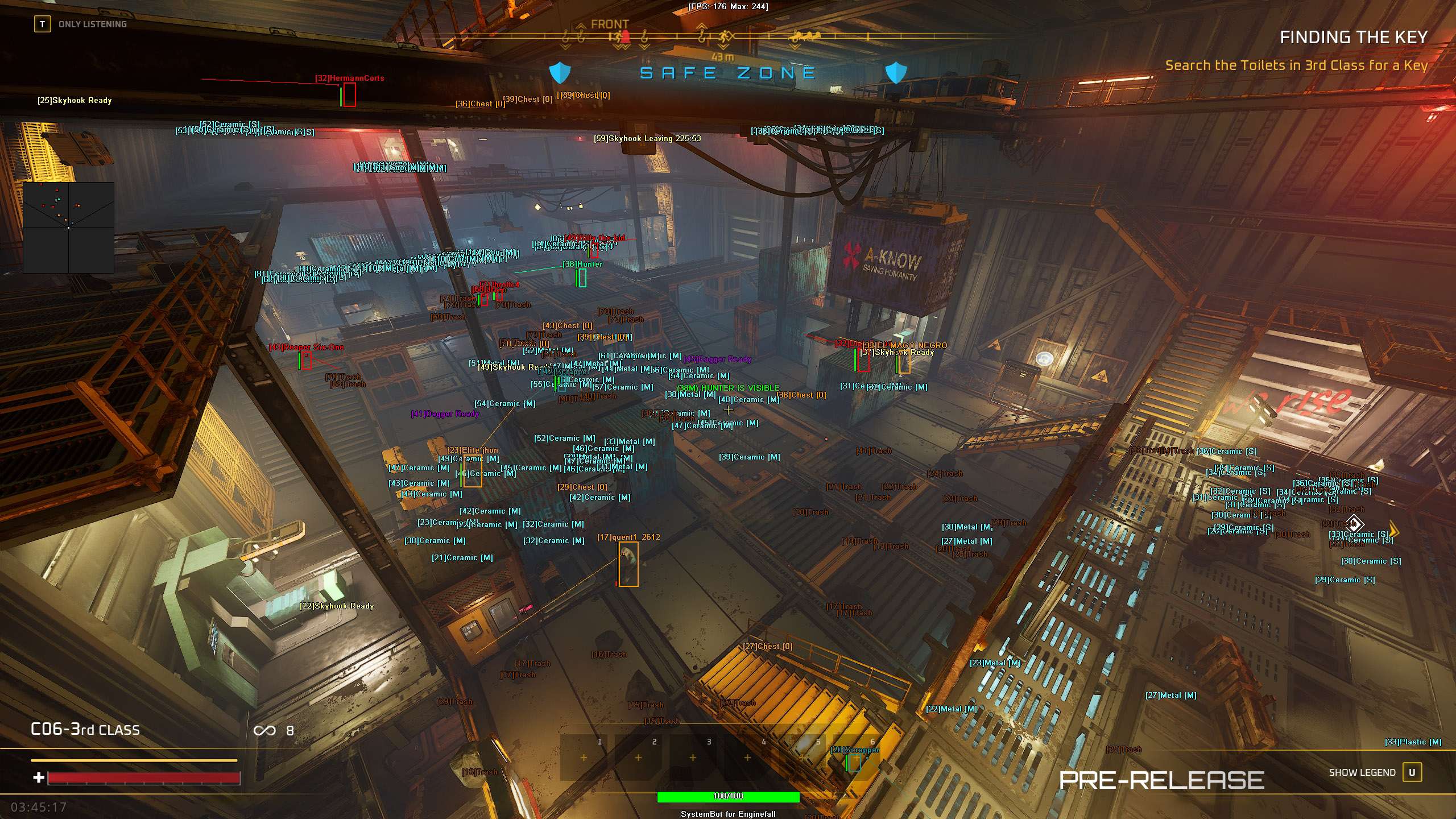
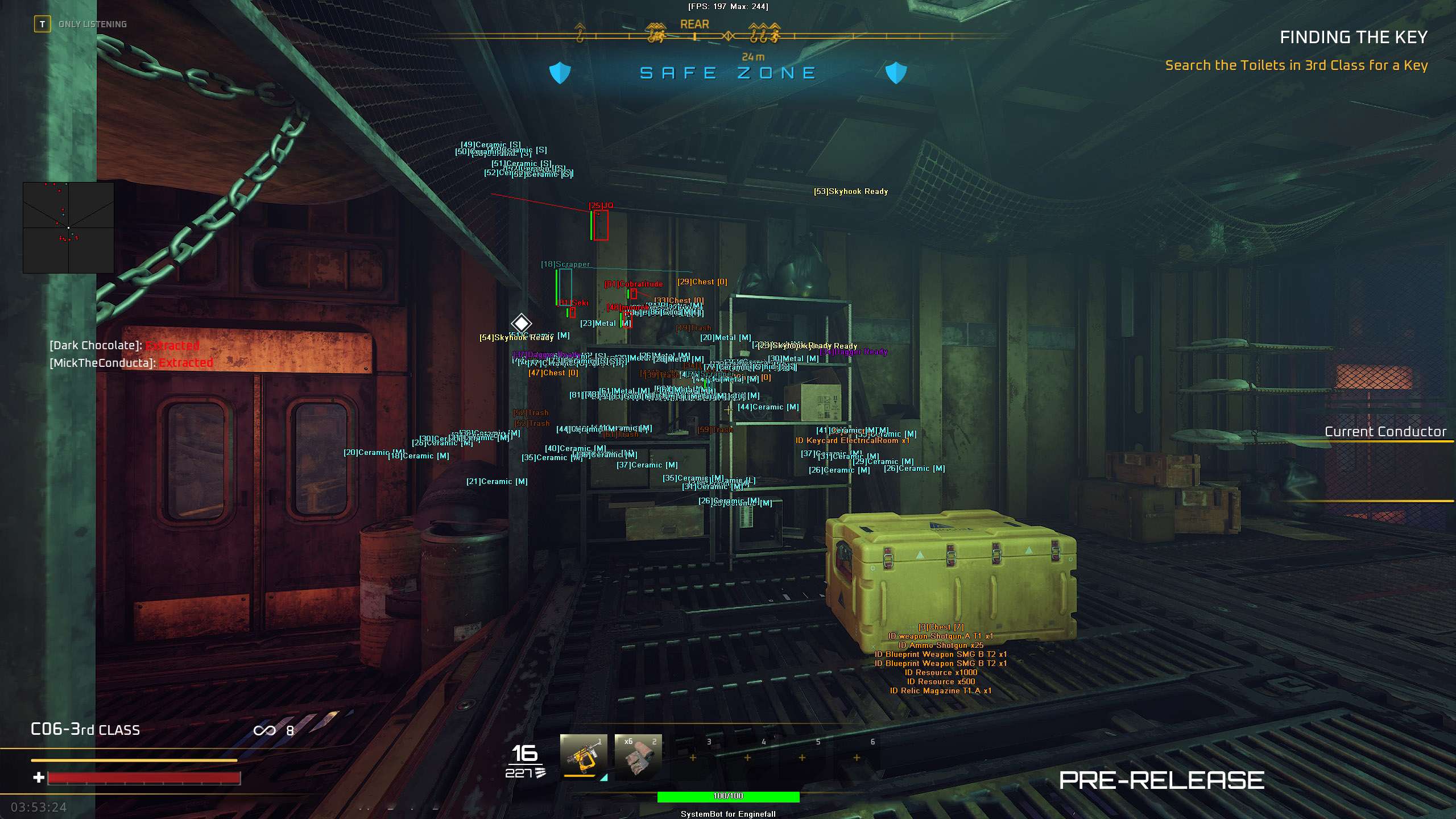
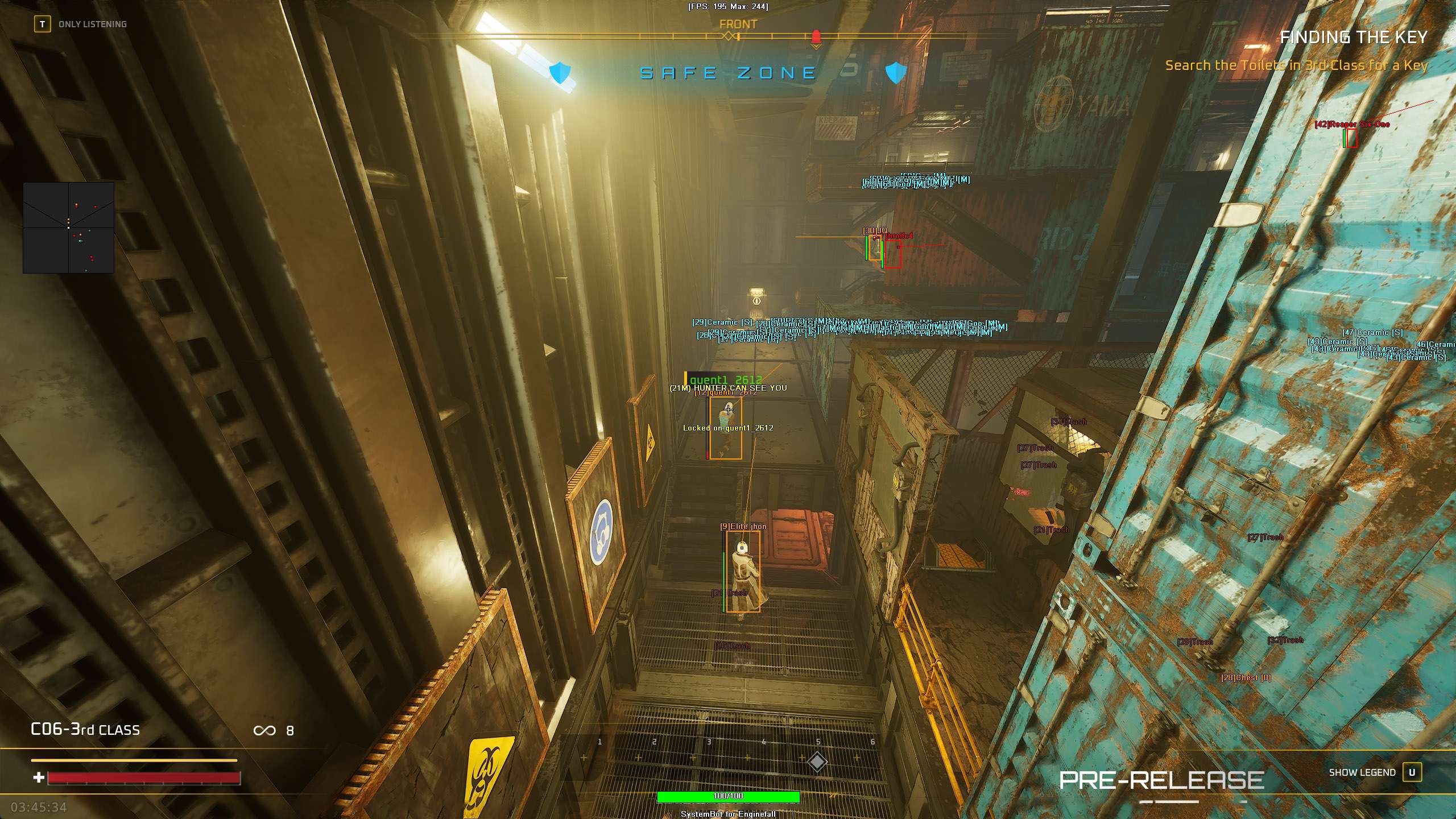
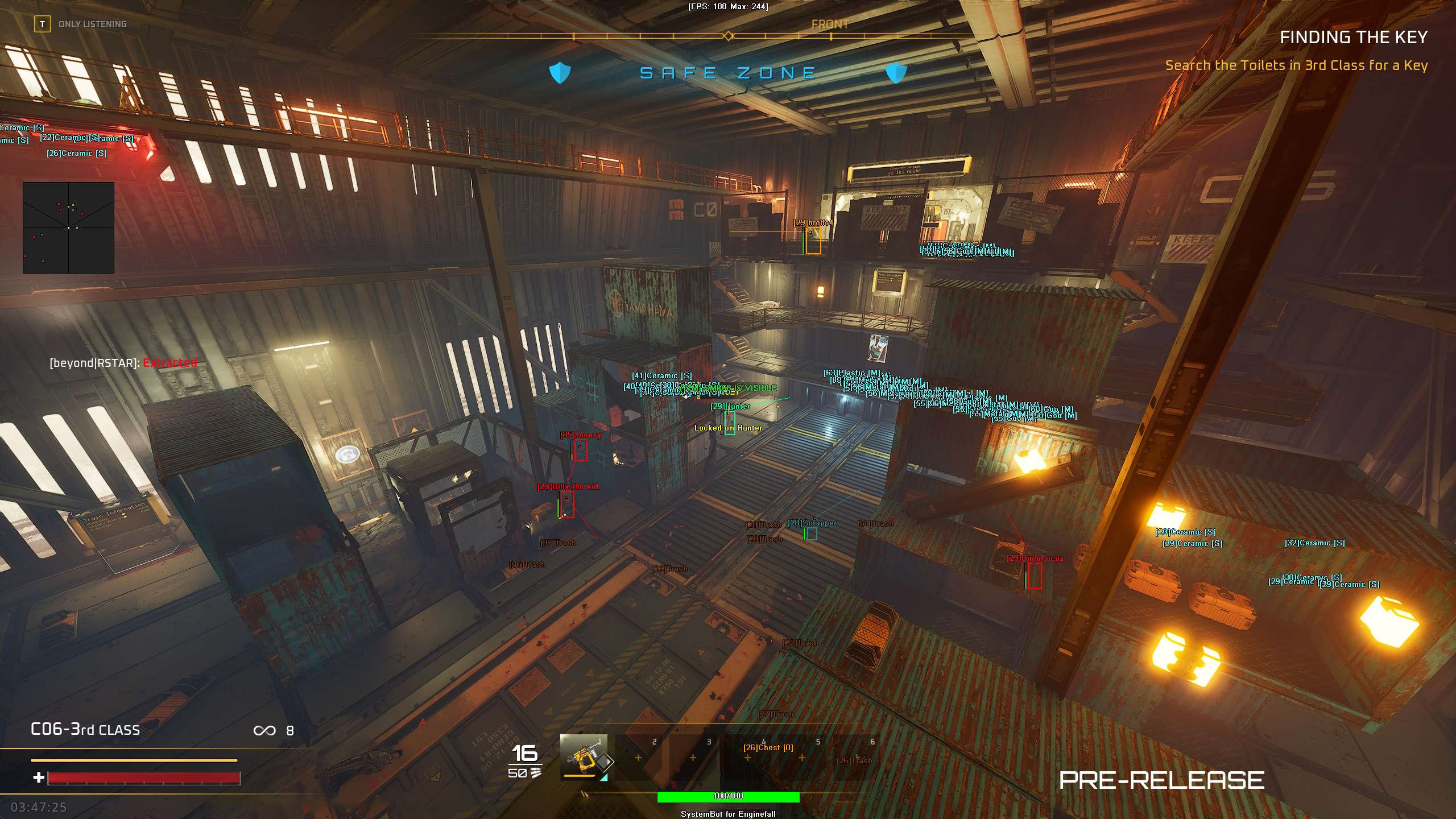
  • Player and AI ESP: See through solid carriage walls with 2D or 3D Bounding Boxes. Track names, health bars, current weapons, and exact distance for both friendly and enemy players/AI.
  • Item Visuals (ESP): Highlight every resource and container on the train. This includes Node ESP for resource dispensers, Trash ESP for blue trash bags, Chest ESP, and Vault ESP for high-tier loot. You can also track Grenades, Dagger shuttles, and Skyhook terminals.
  • 2D Radar: A fully customizable radar overlay showing the position of nearby friendly and enemy players and AI. Adjust the window size, scale, and dot size to fit your HUD.
  • Teleportation: Instantly move your character to your crosshair, quest objectives, items, or specific players. Features a Teleport Entity Indicator and a powerful OPK (One Position Kill) cheat to gather enemies in a single spot for easy clearing.
  • Movement Options: Bypass physics with a Speed Hack, No Clip to fly through locked carriage doors, and Glide Hack.
  • Modifiers: Toggle God Mode for your character, No Recoil, No Spread, and a Player Magnetizer (drawing opponents close to you). You can also display the active Dagger Countdown timer directly on your screen so you never miss an extraction.

How to Use the Enginefall Cheat

Setting up your Enginefall hack is simple.
After choosing your plan, you will receive access to our secure loader.
Open the loader, select Enginefall, and launch the game.
Once you are in-game, you can open the menu by pressing the DELETE or INSERT key.
From there, you can save custom profiles.
We recommend setting up one profile for stealthy resource farming and node harvesting, and another for high-speed PvP carriage raids.

Why ESP Matters on the Titan Trains

The Titan Trains are massive, maze-like environments characterized by complex verticality, tight corridors, and metal doors.
Tactile resource Nodes and blue trash bags can spawn in obscure spots, while secure Vaults are often heavily guarded by AI or camped by rival squads.
Finding these items while keeping an eye out for enemy players is extremely difficult without assistance.
The Enginefall cheat ESP lets you filter out the noise and display only what you need.
If you are running low on basic materials, you can highlight Node and Trash bag spawns.
If you want to secure the highest-tier loot, you can track Chests and Vaults.
It turns a chaotic, stressful raid into a calculated sweep, allowing you to secure your items and reach the extraction point safely.

Is it Safe to Use the Enginefall Hack?

Security is our top priority.
While using any Enginefall cheat carries a minor risk, our team works constantly to update our software in line with the latest playtest patches.
To keep your account safe, we advise using the Smooth Aim and Visibility Check features.< Avoid running extreme speed hack values or using the Player Magnetizer in highly populated cars to stay under the radar of other players.

Master the Moving Megatrains

The rail networks are full of opportunities, but they are also incredibly dangerous.
With the Enginefall Hack, you gain the upper hand in every train raid.
Stop losing your hard-earned scrap to player ambushes and start building the ultimate mobile base.
Whether you want to upgrade your Dagger shuttle or claim the Conductor title at the front of the train, these tools help you get there faster.

Need Help with your Enginefall Cheat?

If you have questions about setup or features, our support team is available 24/7.
You can check our Premium Package for the best value on all our supported titles.
You can also read what other users think on our Trustpilot page.

Ready to dominate? See all our game cheats here.

Pricing

Features

Aimbot
Auto Aim Automatically locks aim onto the nearest valid target
Auto Fire Automatically fires your weapon when a target is locked
Fire Delay (0 ~ 1000) Adds a delay in milliseconds before firing once locked
Smooth Aim (1 ~ 50) Controls the speed and smoothness of the aim lock
Limit Angle (0 ~ 180) Sets the maximum field of view angle for aim targeting
Use Aim Key Aimbot only activates while holding the bound aim key
Bullet Speed Prediction Calculates target movement to lead shots accurately
Bullet Drop Prediction Adjusts aim upward to compensate for gravity drop over distance
Prediction Scale (1 ~ 30) Fine-tunes the strength of the bullet lead prediction
Sway Compensation Removes weapon sway to keep your reticle perfectly stable
Visibility Check Prevents the aimbot from locking onto targets behind solid walls
Stick to Target Keeps the aimbot locked on a target until they are eliminated
Randomize Aim Adds micro-adjustments to mimic human-like mouse movement
Randomize Speed (10 ~ 1000) Varies aim speed slightly to prevent detection algorithms
Aim Style (FOV, Distance, Health) Prioritizes targets based on angle, proximity, or lowest health
Aim Bone (Head, Neck, Chest) Selects the targeted body part for the aim lock
Aim on Friendly Allows the aimbot to target friendly squad members
Aim on Enemy Allows the aimbot to lock onto hostile players
Aim on Friendly AI Allows targeting of friendly AI units and bots
Aim on Enemy AI Allows targeting of hostile security bots and monsters
Max Distance (0 ~ 1500) Limits the maximum range for aimbot activation
Draw Locked Displays a visual indicator on the currently locked target
Draw Aim FOV Draws a circle representing the aimbot's active zone
Triggerbot
Triggerbot Automatically shoots when your crosshair crosses a valid target
Use Trigger Key Triggerbot only functions while holding the trigger hotkey
Fire Delay (0 ~ 1000) Adds a delay before firing once a target is under the crosshair
Trigger on Friendly Triggers weapon fire on friendly squad members
Trigger on Enemy Triggers weapon fire on hostile players
Trigger on Friendly AI Triggers weapon fire on friendly AI units
Trigger on Enemy AI Triggers weapon fire on hostile security bots
Max Distance (0 ~ 1500) Limits the maximum distance for triggerbot activation
3D Radar
Bounding Box (None, 2D, 3D) Draws boxes around players and AI to highlight their positions
Box Size (1 ~ 10) Adjusts the line thickness of the bounding boxes
2D Line Draws snap lines from the bottom of your screen to targets
Player Name ESP Displays the name tags of other players
Player Distance ESP Displays how far away other players are in meters
Player Health ESP (None, Scaled, Static, Vertical) Displays health bars for other players
Player Weapon ESP Displays the currently equipped weapon of other players
Head Dot Draws a visible dot on the target's head bone
Dot Size (2 ~ 20) Adjusts the size of the head dot
Aim Laser Draws a 3D line indicating where other entities are aiming
Laser Size (50 ~ 3000) Adjusts the length and thickness of the aim laser line
Grenade ESP Highlights thrown or placed explosive grenades
Node ESP Highlights tactile resource dispensers and ejected Mini-Nodes
Trash ESP Highlights scavengeable trash bags and debris piles
Chest ESP Highlights standard chests containing loot and weapons
Vault ESP Highlights secure carriage vaults containing rare loot
Dagger ESP Highlights your personal Dagger shuttle extraction craft
Skyhook ESP Highlights Skyhook terminals used for mid-raid loot securing
Show Friendly Displays ESP overlays for friendly players
Show Enemy Displays ESP overlays for enemy players
Show Friendly AI Displays ESP overlays for friendly AI units
Show Enemy AI Displays ESP overlays for hostile security bots
Max Distance (0 ~ 1500) Sets the maximum rendering distance for player/AI ESP
Item Max Distance (0 ~ 500) Sets the maximum rendering distance for item/loot ESP
Item Distance ESP Displays the distance to highlighted items on your screen
2D Radar
Show Radar Toggles the 2D radar overlay on your screen
Show Cross Draws crosshair lines on the center of the radar
Show Window Draws the background border frame for the radar
Show Dot Shows active targets as dots on the radar
Show FOV Draws your field of view cone on the radar window
Show Friendly Displays friendly players on the radar
Show Enemy Displays hostile players on the radar
Show Friendly AI Displays friendly AI bots on the radar
Show Enemy AI Displays hostile security bots on the radar
Stick To Window Locks the radar interface position on your screen
Radar Scale Adjusts the radar zoom level
Window Size Adjusts the height and width of the radar box
Cross Size Adjusts the size of the crosshair inside the radar
Dot Size Adjusts the rendering size of target dots
Warning system
Warning System Toggles alerts when enemies are aiming at or scanning you
Is Aiming At You Angle (0 ~ 180) Sets the angle threshold for target aiming warnings
Can See You Angle (0 ~ 180) Sets the angle threshold for visibility warnings
Max Distance (0 ~ 1500) Limits the warning detection range
Beep System Plays an auditory tone when an enemy locks onto you
Misc
Crosshair Toggles a custom central crosshair overlay
Crosshair Size (2 ~ 200) Adjusts the custom crosshair size
Dynamic Crosshair Resizes crosshair based on current weapon accuracy and recoil
Draw FPS Displays your current frames per second
Draw Resolution Displays your active screen resolution
Draw Time Displays the local system time on screen
Draw Watermark Displays the cheat software brand watermark
Draw Health Bar Displays your own player character's health bar
Draw Dagger Countdown Displays the active extraction timer for your Dagger shuttle
Use Panic Key Enables a hotkey to instantly hide the menu and all visuals
Font Size (10 ~ 20) Changes the text size of the cheat menu interface
Font Shadow Applies outline borders or drop shadows to text elements
Ghost Mode Allows your character to fly and phase through solid carriage walls
Ghost Mode Speed (10 ~ 100) Adjusts your travel velocity while using Ghost Mode
Save Ghost Location Saves your position coordinates during Ghost Mode phases
No Recoil Completely removes weapon kickback when firing
No Spread Removes bullet spread, forcing rounds to hit the exact crosshair center
Player Magnetizer Pulls other players within range directly toward your location
Player Magnetizer Distance (1 ~ 15) Adjusts the grab radius for the Player Magnetizer
Filters
6 Friendly Player Filters
6 Enemy Player Filters
Colors
Enemy Invisible RGBA Color for enemy players behind solid walls
Enemy Visible RGBA Color for enemy players in your direct line of sight
Friendly Invisible RGBA Color for friendly players behind solid walls
Friendly Visible RGBA Color for friendly players in your direct line of sight
Enemy AI Invisible RGBA Color for hostile security bots behind solid walls
Enemy AI Visible RGBA Color for hostile security bots in your direct line of sight
Friendly AI Invisible RGBA Color for friendly AI units behind solid walls
Friendly AI Visible RGBA Color for friendly AI units in your direct line of sight
Grenade RGBA Color for active throwable explosive grenades
Node RGBA Color for resource dispensers and Mini-Nodes
Trash RGBA Color for trash bags and scavengeable scrap
Chest RGBA Color for standard loot chests
Vault RGBA Color for high-tier secure vaults
Dagger RGBA Color for Dagger shuttles
Skyhook RGBA Color for Skyhook extraction terminals
Crosshair RGBA Color for the custom screen crosshair overlay
Menu RGBA Color scheme for the cheat menu layout
Is Aiming At You RGBA Color warning when an enemy aims in your direction
Can See You RGBA Color warning when you are visible to an enemy
Is Visible RGBA Color indicator indicating you are fully exposed
Aim FOV RGBA Color for the drawn aimbot FOV circle
Positions
RadarX Position (Customizable on screen via mouse drag)
RadarY Position (Customizable on screen via mouse drag)
MenuX Position (Customizable on screen via mouse drag)
MenuY Position (Customizable on screen via mouse drag)
Settings/Keys
Panic Key Key to instantly close and hide all cheat features
Menu Key Key to toggle the cheat configuration menu
Aim Key Key held to activate the aimbot lock-on
Trigger Key Key held to enable triggerbot auto-firing
Default Key Key to restore cheat configurations to defaults
Custom 1 Key Key to load custom configuration profile 1
Custom 2 Key Key to load custom configuration profile 2
Custom 3 Key Key to load custom configuration profile 3
Ghost Mode Key Key to toggle Ghost Mode phasing on or off
Player Magnetizer Key Key to toggle the Player Magnetizer drag function
Save/Load Default Settings Saves or loads your primary configuration
Save/Load Custom 1 Settings Saves or loads your first custom profile
Save/Load Custom 2 Settings Saves or loads your second custom profile
Save/Load Custom 3 Settings Saves or loads your third custom profile