The Division Resurgence Hack with Aimbot and ESP for PC

Included in Premium Package and One Day Trial

Steam and Ubisoft Launcher supported.
The Division Resurgence Hack
The Division Resurgence Cheat
The Division Resurgence Aimbot
The Division Resurgence Hacks
Looter shooter • Loot ESP and aimbot • Steam and Ubisoft launcher

The Division Resurgence Hack with Aimbot and ESP for PC

Get instant access to The Division Resurgence Cheat for PC.

The Division Resurgence, full title Tom Clancy’s The Division Resurgence, is a free to play third person looter shooter developed and published by Ubisoft. It is set in New York City in the chaotic days after the outbreak, with an open world in Midtown Manhattan. You play one of the first wave of Strategic Homeland Division agents, sent in to hold the city together. Ubisoft calls the campaign a canon story that gives a unique perspective on the events around The Division 1 and 2.

The game runs on PC and mobile, with cross-play and cross-progression through a Ubisoft Connect account. Combat is cover based: you move from cover to cover, flank and look for the right angle. Around the story missions sit more than 100 world activities, high value targets, Hostile Nests and World Events. Weapons, gear and mods are looted, crafted, modded and upgraded, so each run is also a hunt for better items.

The Division Resurgence hack from SystemCheats is built for that loop. It brings an aimbot with Prediction and Smooth Aim, a triggerbot, 3D Radar ESP for players and AI enemies, loot and crate ESP, a 2D radar and a warning system. Weapon options such as No Recoil, Bullet Magnet and No Reload, plus Auto Heal, cover the rest, for story missions, Conflict PvP and the Dark Zone.

Tactical upgrade briefing
Built for the loot hunt

Manhattan is full of crates, drops and hostile factions, and the Dark Zone adds rival agents who want your loot. The Division Resurgence cheat highlights loot containers through walls, marks the players and enemies around you, helps your aim with Prediction and Bullet Magnet, and keeps you going with Auto Heal. It is sold on its own and is also included in the Premium Package.

The Division Resurgence Hack and Cheat Features

The TDR cheat covers aim, awareness, loot and survival, for story missions, Conflict PvP and the Dark Zone. Everything is set in the cheat menu. It opens with a Menu Key you choose, and you can drag it into place with the mouse. The highlights are below, and the full option list is in the Features panel on this page.

  • The Division Resurgence AimbotAuto Aim with Smooth Aim, Limit Angle and Use Aim Key. Prediction and Prediction Scale lead moving targets. Aim Bone picks Head, Neck or Chest, and Aim Style picks targets by FOV, distance or lowest health. Auto Fire, Visibility Check, Stick to Target and Draw Aim FOV complete it.
  • TriggerbotShoots when your crosshair passes over a target. Set a Fire Delay, run it on its own Trigger Key, cap the Max Distance, and switch it on or off for friendly players, enemy players, friendly AI and enemy AI, each on its own.
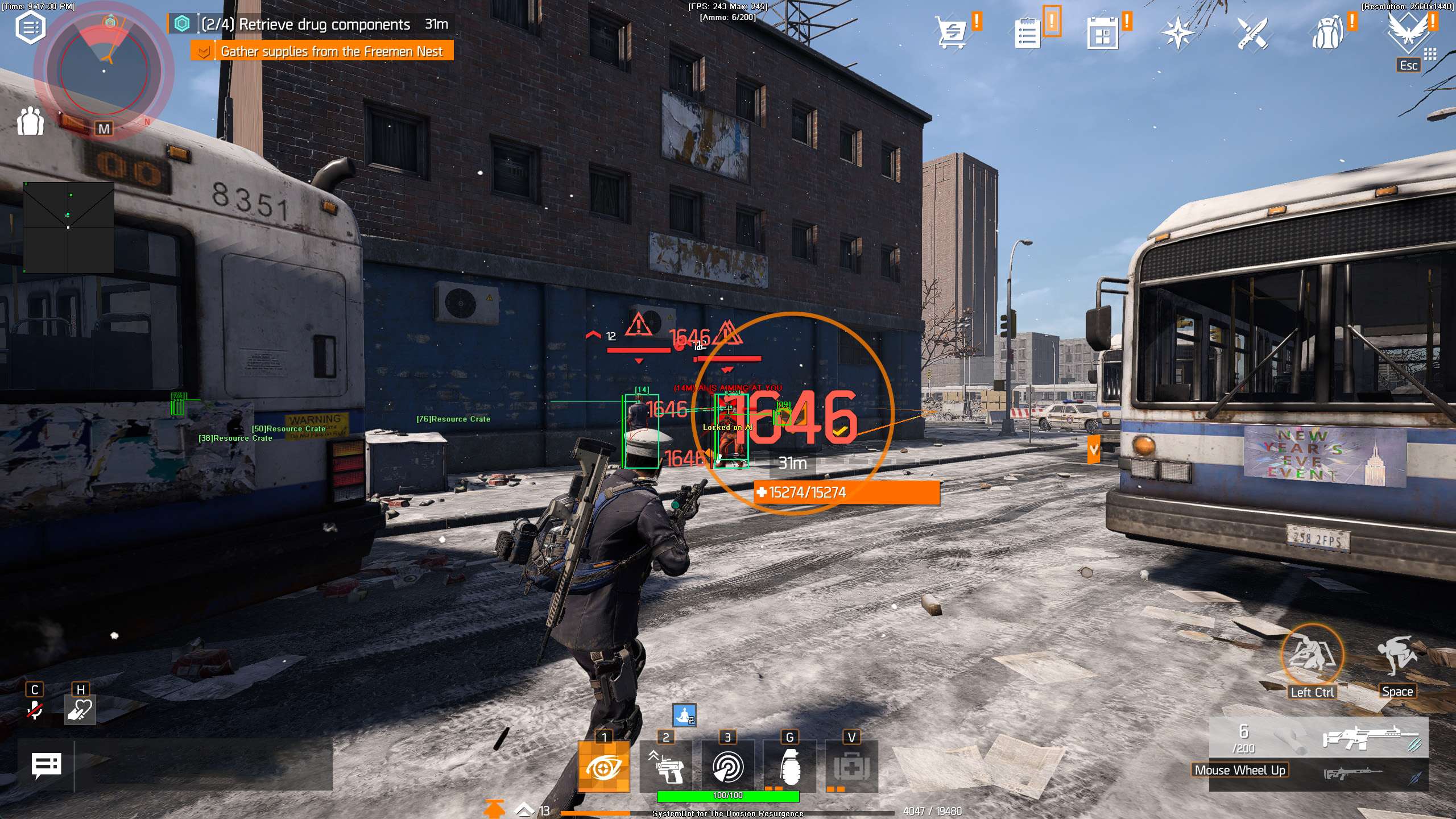
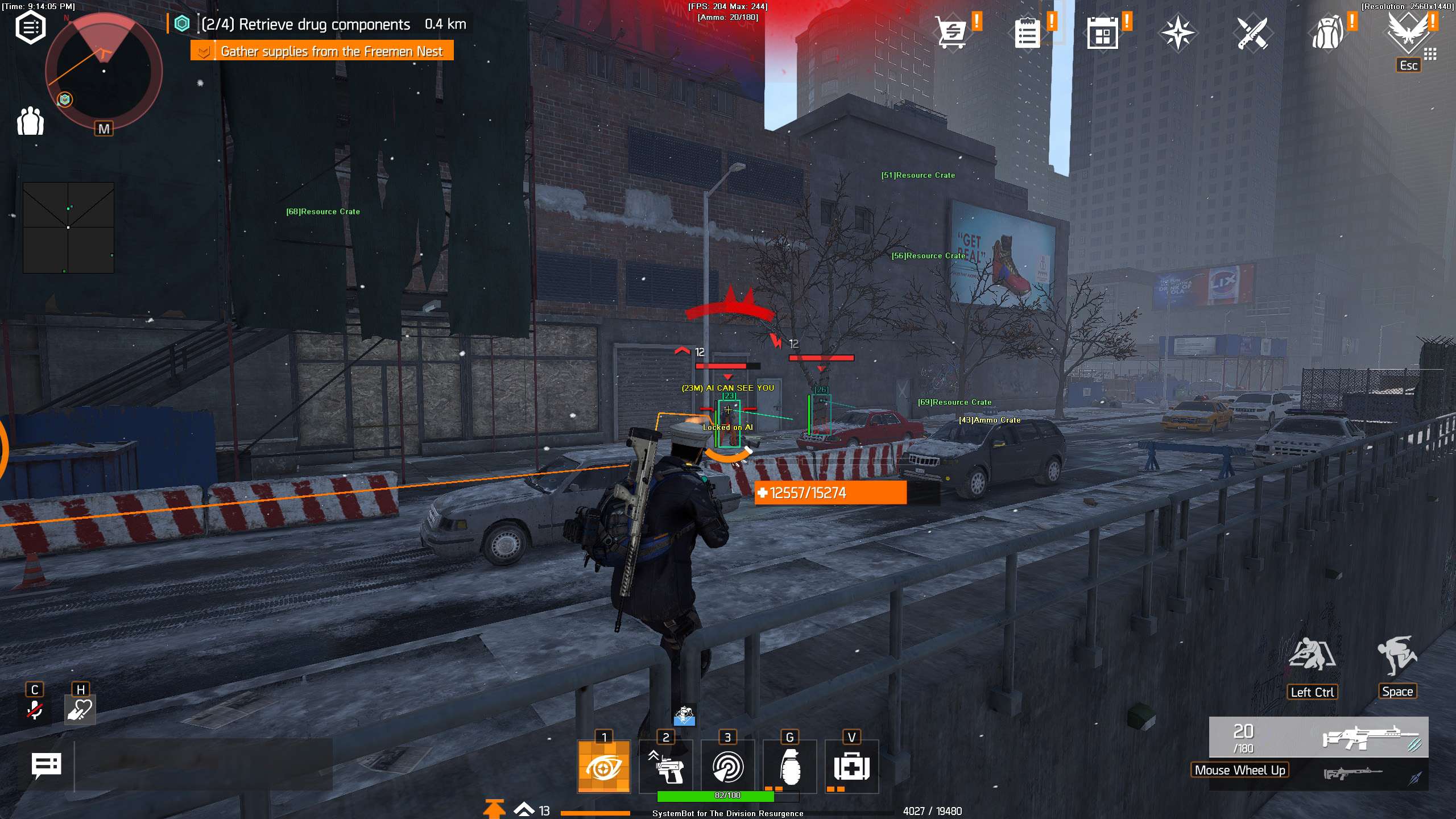
  • 3D Radar ESPBounding Box in 2D or 3D around players, AI and elites, with Head Dot, 2D Line and Aim Laser. Player Name, Distance, Health and Downed ESP, with separate switches for friendly and enemy players and AI.
  • Loot and Crate ESPDrop ESP and Rare Drop ESP for gear on the ground, plus Container, Ammo Crate, Weapon Crate, Equipment Crate, Resource Crate, Medical Crate and Rare Crate ESP. Grenade ESP, Collectible ESP, Item Max Distance and Item Distance ESP round it out.
  • Bullet Magnet and Weapon ControlBullet Magnet pulls fired bullets toward enemy hitboxes, with Magnet Radius and Magnet Range. No Recoil, No Spread, No Sway and No Reload keep the gun steady and firing.
  • Warning System and Auto HealAn on-screen warning when an enemy is aiming at you or can see you, each with its own angle, plus a Beep System. Auto Heal uses a medkit when your health drops below the Heal Below % you set.
  • 2D RadarA radar window with Show Cross, Show Window, Show Dot and Show FOV, Radar Scale and Window Size, and Stick To Window for targets out of range. Friendly, enemy and AI dots, and you drag it into place with the mouse.
  • Misc, Keys and ProfilesA custom Crosshair, Draw Health Bar, Draw Ammo and Draw FPS, a Panic Key, six friendly and six enemy filter slots, and a Default setup plus Custom 1, Custom 2 and Custom 3, with a key for each custom profile.
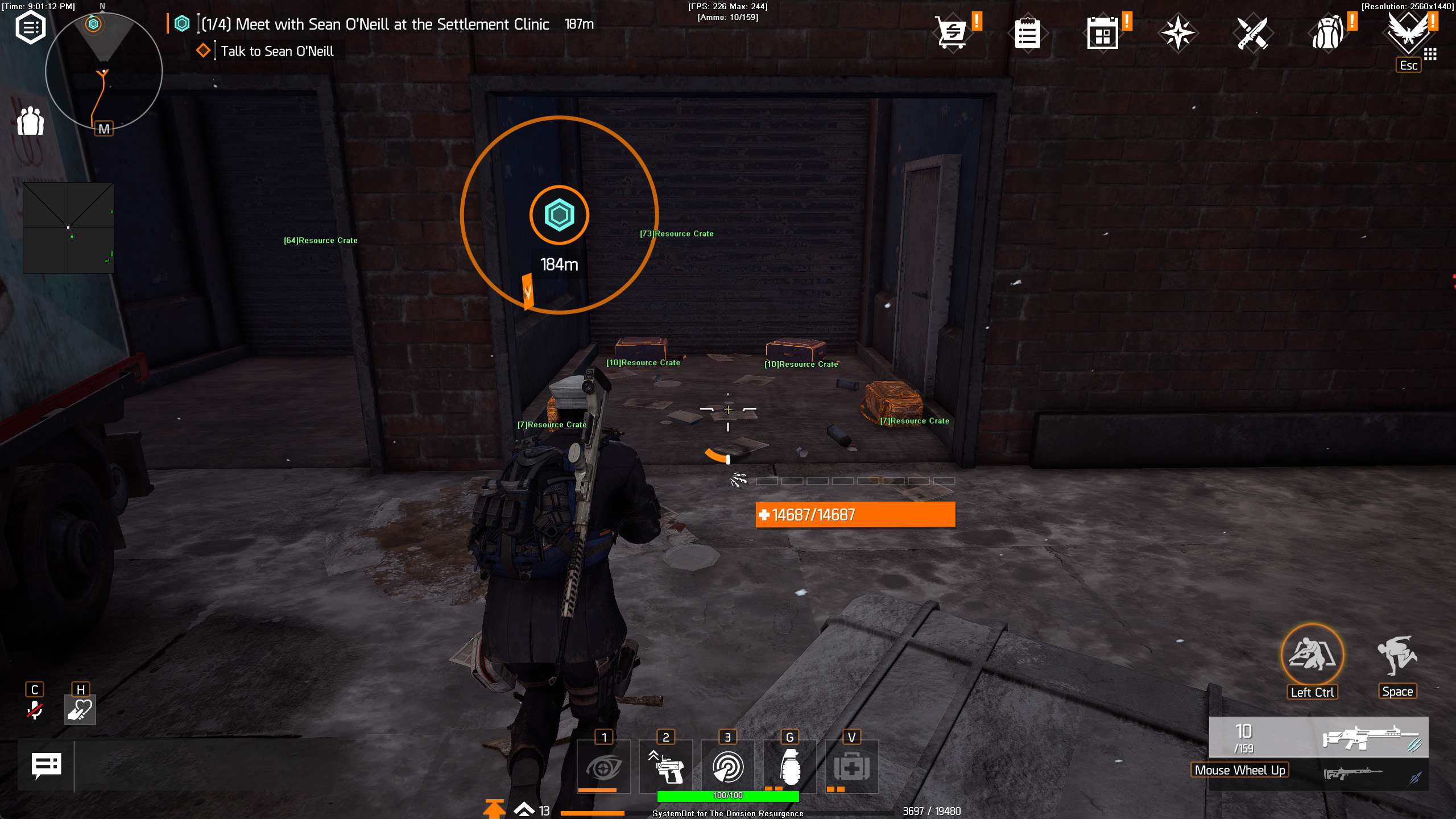
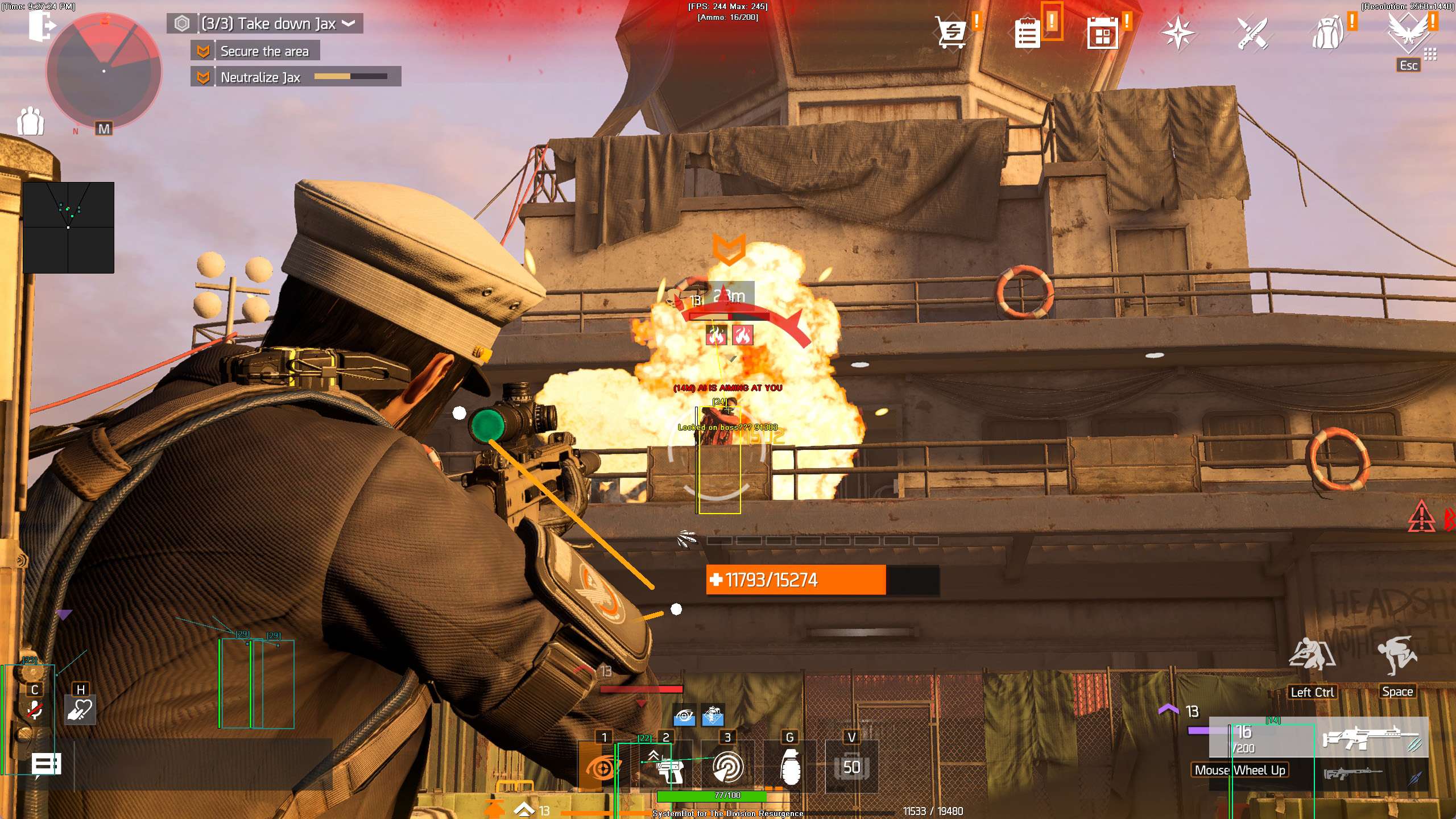
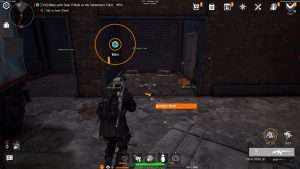
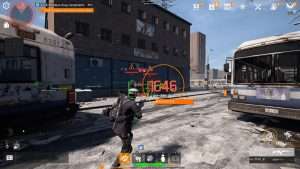
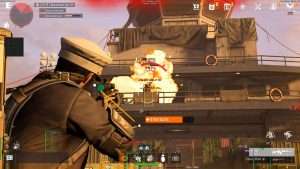
The Division Resurgence Hack in-game screenshot 1 of 4 The Division Resurgence Hack in-game screenshot 2 of 4 The Division Resurgence Hack in-game screenshot 3 of 4 The Division Resurgence Hack in-game screenshot 4 of 4

The Division Resurgence ESP for Loot and Crates

Loot drives The Division Resurgence. Daily Quests are one of the main sources of gear, and Hostile Nests, World Events and the world activities fill the open world with more. Weapons, gear and mods can be crafted, modded and upgraded, so crafting resources matter too. The ESP turns that hunt into a short list.

Container ESP and Weapon Crate ESP highlight crates through walls. Equipment Crate ESP, Resource Crate ESP and Medical Crate ESP show gear, crafting materials and medkits, and Rare Crate ESP and Rare Drop ESP pick out the high tier items. Item Max Distance keeps the loot overlay to the area around you, and Item Distance ESP tells you how far away each crate is.

Division Resurgence Dark Zone Hack for Rival Agents

The Dark Zone is the PvPvE part of the open world. Ubisoft describes it as an area where elite enemies and rival agents compete for valuable rewards, and where other players, or even your own team members, can take your loot. That makes each agent you meet there a question mark.

The 3D Radar shows players with Player Name, Player Distance and Player Health ESP, and Show Enemy AI keeps the elites on screen at the same time. The Warning System tells you when someone is aiming at you or can see you, each with its own angle, and the Beep System adds a sound alert. The 2D Radar gives you the top down picture, so a squad coming up behind you appears as dots on the radar.

The Division Resurgence Aimbot for Skirmish and Domination

Conflict is the PvP side of the game, with the Skirmish and Domination modes and ranks to climb. Steam describes it as mastering maps and refining your timing. Against other agents, the first clean shots count. The aimbot uses Smooth Aim and Limit Angle to control how it moves, Aim Bone to choose Head, Neck or Chest, and Prediction with Prediction Scale to lead a player who runs between cover. Visibility Check keeps it off targets behind solid obstacles, Draw Aim FOV shows its range on screen, and No Recoil, No Spread and No Sway keep the gun on target while you fire.

Cover Based Firefights and Aim Laser ESP

Fights in The Division Resurgence are about cover and angles, and a flank can come from either side. The Division Resurgence ESP shows you those angles. A Bounding Box in 2D or 3D marks players, AI and elites, and the Enemy AI Visible and Enemy AI Invisible colours show which enemies stand in the open and which are hidden. Aim Laser draws a line that shows where enemies are aiming, and Grenade ESP highlights thrown grenades and explosive projectiles, so you know when to leave your cover. If a flank still catches you, Auto Heal uses a medkit when your health drops below the Heal Below % you set.

TDR Aimbot for Bosses, Elites and Faction Enemies

Much of the game is PvE. The campaign sends you against street gangs, the Freemen and a gang leader named Jax on a cargo ship at Liberty Island, with stops at places like Trinity Hospital and the New York Stock Exchange. The Dark Zone adds elite enemies on top.

Aim on Enemy AI lets the aimbot target faction enemies, elites and named bosses, and Aim Style set to Health picks the target with the lowest health first. The Enemy AI Rare colours set rare and elite enemies apart from the normal ones. Bullet Magnet pulls your shots toward enemy hitboxes within the Magnet Radius and Magnet Range you set, and No Reload keeps the gun firing without reload delays.

Specializations and Custom Profiles

Specializations shape how you play, and you can switch them at any time. Each one has its own skills and an ultimate ability. The Bulwark holds the front line, the Demolitionist brings firepower such as the Explosive Seeker Mine, and the Tech Operator works with a drone. A setup that suits a Bulwark in the Dark Zone may not suit a Demolitionist in a story mission.

The cheat saves and loads a Default setup plus Custom 1, Custom 2 and Custom 3. Each custom profile has its own key, and the Default Key restores the default settings. One profile can hold a soft aim setup for PvP, another a loot setup for world activities, and a third a boss setup for missions, and you switch between them without opening the menu.

Co-op, Cross-Play and Your Own Squad

The open world scales to your group size, so you can play the story solo or in co-op, and cross-play can put PC players in the same world as mobile players. With friends around, you want the aimbot and the triggerbot on the right targets. Aim on Friendly, Aim on Enemy, Aim on Friendly AI and Aim on Enemy AI are separate switches, and the triggerbot has the same four. Show Friendly and Show Enemy work the same way on the 3D Radar and the 2D Radar, and the Friendly Player and Enemy Player colours keep squad mates and rivals apart at a glance.

How to Get The Division Resurgence Cheat

Getting started with SystemCheats takes three steps.

01
Check the Status

Open the live cheat status page. It lists every cheat as online, offline or staff only.

02
Create Your Account

Register on the forum for free. Your subscriptions, downloads and support all run through it.

03
Pick Your Plan

Buy The Division Resurgence as a single cheat, or get it with the other games in the Premium Package. Both are in the price box on this page.

Is It Safe to Cheat in The Division Resurgence?

The Steam store page states that The Division Resurgence uses a kernel level anti-cheat called Anti-Cheat Expert, or ACE. Steam also notes that it has to be removed by hand after you uninstall the game. No cheat is ever completely risk free. Smooth Aim, Use Aim Key, Randomize Aim and Visibility Check keep the aim under your control, the Panic Key hides all cheat features and visuals with one press, and the live cheat status page always shows the current state of every cheat.

Frequently Asked Questions

Is The Division Resurgence cheat online?

The live cheat status page always shows the current state of every cheat, including The Division Resurgence. Check it before you buy.

Is The Division Resurgence included in the Premium Package?

Yes. You can buy The Division Resurgence cheat on its own, and it is also included in the Premium Package and the One Day Trial.

Which versions of The Division Resurgence does the cheat support?

The Steam version and the Ubisoft launcher version (Ubisoft Connect) on Windows PC. The mobile versions are not supported. On PC the game needs a Ubisoft Connect account.

Which anti-cheat does The Division Resurgence use?

According to the Steam store page, a kernel level anti-cheat called Anti-Cheat Expert (ACE).

Does the cheat show loot through walls?

Yes. Container ESP and Weapon Crate ESP highlight crates through walls, and Drop ESP, Rare Drop ESP and the other crate ESP options mark gear, resources and medkits. Item Max Distance sets how far out loot is shown.

Does the aimbot work on bosses and AI enemies?

Yes. Aim on Enemy AI targets faction enemies, elites and named bosses, and Trigger on Enemy AI does the same for the triggerbot. Friendly AI has its own separate switches.

Can I keep different setups for PvE and PvP?

Yes. Save and load a Default setup plus Custom 1, Custom 2 and Custom 3. Each custom profile loads with its own key.

Does the cheat have a panic key?

Yes. Switch on the Use Panic Key option, then press the Panic Key you chose to hide all cheat features and visuals at once.

Take Back Manhattan

The Division Resurgence rewards agents who find the loot first and see the fight coming. The Division Resurgence hack gives you an aimbot with Prediction, loot and player ESP, a 2D radar, warnings and Auto Heal, with profiles you can shape to the way you play. Pick a single subscription or the Premium Package, and check the status page before you buy.

Need Help?

Our support team is available 24 hours a day, 7 days a week through the SystemCheats forum and TeamSpeak. Read what customers say on Trustpilot, or compare all cheat packages to find the right fit.

Cheat & Hack Information

What is The Division Resurgence?


The Division Resurgence is a free to play third person looter shooter from Ubisoft, set in Midtown Manhattan after the outbreak. You play one of the first Division agents, fight from cover and loot weapons, gear and mods.


Cheating in The Division Resurgence


The Division Resurgence cheat from SystemCheats has an aimbot with Prediction, 3D Radar ESP, Container ESP, Bullet Magnet, No Recoil and Auto Heal. You can buy it as a single cheat or get it with the Premium Package.


Is The Division Resurgence cheat safe?


The Division Resurgence uses Anti-Cheat Expert (ACE), a kernel level anti-cheat named on its Steam store page. No cheat is ever completely risk free. However, you can always adjust your settings to play legitimately for the long run. Check the live status page before you play.

Pricing

Features

Aimbot
Auto Aim Moves your aim onto a valid target for you automatically
Auto Fire Fires your weapon for you once a target is locked
Fire Delay (0 ~ 1000) Adds a short wait in milliseconds before firing once a target is locked
Smooth Aim (1 ~ 50) Slows the aim movement so it looks natural, and higher values make it slower
Limit Angle (0 ~ 180) Sets how far from your crosshair a target can be for the aimbot to lock on
Use Aim Key Makes the aimbot work only while you hold or toggle your aim key
Prediction Adjusts the aim to lead moving targets so your shots land
Prediction Scale (1 ~ 30) Fine tunes how strong the lead and bullet drop prediction is
Visibility Check Stops the aimbot from targeting enemies hidden behind walls or cover
Stick to Target Keeps the aimbot on one target until it is down or leaves range
Randomize Aim Adds small random changes to where your aim lands for a human look
Randomize Speed (10 ~ 1000) Sets how often, in milliseconds, the random aim movement changes
Aim Style (FOV, Distance, Health) Sets how the aimbot chooses the best target when more than one is in range
Aim Bone (Head, Neck, Chest) Sets which body part the aimbot aims at, such as the head or chest
Aim on Friendly Lets the aimbot target and lock onto your teammates
Aim on Enemy Lets the aimbot target and lock onto enemies
Aim on Friendly AI Lets the aimbot target friendly AI, such as allied bots and NPCs
Aim on Enemy AI Lets the aimbot target hostile AI, such as bots, monsters and bosses
Max Distance (0 ~ 500) Sets the farthest distance, in meters, at which targets are still picked up or shown
Draw Locked Draws a marker on the target the aimbot is locked onto
Draw Aim FOV Draws a circle on screen that shows where the aimbot is active
Triggerbot
Triggerbot Shoots for you when your crosshair is on a valid target
Use Trigger Key Makes the triggerbot fire only while you hold the trigger key
Fire Delay (0 ~ 1000) Adds a short wait in milliseconds before firing once a target is locked
Trigger on Friendly Lets the triggerbot fire at friendly teammates
Trigger on Enemy Lets the triggerbot fire at enemies in your crosshair
Trigger on Friendly AI Lets the triggerbot fire at friendly AI units
Trigger on Enemy AI Lets the triggerbot fire at hostile AI enemies
Max Distance (0 ~ 500) Sets the farthest distance, in meters, at which targets are still picked up or shown
3D Radar
Bounding Box (None, 2D, 3D) Draws a box around each target so you can see where they are
Box Size (1 ~ 10) Sets how thick the lines of each ESP box are drawn
2D Line Draws snap lines from your screen to each target
Player Name ESP Shows the name of each player above their character
Player Distance ESP Shows how far away each player is in meters
Player Health ESP (None, Scaled, Static, Vertical) Shows a health bar for each player so you can see how hurt they are
Player Rogue ESP Highlights Rogue agents and their manhunt status in the Dark Zone
Player Downed ESP Highlights players who are downed but not dead and need a revive
Head Dot Draws a dot on the head of each target you can see
Dot Size (2 ~ 20) Sets how big the dot markers are drawn on each target
Aim Laser Draws a line that shows where each target is aiming
Laser Size (50 ~ 3000) Sets the length and thickness of the aim laser line
Drop ESP Shows dropped weapons, gear and loot on the ground
Rare Drop ESP Highlights rare, high end and exotic loot that has dropped
Grenade ESP Shows grenades on the ground and in the air
Container ESP Shows lootable containers and supply caches
Ammo Crate ESP Shows ammo restock crates across the map through walls
Weapon Crate ESP Shows weapon crates through walls so you can find them fast
Equipment Crate ESP Shows gear and equipment crates through walls
Resource Crate ESP Shows crates with crafting materials and resources through walls
Medical Crate ESP Shows medical supply crates and medkit caches
Collectible ESP Shows audio logs, lore items and other hidden collectibles
Rare Crate ESP Shows rare boss caches and high tier loot chests through walls
Show Friendly Shows your teammates on the ESP and radar
Show Enemy Shows enemies on the ESP and radar so you always know where they are
Show Friendly AI Shows friendly AI, such as allied bots, on the ESP and radar
Show Enemy AI Shows hostile AI, such as bots and monsters, on the ESP and radar
Max Distance (0 ~ 500) Sets the farthest distance, in meters, at which targets are still picked up or shown
Item Max Distance (0 ~ 500) Sets how far away items are still shown on screen
Item Distance ESP Shows how far away each item is from you
2D Radar
Show Radar Turns on the 2D radar overlay on your screen
Show Cross Draws cross lines through the middle of the radar
Show Window Draws the background frame of the radar window
Show Dot Shows targets as dots on the radar window
Show FOV Draws a cone on the radar that shows where you are looking
Show Friendly Shows your teammates on the ESP and radar
Show Enemy Shows enemies on the ESP and radar so you always know where they are
Show Friendly AI Shows friendly AI, such as allied bots, on the ESP and radar
Show Enemy AI Shows hostile AI, such as bots and monsters, on the ESP and radar
Stick To Window Keeps targets that are out of range pinned to the edge of the radar
Radar Scale (0 ~ 60) Sets the radar zoom, lower zooms in and higher zooms out
Window Size (45 ~ 260) Sets the width and height of the radar window
Cross Size (45 ~ 260) Sets the length of the cross lines in the middle of the radar
Dot Size (2 ~ 20) Sets how big the dot markers are drawn on each target
Warning System
Warning System Shows on-screen warnings when enemies are near, can see you or aim at you
Is Aiming At You Angle (0 ~ 180) Sets the angle used to warn you when an enemy is aiming at you
Can See You Angle (0 ~ 180) Sets the angle used to warn you when an enemy can see you
Max Distance (0 ~ 500) Sets the farthest distance, in meters, at which targets are still picked up or shown
Beep System Plays a warning beep when an enemy is looking or aiming at you
Misc & Exploits
Crosshair (None, Cross, Dot, T-Cross) Draws a custom crosshair in the center of your screen, over the game's own
Crosshair Size (2 ~ 200) Sets the size of the custom crosshair on your screen
Draw FPS Shows your current frames per second on screen
Draw Resolution Shows your current screen resolution on the overlay
Draw Time Shows your local system time on the overlay
Draw Watermark Shows the SystemCheats watermark on screen so you know the cheat is active
Draw Health Bar Shows your own health as a bar on screen
Draw Ammo Shows your current weapon ammo count on screen
Use Panic Key Turns on a hotkey that instantly hides all cheat visuals and menus
Font Size (10 ~ 20) Sets the size of the ESP and overlay text on screen
Font Shadow (None, Shadow, Bordered) Adds a shadow or border behind overlay text so it is easier to read
No Recoil Removes weapon recoil so your aim stays steady while firing
No Spread Removes bullet spread so every shot lands on your crosshair
No Sway Removes weapon sway so your sights stay still while aiming
No Reload Lets you keep firing without having to reload
Bullet Magnet Bends your fired bullets toward enemy hitboxes so more shots hit
Magnet Radius (1 ~ 500) Sets the capture radius around targets that Bullet Magnet pulls your shots into
Magnet Range (1 ~ 500) Sets the maximum distance at which Bullet Magnet works
Auto Heal Uses a medkit for you automatically when your health drops low
Heal Below % Sets the health percentage at which Auto Heal kicks in
Filters
6 Friendly Filter Slots Lets you enter friendly player names to show or hide on the ESP
6 Enemy Filter Slots Lets you enter enemy player names to show or hide on the ESP
Colors
Enemy Player Invisible RGBA Sets the color for hostile players hidden behind walls or cover
Enemy Player Visible RGBA Sets the color for hostile players you can see directly
Enemy AI Invisible RGBA Sets the color for hostile AI hidden behind walls or cover
Enemy AI Visible RGBA Sets the color for hostile AI in your direct line of sight
Enemy AI Rare Invisible RGBA Sets the color for rare and elite AI hidden behind walls or cover
Enemy AI Rare Visible RGBA Sets the color for rare and elite AI you can see directly
Friendly Player Invisible RGBA Sets the color for friendly agents hidden behind walls or cover
Friendly Player Visible RGBA Sets the color for friendly agents you can see directly
Friendly AI Invisible RGBA Sets the color for friendly AI hidden behind walls or cover
Friendly AI Visible RGBA Sets the color for friendly AI in your direct line of sight
Drop RGBA Sets the color for dropped weapons and loot on the ESP
Rare Drop RGBA Sets the color for rare and high-end dropped loot
Grenade RGBA Sets the color for active grenades and explosives on the ESP
Container RGBA Sets the color used to draw loot containers on the ESP
Ammo Crate RGBA Sets the color used to draw ammo refill crates on the ESP
Weapon Crate RGBA Sets the color the ESP uses for weapon crates
Equipment Crate RGBA Sets the color for equipment gear crates shown on the ESP
Resource Crate RGBA Sets the color for crafting resource crates
Medical Crate RGBA Sets the color for medical supply crates shown on the ESP
Collectible RGBA Sets the color used to draw collectibles and lore items on the ESP
Rare Crate RGBA Sets the color for rare boss crates and caches
Crosshair RGBA Sets the color for the custom crosshair drawn on your screen
Menu RGBA Sets the color scheme for the in-game cheat menu
Is Aiming At You RGBA Sets the warning color used when an enemy aims at you
Can See You RGBA Sets the color of the warning shown when an enemy can see you
Is Visible RGBA Sets the indicator color used when you are exposed and visible
Aim FOV RGBA Sets the color of the aimbot FOV circle drawn on screen
Positions
RadarX Position Sets the horizontal screen position of the radar window
RadarY Position Sets the vertical screen position of the radar window
MenuX Position Sets the horizontal screen position of the cheat menu
MenuY Position Sets the vertical screen position of the cheat menu
Settings/Keys
Panic Key Sets a key that instantly hides or turns off all cheat features
Menu Key Sets the key that opens and closes the cheat menu
Aim Key Sets the key that turns on the aimbot while held or toggled
Trigger Key Sets the key you hold or toggle to turn the triggerbot on
Default Key Sets a key that loads the default profile instantly
Custom 1 Key Sets a key that loads custom profile 1 instantly
Custom 2 Key Sets a key that loads custom profile 2 instantly
Custom 3 Key Sets a key that loads custom profile 3 instantly
Save/Load Default Settings Saves your settings to the default profile or loads them back
Save/Load Custom 1 Settings Saves your settings to custom profile 1 or loads them back
Save/Load Custom 2 Settings Saves your settings to custom profile 2 or loads them back
Save/Load Custom 3 Settings Saves your settings to custom profile 3 or loads them back
Additional
The Division Resurgence Steam Supported Works with the Steam version of The Division Resurgence
The Division Resurgence PC Ubisoft Supported Works with the Ubisoft Connect PC version of The Division Resurgence
Full Streamproof Hides the menu and all cheat visuals from streaming and recording software