Tyr Hack, Aimbot and ESP for PC: Tank Shooter Cheat on Steam

Included in Premium Package and One Day Trial

Only Steam version supported

Tyr Hack
Tyr Cheat
Tyr Aimbot
Tyr Hacks
Tank shooter • Armor, aim and vision suite • Steam

Tyr Hack with Aimbot and ESP for PC

Get instant access to the Tyr Cheat for PC.

Tyr is a free to play, team-based tank shooter from Stoke Games, played in third person on Windows PC through Steam. It is set in a stylised sci-fi world where treaded tanks and hover tanks fight side by side. The developer describes it as a tank shooter where “positioning, strategic decision-making, and mastery of unique abilities win”, and where deliberate play beats whoever can fire the fastest. It is not Tyr: Chains of Valhalla, which is a separate game on Steam.

Each tank has its own tech tree, ammo slots and component slots, plus a swappable keystone tech, and each vehicle carries one unique ability. Abilities range from a short blink to a sonar pulse that spots enemies or an engine overcharge that rams an opponent for heavy damage. Armor is measured in millimetres and players angle it to stop your shots, so where your shell lands matters as much as whether it lands at all.

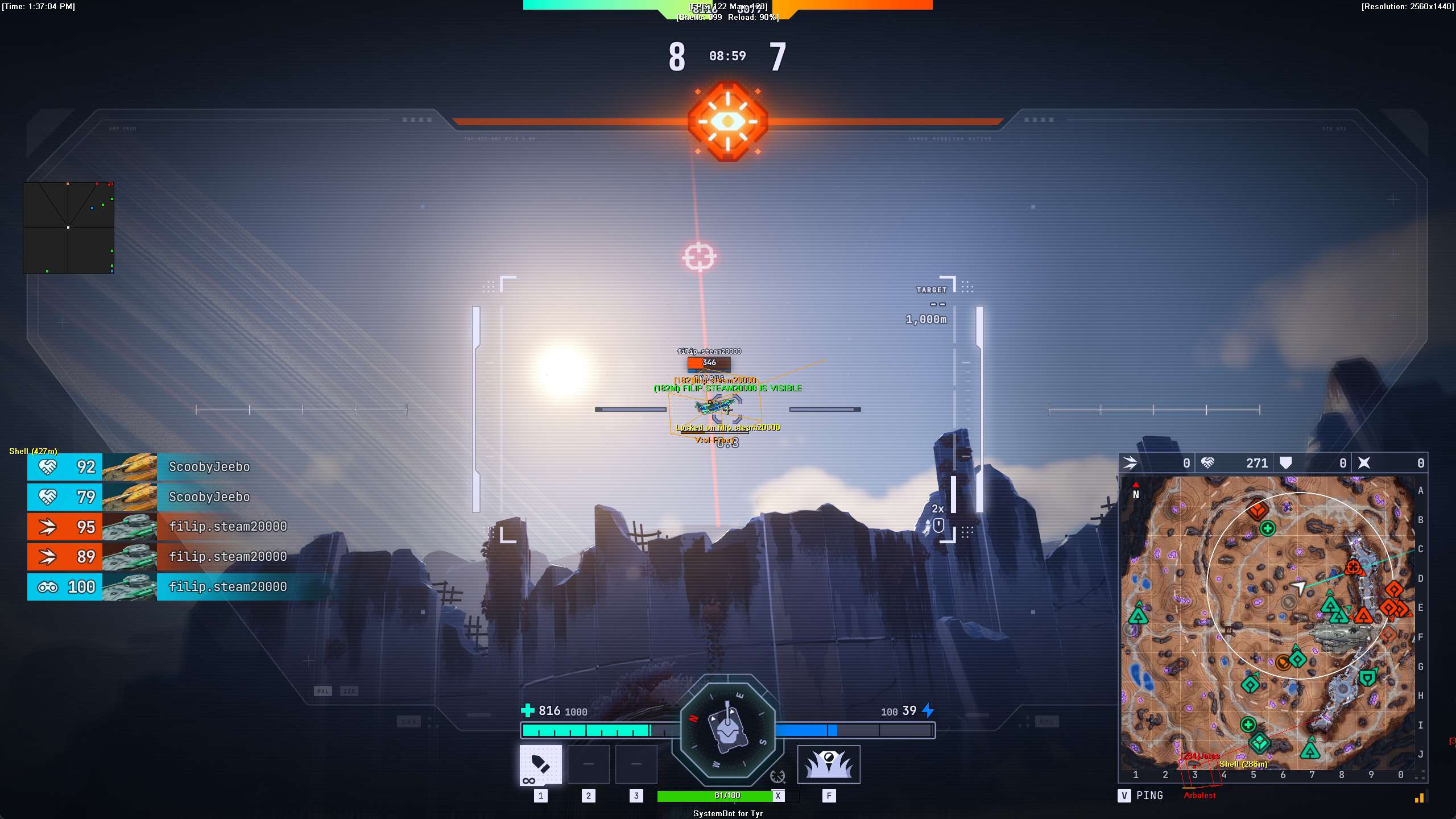
The rule that shapes each match is vision. In Tyr, you and your opponents are only visible when within range or while making enough noise. Fire from cover and you may stay hidden. Push forward at the wrong moment and you can reveal your position to the entire enemy team. Our Tyr hack is built around that kind of fight: an aimbot with Penetration Check and Shell Speed Prediction, 3D and 2D radar ESP for tanks, Shell ESP, Shot Origin and Last Known markers, and a Warning System that tells you when an enemy can see you.

Tactical upgrade briefing
Built for armor, angles and vision

Pick the part of the tank you want to hit with Aim Point, let Penetration Check weigh the armor before the cannon fires, and lead fast hover tanks with Shell Speed Prediction. The ESP draws enemy tanks through solid terrain, and the Warning System tells you when an enemy can see you or is aiming at you.

Tyr Hack and Cheat Features

The Tyr cheat covers aim, awareness and control for tank fights at short and long range, and everything is set from the in-game menu. A default setup and three custom setups each have their own key, so you can switch between them with one press. The highlights are below, and the full option list is in the Features panel on this page.

  • Tyr Aimbot with Penetration CheckAuto Aim with Smooth Aim, Limit Angle and an aim key. Penetration Check calculates enemy armor thickness and angle and only fires when it finds an armor breach. Aim Point picks Hull, Turret, Weakpoint, Engine or Tracks.
  • Shell Speed PredictionShell Speed Prediction calculates enemy vehicle velocity and trajectory to lead moving targets, and Prediction Scale fine tunes the lead. Sway Compensation corrects for suspension sway and chassis bounce on rough terrain.
  • Tyr Triggerbot and Auto FireThe Triggerbot fires your main cannon the instant an enemy enters your crosshair, with its own Fire Delay, Max Distance and trigger key. Auto Fire shoots once the aimbot has a valid target locked.
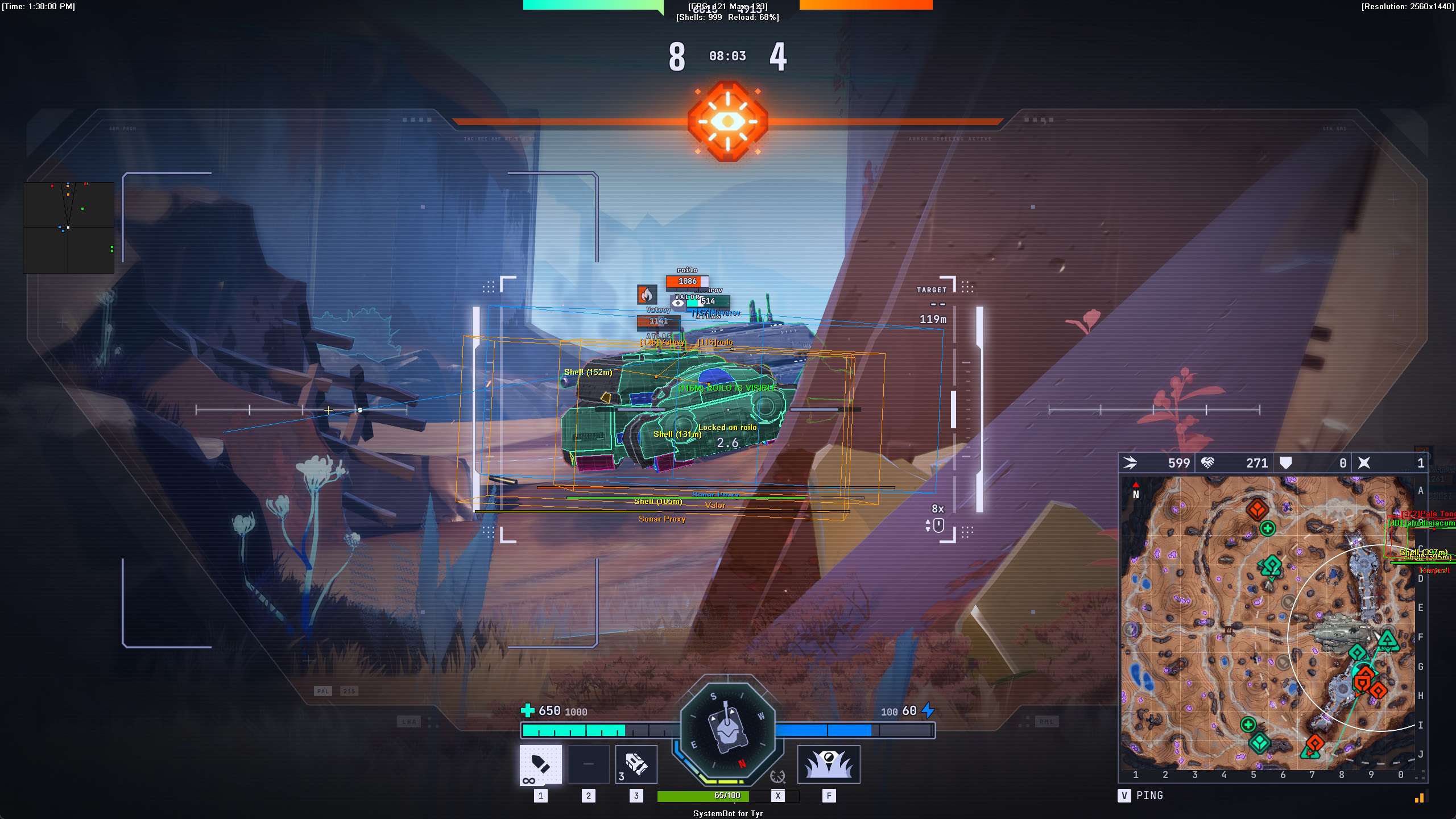
  • 3D Radar ESPBounding Box in 2D, Corners or 3D through solid terrain, with player name, distance, health, tank model and status. Turret Dot marks the centre of each enemy turret, and Gun Laser shows where enemy cannons are pointing.
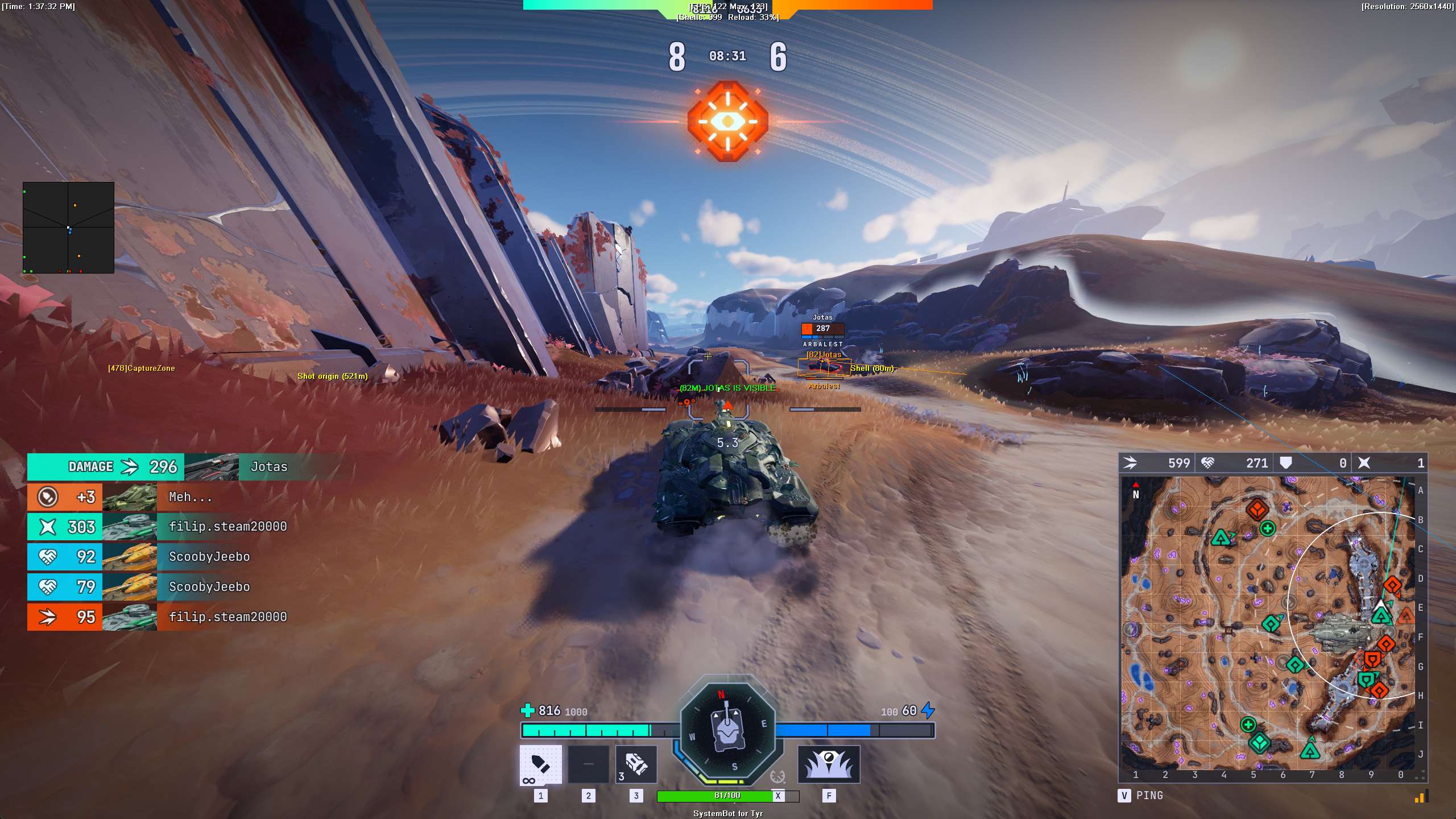
  • Shell, Drone and Last Known ESPShell ESP tracks incoming tank shells in flight, Shot Origin ESP marks the spot an enemy fired from, Drone ESP tracks drones in the air, and Last Known ESP leaves a ghost marker where an enemy broke sight.
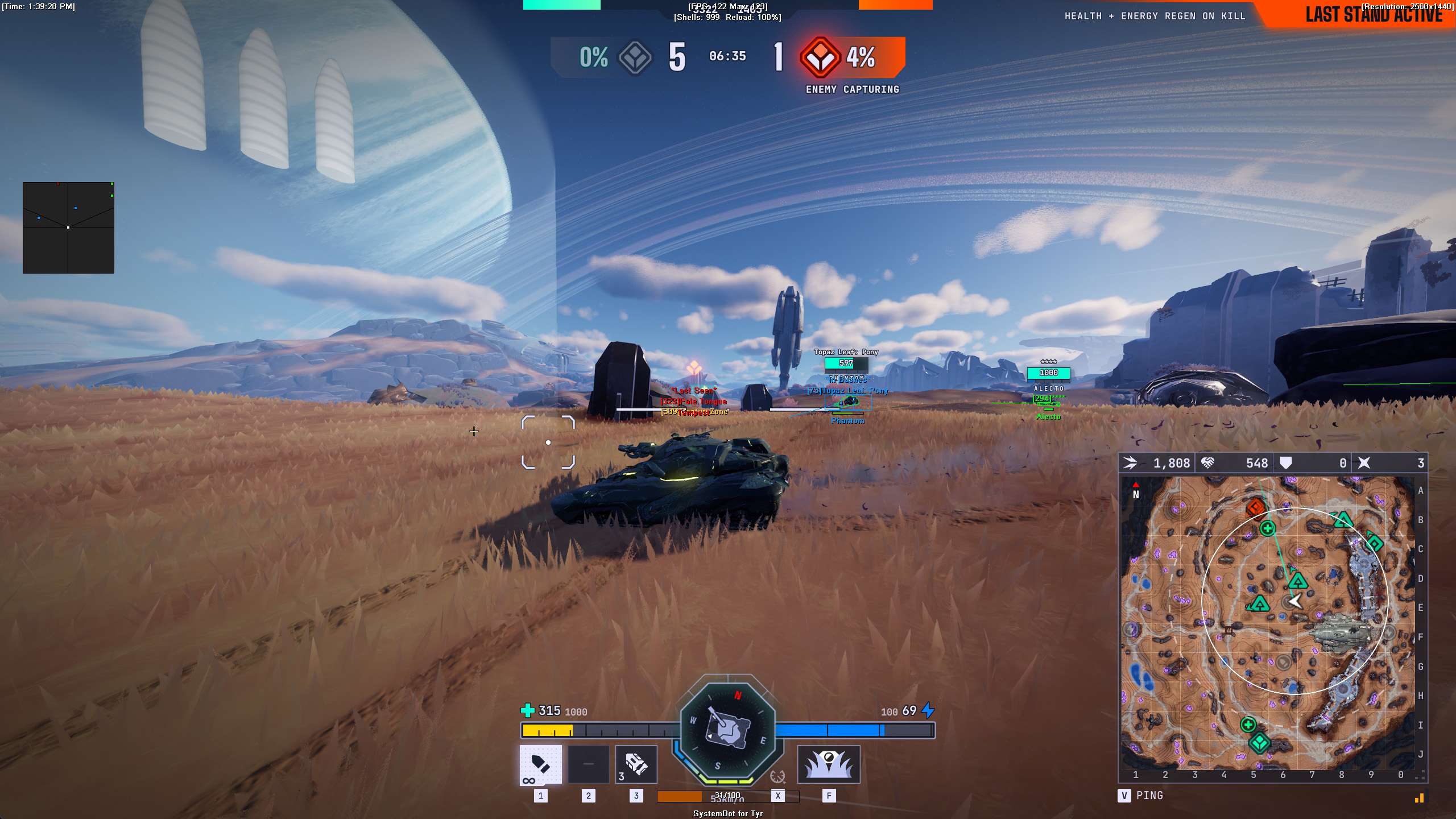
  • Warning System and 2D RadarOn-screen warnings when an enemy is aiming at you or can see you, each with its own angle, plus a Beep System. The 2D Radar plots friendly and enemy vehicles, with Radar Scale and Stick To Window.
  • Instant Turret and MiscInstant Turret removes turret traverse lag and No Spread removes gun dispersion bloom. Add a custom crosshair, Draw Ammo, Draw Health Bar, a Panic Key, OBS Stream Proof and six friendly and six enemy filter slots.
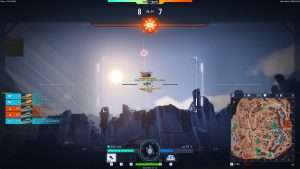
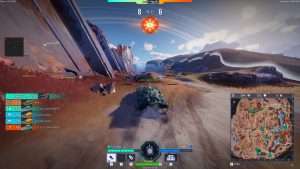
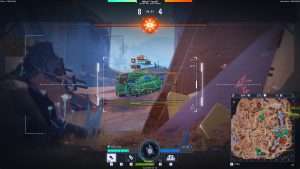
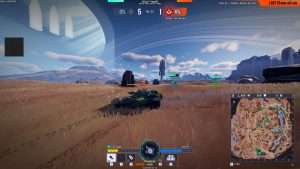
Tyr Hack in-game screenshot 1 of 4 Tyr Hack in-game screenshot 2 of 4 Tyr Hack in-game screenshot 3 of 4 Tyr Hack in-game screenshot 4 of 4

Tyr ESP for Tanks Behind Bushes and Cover

Because tanks stay hidden until they are in range or make noise, a patient player can sit still behind a bush and wait for you to drive past. It is a common complaint in Steam reviews, where one player writes that “you can drive past tanks sitting in bushes 50 feet away from you and not spot them”.

The Tyr ESP draws a Bounding Box around vehicles through solid terrain, and Player Distance ESP and Player Vehicle ESP show how far away each tank is and which model it is. The Enemy Visible and Enemy Invisible colours tell you at a glance which enemies are in the open and which sit behind cover.

Shot Origin and Last Known ESP Against Snipers

Long range play is a big part of Tyr, and some players say in Steam reviews that open maps with little cover favour sniper tanks. When a shell hits you from far away, the first question is where it came from. Shot Origin ESP draws a marker at the spot an enemy fired from, so you know which ridge to watch. When that enemy breaks sight and pulls back behind a hill, Last Known ESP leaves a ghost marker at their last spotted location. The sniper is no longer a guess, and you have a spot to watch if they come back up to shoot.

Tyr Aimbot for Angled Armor and Weak Spots

A hit in Tyr is not the same as damage. Armor is measured in millimetres, players angle their hulls and fight hull-down behind ridges, and weak spots decide a lot of duels. A shell that fails to get through an angled plate leaves you waiting for a reload while the enemy fires back.

The Tyr aimbot has a Penetration Check that calculates enemy armor thickness and angle and only fires when it finds an armor breach. Aim Point lets you choose Hull, Turret, Weakpoint, Engine or Tracks, and Aim Style picks the target closest to your crosshair, the closest one or the one with the lowest health, so you can finish a damaged tank first.

Shell Speed Prediction for Hover Tanks and Fast Movers

Many targets in Tyr do not sit still. Hover tanks glide across the ground, the Ikarus can switch to a flight form, the developer calls the Ranger the high-flying tank, and some abilities blink a vehicle several lengths forward or back. Shells take time to travel, so a shot aimed at where a fast tank is will often miss. Shell Speed Prediction calculates enemy vehicle velocity and trajectory to lead moving targets, and Prediction Scale fine tunes how far ahead it aims. Your own tank moves too, and Sway Compensation corrects for suspension sway and chassis bounce on rough terrain.

Instant Turret and No Spread for Close Fights on Core

Each tank in Tyr has its own turret rotation speed, measured in degrees per second, and a slow turret loses a close fight when the enemy moves across your view faster than your gun can follow. Core is an urban map with tight corridors and structures, so fights there often start at short range and around corners.

Instant Turret removes turret traverse rotation lag and snaps the gun barrel to the target, and No Spread removes gun dispersion bloom so the shell flies to the centre of the crosshair. With the Tyr Triggerbot on its own trigger key, the cannon fires the instant an enemy enters your crosshair, and Fire Delay adds a pause of your choosing before the shot.

Tyr Warning System for When Enemies Can See You

Tyr has plenty of ways to find you. Some tanks send out a sonar pulse that spots enemies, the Seeker deploys a snitch that pings the closest enemy in range, and the Phantom can turn on stealth to get close. Making noise can give you away too.

When an enemy has a clear line of sight to your tank, the Warning System shows a can see you alert, and a second alert shows when an enemy cannon is aiming at you, each with its own angle. The Beep System plays a tone that grows stronger as the danger comes closer, the Is Visible colour marks when your own tank is exposed to enemy view, and Player Status ESP shows when an enemy tank is spotted, firing, tracked or stunned.

Tyr Hack Setups for Standard and Ranked

Tyr has a Standard queue, Ranked Solo / Duos, Ranked Teams and Custom Games. Friends can queue together as a squad, and the matchmaker tries to put squads against squads of equal size. Ranked only opens once you have levelled up your tanks, it has tiers such as Master and Grandmaster, and Ranked Teams is played as a full squad. Players who are just starting out often say in Steam reviews that they meet veterans with fully upgraded tanks, and different queues call for different setups.

That is why the Tyr cheat keeps a default setup plus Custom 1, Custom 2 and Custom 3, each on its own key. One slot can hold a soft setup with Smooth Aim, Randomize Aim and a low Limit Angle, and another a full awareness setup with ESP, radar and warnings. The Enemy Player filter slots let you track and isolate specific rivals across matches.

How to Get the Tyr Cheat

Getting started with the Tyr cheat takes three steps.

01
Check the Status

Open the live cheat status page. It lists each cheat as online, offline or staff only.

02
Create Your Account

Register on the forum for free. Your subscriptions, downloads and support all run through it.

03
Pick Your Plan

Buy Tyr as a single cheat, or get it with the Premium Package together with the other games it includes.

Is It Safe to Cheat in Tyr?

No official source we checked names an anti-cheat system for Tyr. The Steam store page shows no anti-cheat notice, and the developer’s announcements on Steam that we read do not mention cheating, bans or a named system. That does not mean the game has no protection. It only means we found no public statement from Stoke Games about which system it uses. No cheat is ever completely risk free. The live cheat status page always shows the current state of every cheat, so check it before you buy.

Frequently Asked Questions

Is the Tyr cheat online?

The live cheat status page always shows the current state of every cheat, including Tyr. Check it before you buy.

Is Tyr included in the Premium Package?

Yes. You can buy the Tyr cheat on its own, and it is also included in the Premium Package and the One Day Trial.

Which versions of Tyr does the cheat support?

Only the Steam version of Tyr on Windows PC.

Which anti-cheat does Tyr use?

No official source names one. The Steam store page shows no anti-cheat notice, and the developer’s Steam announcements we read do not name a system.

Can the Tyr aimbot aim at weak spots?

Yes. Aim Point lets you choose Hull, Turret, Weakpoint, Engine or Tracks, and Penetration Check only fires when it finds an armor breach.

Can the Tyr ESP show where a shot came from?

Yes. Shot Origin ESP marks the spot an enemy fired from, and Shell ESP tracks incoming tank shells while they are in flight.

Is this cheat for Tyr: Chains of Valhalla?

No. This cheat is for the Tyr tank shooter from Stoke Games on Steam. Tyr: Chains of Valhalla is a different game.

Take Command of Your Tank in Tyr

Tyr rewards the player who knows where the enemy is and where to hit. The Tyr hack gives you an aimbot that reads armor, ESP for tanks, shells and drones, and warnings when an enemy can see you or aim at you, with setups you can shape to the way you play. Pick a single subscription or the Premium Package, check the status page before you buy, and browse all cheats for your other games.

Need Help?

Our support team is available 24 hours a day, 7 days a week through the SystemCheats forum and TeamSpeak. Read what customers say on Trustpilot, or compare all cheat packages to find the right fit.

Cheat & Hack Information

What is Tyr?


Tyr is a free to play, team-based tank shooter from Stoke Games, played in third person on Steam. Treaded tanks and hover tanks fight in a sci-fi world, and you only see enemies within range or when they make enough noise.


Cheating in Tyr


Our Tyr cheat has an aimbot with Penetration Check and Shell Speed Prediction, 3D Radar ESP for tanks, Shell ESP, Shot Origin ESP and a Warning System. You can buy it as a single cheat or get it with the Premium Package.


Is the Tyr cheat safe?


No official source we checked names an anti-cheat system for Tyr, and that does not mean the game has no protection. No cheat is ever completely risk free. However, you can always adjust your settings to play legitimately for the long run. Check the live status page before you play.

Pricing

Features

Aimbot
Auto Aim Moves your aim onto a valid target for you automatically
Auto Fire Fires your weapon for you once a target is locked
Fire Delay (0 ~ 1000) Adds a short wait in milliseconds before firing once a target is locked
Smooth Aim (1 ~ 50) Slows the aim movement so it looks natural, and higher values make it slower
Limit Angle (0 ~ 180) Sets how far from your crosshair a target can be for the aimbot to lock on
Use Aim Key Makes the aimbot work only while you hold or toggle your aim key
Sway Compensation Cancels tank suspension sway and chassis bounce on rough ground while aiming
Penetration Check Checks enemy armor thickness and angle, and fires only when the shot can get through
Shell Speed Prediction Leads moving enemy vehicles based on their speed and your shell flight time
Prediction Scale (1 ~ 30) Fine tunes how strong the lead and bullet drop prediction is
Visibility Check Stops the aimbot from targeting enemies hidden behind walls or cover
Stick to Target Keeps the aimbot on one target until it is down or leaves range
Randomize Aim Adds small random changes to where your aim lands for a human look
Randomize Speed (10 ~ 1000) Sets how often, in milliseconds, the random aim movement changes
Aim Style (FOV, Distance, Health) Sets how the aimbot chooses the best target when more than one is in range
Aim Point (Hull, Turret, Weakpoint, Engine, Tracks) Sets which part of an enemy vehicle the aimbot aims at
Aim on Friendly Lets the aimbot target and lock onto your teammates
Aim on Enemy Lets the aimbot target and lock onto enemies
Aim on Friendly Bot Lets the aimbot target allied AI tanks and turrets
Aim on Enemy Bot Lets the aimbot target enemy AI tanks and defenses
Max Distance (0 ~ 1500) Sets the farthest distance, in meters, at which targets are still picked up or shown
Draw Locked (None, Text, Box, Both) Draws a marker on the target the aimbot is locked onto
Draw Aim FOV Draws a circle on screen that shows where the aimbot is active
Triggerbot
Triggerbot Shoots for you when your crosshair is on a valid target
Use Trigger Key Makes the triggerbot fire only while you hold the trigger key
Fire Delay (0 ~ 1000) Adds a short wait in milliseconds before firing once a target is locked
Trigger on Friendly Lets the triggerbot fire at friendly teammates
Trigger on Enemy Lets the triggerbot fire at enemies in your crosshair
Trigger on Friendly Bot Lets the triggerbot fire at friendly bot tanks
Trigger on Enemy Bot Lets the triggerbot fire at enemy AI tanks and turrets
Max Distance (0 ~ 1500) Sets the farthest distance, in meters, at which targets are still picked up or shown
3D Radar
Bounding Box (None, 2D, Corners, 3D) Draws a box around each target so you can see where they are
Box Size (1 ~ 10) Sets how thick the lines of each ESP box are drawn
2D Line Draws snap lines from your screen to each target
Player Name ESP Shows the name of each player above their character
Player Distance ESP Shows how far away each player is in meters
Player Health ESP (None, Scaled, Static, Vertical) Shows a health bar for each player so you can see how hurt they are
Player Vehicle ESP Shows the tank class and chassis model each player is driving
Player Status ESP Shows the current state of each tank, such as moving, firing, burning or stunned
Turret Dot Places a bright dot on the enemy turret weak spot
Dot Size (2 ~ 20) Sets how big the dot markers are drawn on each target
Gun Laser Draws a line that shows where enemy guns are aiming
Laser Size (50 ~ 3000) Sets the length and thickness of the aim laser line
Shell ESP Tracks tank shells in flight and shows the path they take
Deployable ESP Shows deployable items and placed gear such as barricades
Drone ESP Shows recon drones and other drones through walls
Capture Zone ESP Shows capture zones, their edges and the capture progress
Last Known ESP Shows a marker where an enemy was last seen
Shot Origin ESP Marks the exact spot an enemy shell was fired from
Show Friendly Shows your teammates on the ESP and radar
Show Enemy Shows enemies on the ESP and radar so you always know where they are
Show Friendly Bot Shows allied AI tanks on the ESP and radar
Show Enemy Bot Shows enemy AI tanks and turrets on the ESP and radar
Max Distance (0 ~ 1500) Sets the farthest distance, in meters, at which targets are still picked up or shown
Item Max Distance (0 ~ 1500) Sets how far away items are still shown on screen
Item Distance ESP Shows how far away each item is from you
2D Radar
Show Radar Turns on the 2D radar overlay on your screen
Show Cross Draws cross lines through the middle of the radar
Show Window Draws the background frame of the radar window
Show Dot Shows targets as dots on the radar window
Show FOV Draws a cone on the radar that shows where you are looking
Show Friendly Shows your teammates on the ESP and radar
Show Enemy Shows enemies on the ESP and radar so you always know where they are
Show Friendly Bot Shows allied AI tanks on the ESP and radar
Show Enemy Bot Shows enemy AI tanks and turrets on the ESP and radar
Stick To Window Keeps targets that are out of range pinned to the edge of the radar
Radar Scale (0 ~ 60) Sets the radar zoom, lower zooms in and higher zooms out
Window Size (45 ~ 260) Sets the width and height of the radar window
Cross Size (45 ~ 260) Sets the length of the cross lines in the middle of the radar
Dot Size (2 ~ 20) Sets how big the dot markers are drawn on each target
Warning System
Warning System Shows on-screen warnings when enemies are near, can see you or aim at you
Is Aiming At You Angle (0 ~ 180) Sets the angle used to warn you when an enemy is aiming at you
Can See You Angle (0 ~ 180) Sets the angle used to warn you when an enemy can see you
Max Distance (0 ~ 1500) Sets the farthest distance, in meters, at which targets are still picked up or shown
Beep System Plays a warning beep when an enemy is looking or aiming at you
Misc
Crosshair (None, Cross, Dot, T-Cross) Draws a custom crosshair in the center of your screen, over the game's own
Crosshair Size (2 ~ 200) Sets the size of the custom crosshair on your screen
Crosshair Dynamic Grows and shrinks the crosshair with your weapon spread and vehicle movement
Draw FPS Shows your current frames per second on screen
Draw Resolution Shows your current screen resolution on the overlay
Draw Time Shows your local system time on the overlay
Draw Watermark Shows the SystemCheats watermark on screen so you know the cheat is active
Draw Health Bar Shows your own health as a bar on screen
Draw Ammo Shows your current weapon ammo count on screen
Use Panic Key Turns on a hotkey that instantly hides all cheat visuals and menus
Font Size (10 ~ 20) Sets the size of the ESP and overlay text on screen
Font Shadow (Bordered, Shadow, None) Adds a shadow or border behind overlay text so it is easier to read
No Spread Removes bullet spread so every shot lands on your crosshair
Instant Turret Removes turret turning lag so your gun snaps straight to your aim
Colors
Enemy Invisible Sets the color for enemy vehicles hidden behind terrain or cover
Enemy Visible Sets the color for enemy vehicles in your direct line of sight
Friendly Invisible Sets the color for teammates hidden behind walls or cover
Friendly Visible Sets the color for teammates in your direct line of sight
Enemy Bot Invisible Sets the color for enemy bot tanks hidden behind cover
Enemy Bot Visible Sets the color for enemy bot tanks in your direct line of sight
Friendly Bot Invisible Sets the color for allied bot tanks hidden behind cover
Friendly Bot Visible Sets the color for allied bot tanks in your direct line of sight
Shell Sets the color for incoming and outgoing tank shells in flight
Deployable Sets the color for deployables such as ramps, barricades and sensors
Drone Sets the color for drones and RC vehicles shown on the ESP
Capture Zone Sets the color used to draw capture zones and objective markers on the ESP
Crosshair (None, Cross, Dot, T-Cross) Draws a custom crosshair in the center of your screen, over the game's own
Menu Sets the color scheme for the in-game cheat menu
Is Aiming At You Sets the warning color used when an enemy aims directly at you
Can See You Sets the warning color for when an enemy has a clear line of sight to you
Is Visible Sets the indicator color used when you are exposed and visible
Aim FOV Sets the color of the aimbot FOV circle drawn on screen
Filters
Friendly Player 1 - 6 Lets you enter friendly player names to set tracking for each ally
Enemy Player 1 - 6 Lets you enter enemy player names to track and single out
Settings/Keys
Panic Key Sets a key that instantly hides or turns off all cheat features
Menu Key Sets the key that opens and closes the cheat menu
Aim Key Sets the key that turns on the aimbot while held or toggled
Trigger Key Sets the key you hold or toggle to turn the triggerbot on
Default Key Sets a key that loads the default profile instantly
Custom 1 Key Sets a key that loads custom profile 1 instantly
Custom 2 Key Sets a key that loads custom profile 2 instantly
Custom 3 Key Sets a key that loads custom profile 3 instantly
Additional
OBS Stream Proof Hides cheat visuals from OBS and other recording software