Supports Microsoft Store & Steam
Included in Premium Package and One Day Trial
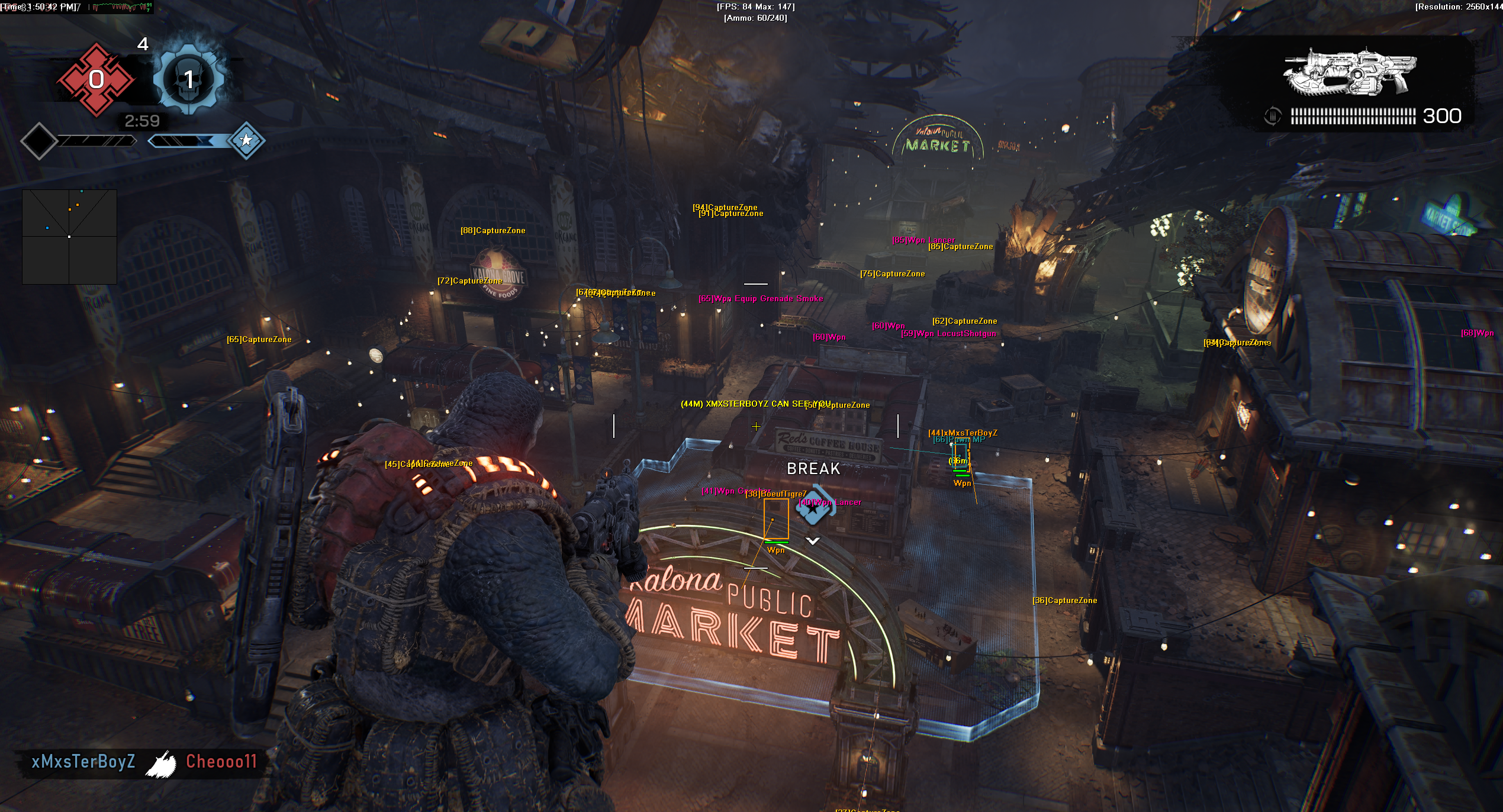
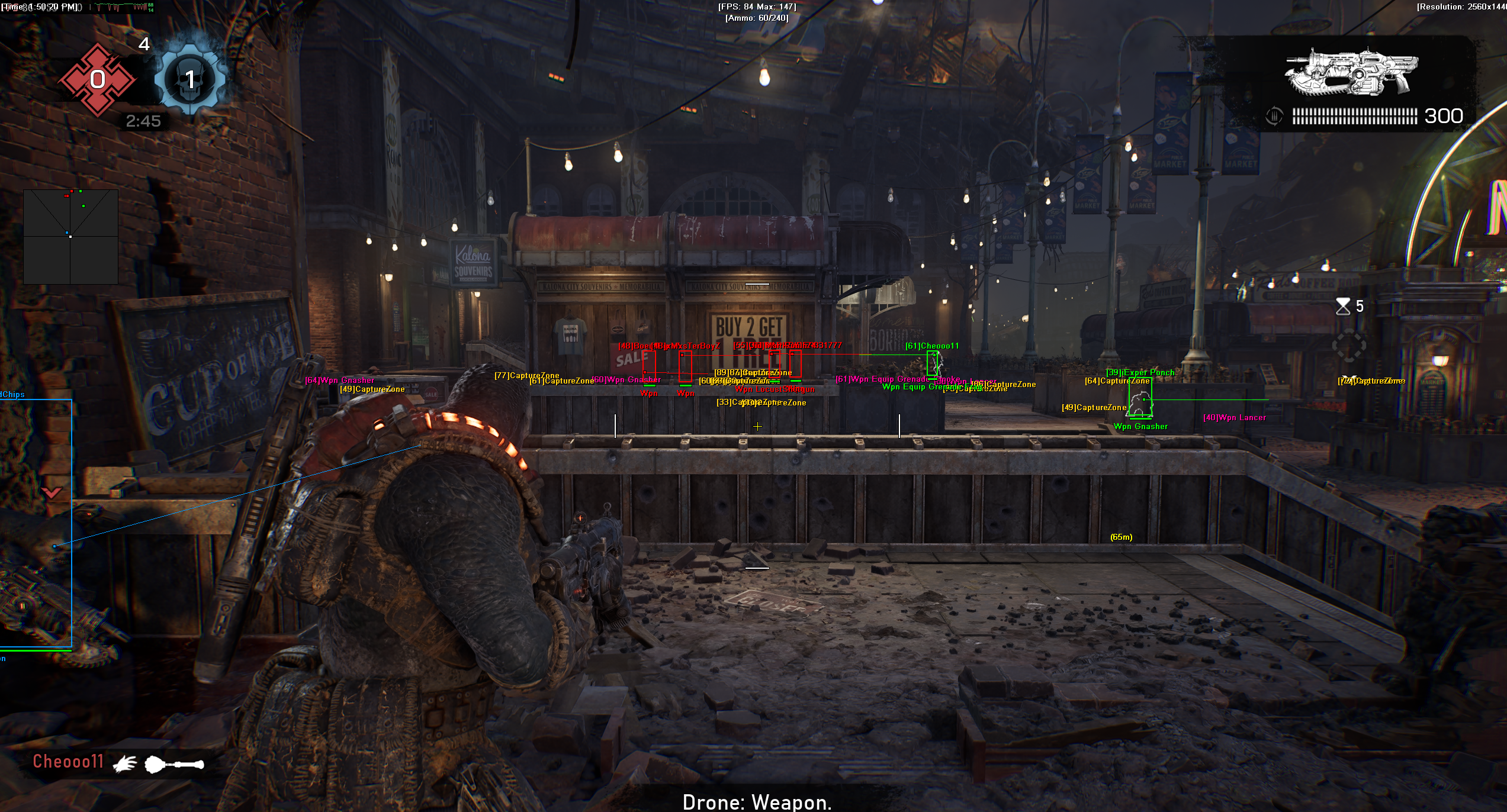
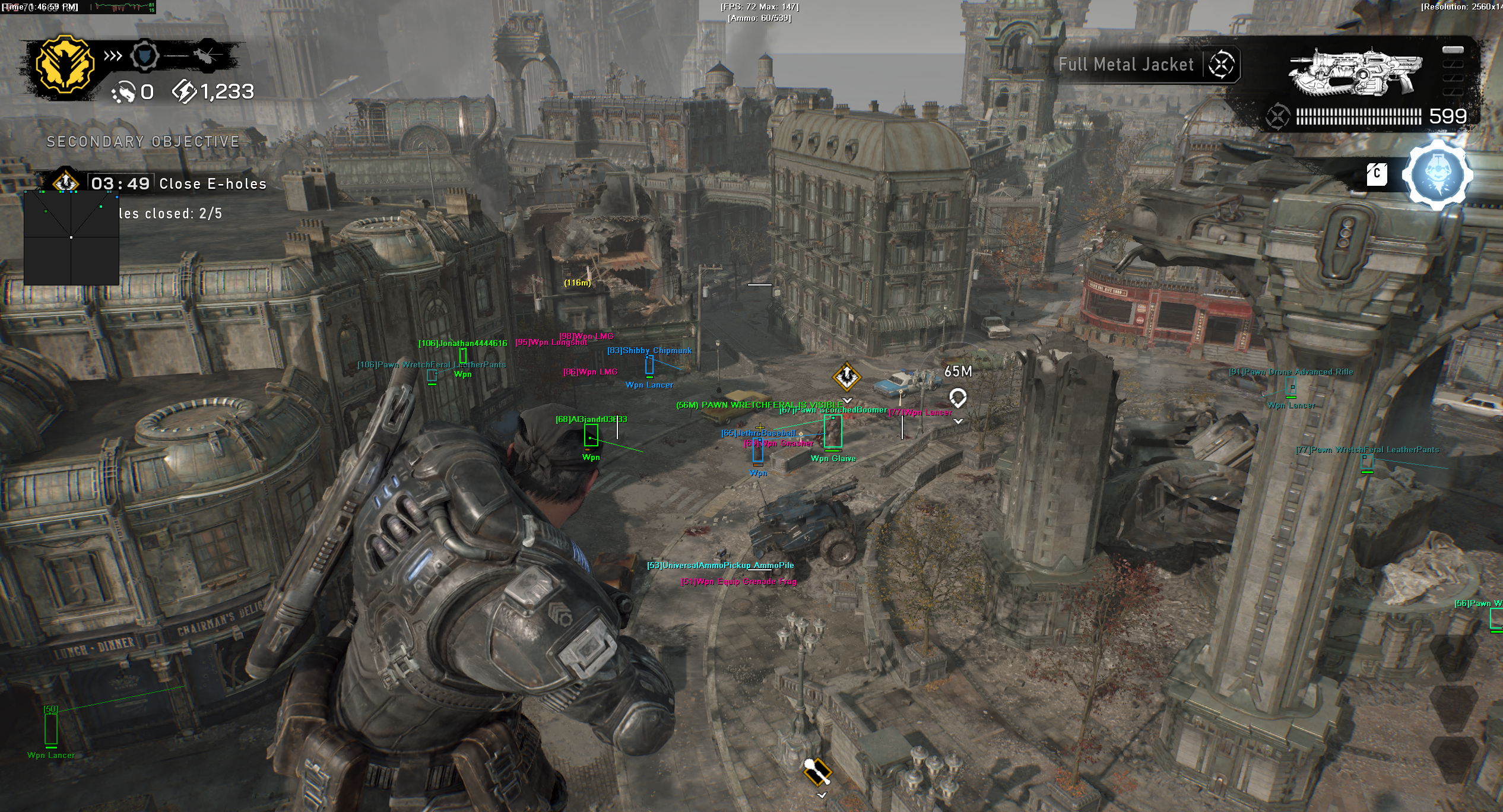
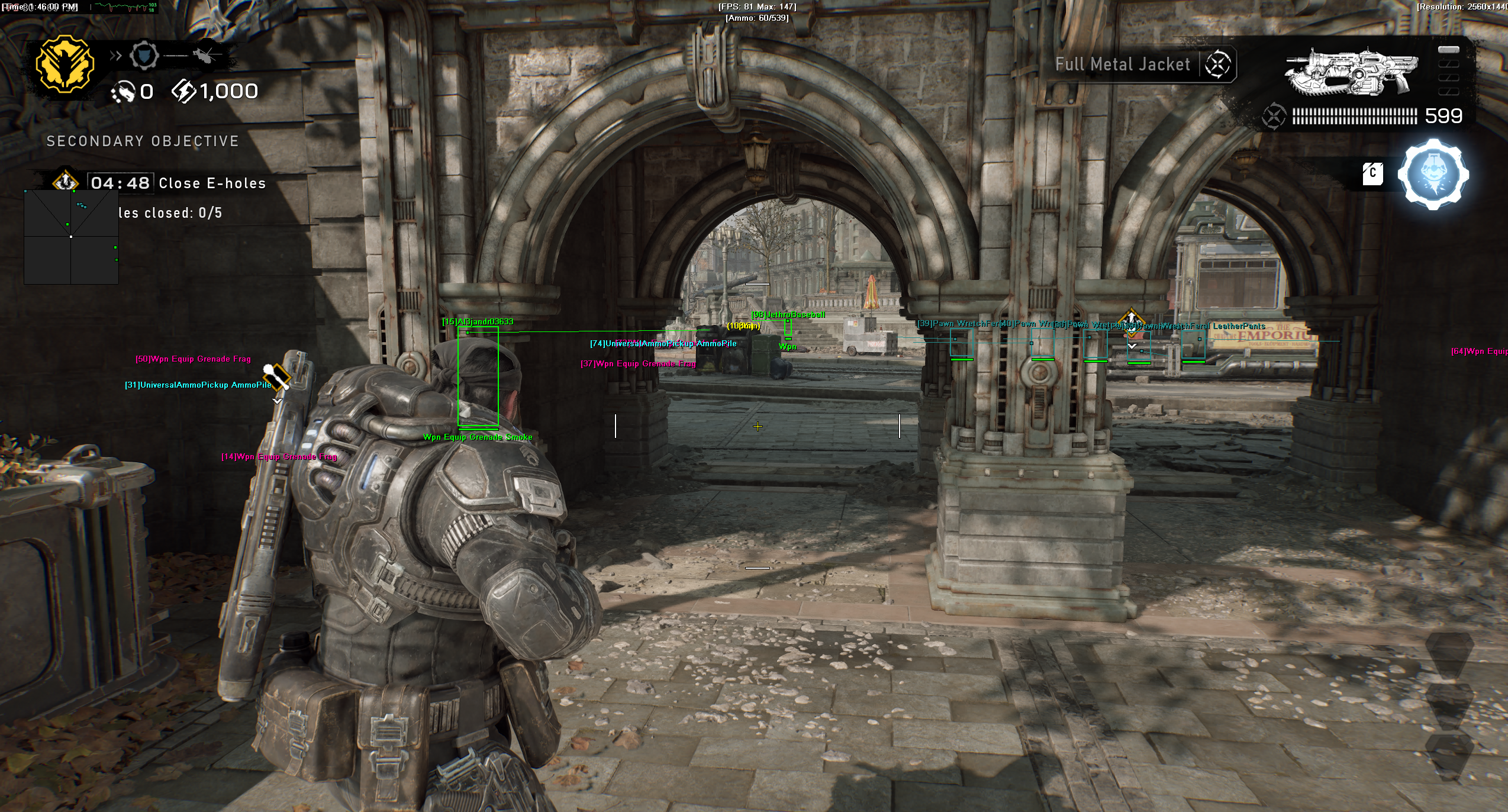
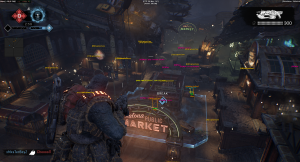
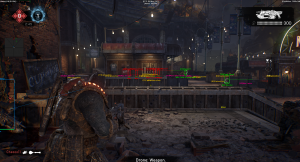
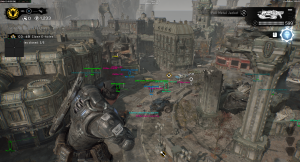
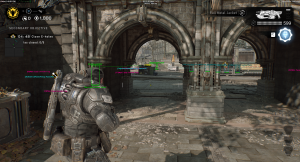
Aimbot, ESP and a 2D radar in the Gears of War E-Day Cheat for PC.
Gears of War E-Day is a third person cover shooter from The Coalition, made with co-developer People Can Fly and published by Xbox Game Studios for Windows PC and Xbox Series X and S. It runs on Unreal Engine 5 and goes back to Emergence Day, or E-Day, when the Locust Horde rises from underground on the planet Sera.
The campaign is set in the city of Kalona, 14 years before the original Gears of War, and follows Marcus Fenix and Dominic Santiago over three days as the city falls. Mags Carter and Lucas Reyes fight beside them, and you can play the campaign solo or in online co-op with up to four players.
Multiplayer has two sides. Versus is 4v4 PvP with Team Deathmatch, Conquest, Demolition and Crucible on maps such as Outpost, Battleship, Market and Skyward. Horde Siege is the PvE side: 12 players in three squads of four fight the Locust in districts of Kalona, with shared squad lives, objectives built around R.I.G. devices and an extraction at the end.
The combat asks for more than good cover. Projectiles have simulated ballistics and travel time, scopes sway, and players sprint, slide, jump and climb between low cover. Our Gears of War E-Day hack is built for that: an aimbot with bullet speed and drop prediction, a 3D Radar ESP for players and Locust forces, item ESP for power weapons, ammo and COG tags, a 2D Radar and a Warning System for players who aim at you.
In Gears of War E-Day a fight is often decided by who sees the flank first and who lands the first clean shot. The Gears of War E-Day cheat shows players and Locust forces around you, marks power weapons and warns you when someone aims at you. Choose a single subscription or the Premium Package. Check the live cheat status page before you buy.
The Gears of War E-Day cheat covers aim, awareness, items and control, with separate switches for friendly players, enemy players, friendly AI and enemy AI. All options are set from the in-game menu on your Menu Key, and a default slot plus Custom 1, Custom 2 and Custom 3 keep four setups ready, each with its own key. The highlights are below, and the full option list is in the Features panel on this page.
In Gears of War E-Day, bullets do not hit the instant you fire. Each shot has to fly to the target, and first person scopes sway, so a long shot at a moving target lands where the target was, not where it is.
The Gears of War E-Day aimbot handles that with Bullet Speed Prediction, which calculates target movement to lead the shot, and Bullet Drop Prediction, which adjusts the aim upward for gravity drop over distance. Prediction Scale fine-tunes how strong the lead is, and you can save a different Prediction Scale in each custom slot, for example one for the Hammerburst and one for the Breechshot, and switch with the Custom keys.
Versus is where raw aim matters. Aim assist works in Campaign and Horde Siege, not in Versus, so in a 4v4 on Outpost, Precinct or Skyward the player who lands the first clean shots has the edge. With Use Aim Key on, the aimbot only works while you hold the key. Smooth Aim controls the speed and smoothness of the lock, Limit Angle sets how wide the aimbot looks for targets, and Draw Aim FOV shows that zone as a circle. Randomize Aim adds small adjustments that look like human mouse movement, Randomize Speed varies the aim speed, and Visibility Check keeps the aimbot off targets behind solid walls.
The Gnasher shotgun is back, and close fights around cover often come down to who lands the first shot, so a missed shot hurts. The Triggerbot shoots when a valid target crosses your crosshair, with a Fire Delay you set yourself, and it can run on its own Trigger Key so it only works when you hold it. Aim Bone set to Head points the aimbot at the head, Stick to Target keeps the lock on one enemy until they are eliminated, and Aim Style set to Health picks the target with the lowest health first.
Versus uses Fair Starts. All players spawn with the same loadout, there are no weapon mods, and power weapons sit on the map as pickups. That makes the power weapon spawns worth fighting for. Weapon Pickup ESP highlights powerful weapons and power weapon spawns, Ammo Pickup ESP marks ammo crates and supply pickups, and Item Distance ESP shows how far away each one is. In Conquest, teams hold zones to score time, and in Crucible they fight over a Power Core inside a shrinking zone. Capture Point ESP highlights active capture zones and objectives in its own colour, and Grenade ESP highlights thrown or placed grenades.
Horde Siege puts 12 players in three squads of four against the Locust. Squads work through objectives such as Secure, Calibrate, Repair and Defend, spend shared Energy at Supply Caches and finish with an extraction. Weapon Parts collected in a mission are kept only when the squad extracts, and squad lives are shared, so the mission fails when they are all used.
Show Enemy AI puts hostile Locust forces on the 3D Radar and the 2D Radar, with Enemy AI Visible and Enemy AI Invisible colours, so you can tell at a glance which Locust are in the open. Aim on Enemy AI and Trigger on Enemy AI let the aimbot and the triggerbot work on them, and Max Distance keeps the far ones off your screen.
In Horde Siege, a player killed in action drops their COG Tags. Squadmates bring the tags to a Supply Cache to revive them, and players from other squads can pick the tags up to revive them instantly. Player Downed ESP shows downed players who need a revive.
A Medic’s Stim Vaporizer can revive downed players from other squads too, so Player Downed ESP shows a Medic where help is needed. The game also has a Downs Counter that shows how many downs you have left before a full death. Auto Self Revive revives your character automatically when you are downed in combat, and Draw Health Bar shows your own health on screen.
Horde Siege difficulty tiers include Infantry, Commander and Allfather, and Allfather is recommended for max level classes. Invasion Events send boss Locust units at all squads at once, so the whole lobby is under pressure at the same moment. For fights like these the Horde Siege hack brings No Reload, which fires weapons continuously without reloading, No Overheat for heavy weapons and Instant Spin Up for rotary weapons, all from the Misc tab. Unlimited Health grants invulnerability against incoming damage from enemies, and No Flinch removes the camera recoil and screen flinch when you take damage.
Getting started with the Gears of War E-Day hack takes three steps.
Register on the forum for free. Your subscriptions, downloads and support all run through it.
Choose a Gears of War E-Day subscription for 1, 3 or 6 months, or get the Premium Package together with the other games it covers.
Start the cheat with the SystemCheats loader, launch the Steam or Microsoft Store version, open the in-game menu with your Menu Key and save your setup in the default slot or Custom 1, 2 or 3.
The official posts and the Steam page we checked do not name the anti-cheat system that Gears of War E-Day uses. During the beta, The Coalition said it improved anti-cheat protection and took enforcement action against verified cheaters, so the game does act against cheating. No cheat is ever completely risk free. Settings such as Use Aim Key, Smooth Aim, Randomize Aim and Visibility Check keep the aim under your control, and the Panic Key hides the menu and all visuals with one press.
Check the live cheat status page before you buy. The status page shows the real state of the Gears of War E-Day cheat.
Yes. The cheat is included in the Premium Package, together with the other games listed under Cheats Included on its page. You can also choose a single Gears of War E-Day subscription for 1, 3 or 6 months.
The Steam and Microsoft Store versions of Gears of War E-Day on Windows 10 and 11 PC. OBS Stream Proof works with the Steam version only. The cheat is made for Windows PC only.
The official posts and the Steam page we checked do not name one. During the beta, The Coalition said it improved anti-cheat protection and took enforcement action against verified cheaters.
The aimbot has Aim on Enemy AI and the triggerbot has Trigger on Enemy AI, both for hostile Locust forces. Show Enemy AI marks them on the 3D Radar and the 2D Radar. Switch Aim on Enemy AI off to keep the aimbot on players only.
Yes. Native Controller Support lets you assign all keybinds to a controller button or trigger, including the Aim Key, the Trigger Key and the Panic Key.
Weapon Pickup ESP highlights powerful weapons and power weapon spawns, and Ammo Pickup ESP marks ammo crates and supply pickups, each in its own colour.
Gears of War E-Day rewards the player who sees the fight first. With the Gears of War E-Day cheat you see the players and Locust forces around you, you know where the power weapons are, and you get a warning when someone aims at you, in Versus and in Horde Siege.
Our support team is available 24 hours a day, 7 days a week through the SystemCheats forum and TeamSpeak. Read what customers say on Trustpilot, or compare all cheat packages to find the right fit.
What is Gears of War E-Day?
Gears of War E-Day is a third person cover shooter from The Coalition and People Can Fly, published by Xbox Game Studios. It tells the story of Emergence Day, when the Locust Horde rises on the planet Sera.
Cheating in Gears of War E-Day
Our Gears of War E-Day cheat has an aimbot with bullet prediction, 3D Radar ESP for players and Locust forces, Weapon Pickup ESP, a 2D Radar and a Warning System. It is available as a single subscription or as part of the Premium Package. Check the live status page before buying.
Is the Gears of War E-Day cheat safe?
The sources we checked do not name the anti-cheat in Gears of War E-Day, but The Coalition has acted against verified cheaters. No cheat is ever completely risk free. However, you can always adjust your settings to play legitimately for the long run. Check the live status page before you play.