Far Far West Hack Aimbot ESP for PC

Included in Premium Package and One Day Trial
Far Far West Hack
Far Far West Cheat
Far Far West Hacks
Far Far West Aimbot
Frontier Tactical Suite • Undetected • Steam

Far Far West Hack Aimbot ESP for PC

Get instant access to the Far Far West Cheat for PC.

Far Far West plunges players into a bizarre, supernatural frontier where classic American pioneer legends collide with weird science fiction and occult horror. Developed by Evil Raptor and powered by Unreal Engine 5, the game casts players as cybernetic robot cowboys outfitted with worn leather dusters, clockwork pistons, and arcane spellcraft. Operating from the local Saloon, outlaws gather to sign high-risk bounty contracts issued by the Town Sheriff before venturing into the untamed borderlands. Your posse must fight through sun-baked sandstone canyons, misty redwood sequoia canopies, scorched volcanic calderas, and eerie haunted woodlands infested with reanimated skeleton gunslingers, insectoid swarms, alien Zurker invaders, and the terrifying phantom Ghost Train tearing across the frontier rails.

Surviving the strange wilderness requires a dynamic blend of precision gunplay and tactical spellcasting. Outlaws wield classic revolvers, explosive akimbo pistols, lever-action rifles, high-tension compound bows, kinetic throwing stars, and bone-crushing melee weapons alongside defensive ice cubes, shielded energy bridges, freezing blizzard cones, and spell salvos. Yet facing bullet-sponge elite commanders and punishing multi-phase bosses while managing limited ammunition, fragile shield points, and precious Joker perk cards can quickly overwhelm even seasoned posses. Every expedition carries enormous stakes, where an untimely squad wipe forfeits unextracted Uranium, rare Weapon Blueprints, and hard-earned resources.

Navigating vertical redwood platforms, enduring chaotic demonic hordes, and searching for hidden supply caches can feel exhausting without tactical assistance. Our undetected Far Far West hack gives you unconditional supremacy across the weird west. Equipped with precision bow ballistics aimbot, full spectrum 3D ESP wallhacks, instant Teleport to Entity, unlimited ammo with damage buff locking, infinite Joker card slots, and high-speed No Clip free flight, your posse can conquer every bounty contract and extract with wagonloads of loot.

Tactical upgrade briefing
Frontier and extraction breakthroughs

Experience our Teleport to Entity, Kill Aura, Silent Aim and Magic Bullet, No Clip Free Flight, and Unlimited Joker Slots. Clear demonic hordes in seconds, bypass treacherous vertical platforming, and extract with every rare blueprint in the territory.

Far Far West Hack and Cheat Features

This Far Far West cheat for PC delivers an all-inclusive tactical platform custom-built to give you complete command over every contract, firefight, and extraction. Every capability is fully customizable through the in-game menu on the DELETE key, allowing you to fine tune your gameplay between subtle legit assistance and unstoppable rage progression. The highlights are below, and every single option with its range is listed in the Features panel on this page.

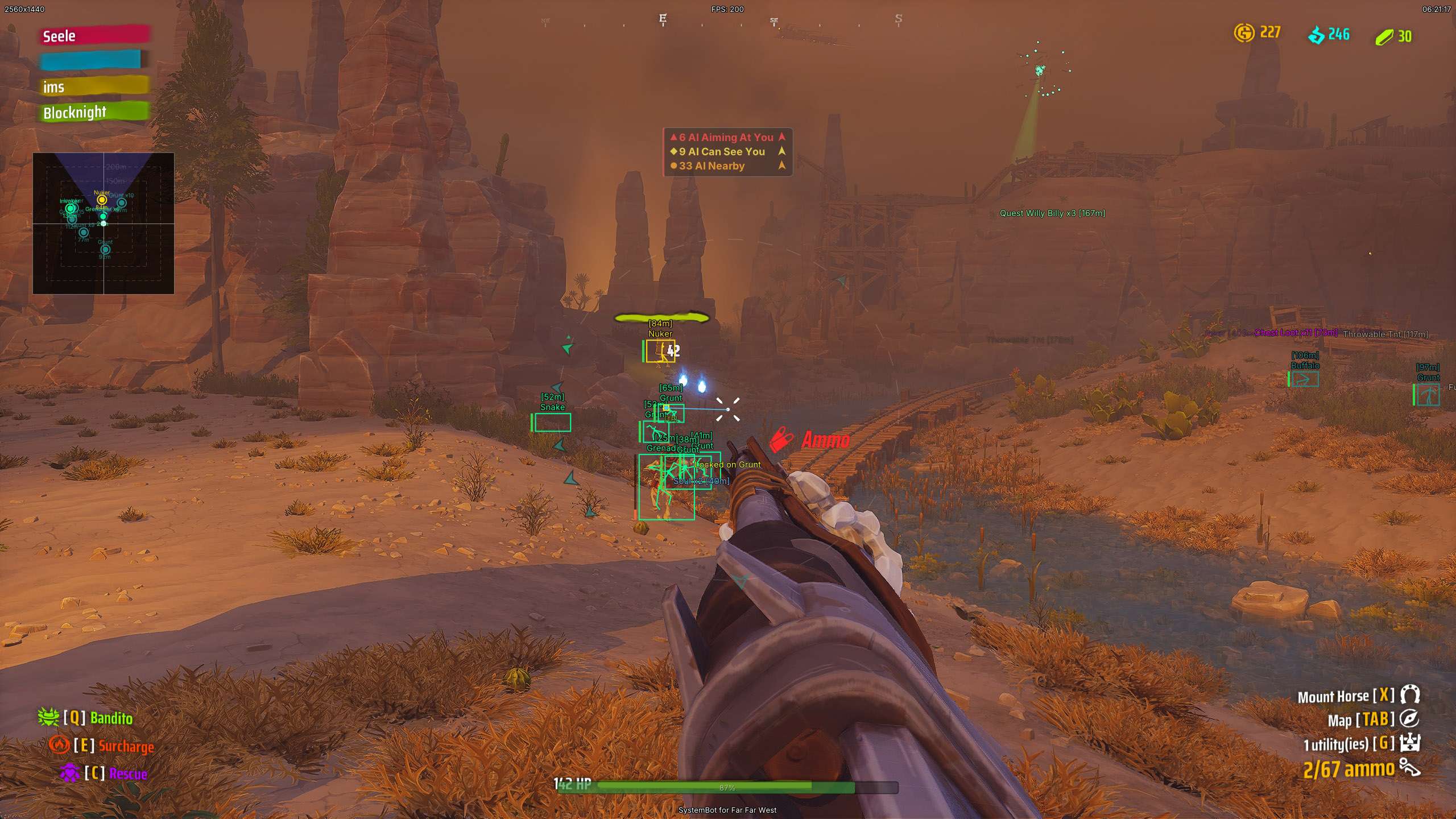
  • Precision Aimbot and Silent AimAuto Aim, Smooth Aim, Humanized Aim curves, Aim Style prioritization by FOV, distance, or lowest health, and Aim on Nearest Bone. Land shots without camera movement via Silent Aim, shoot through solid cover with Magic Bullet, and lead moving targets with Bullet Speed and Drop Prediction for compound bows. Configured via right-click for Hold, Toggle, or Always On.
  • Adaptive TriggerbotPulls the trigger the millisecond your crosshair passes over a hostile outlaw, alien Zurker, or combat vehicle. Supports Hold and Tap firing modes, customizable millisecond pre-fire and post-fire delays, a dedicated Trigger Bones selector, and right-click activation for Hold, Toggle, or Always On.
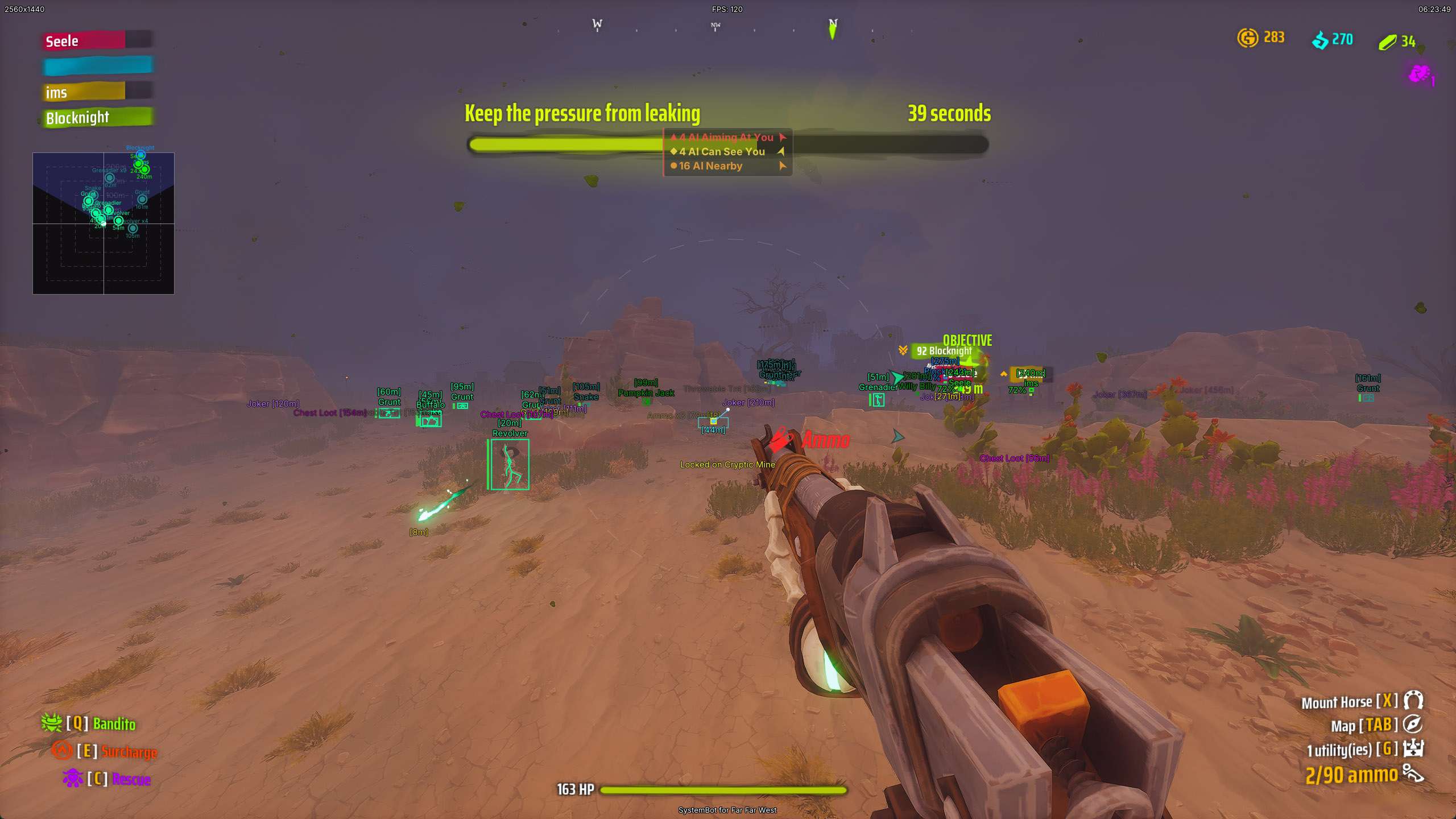
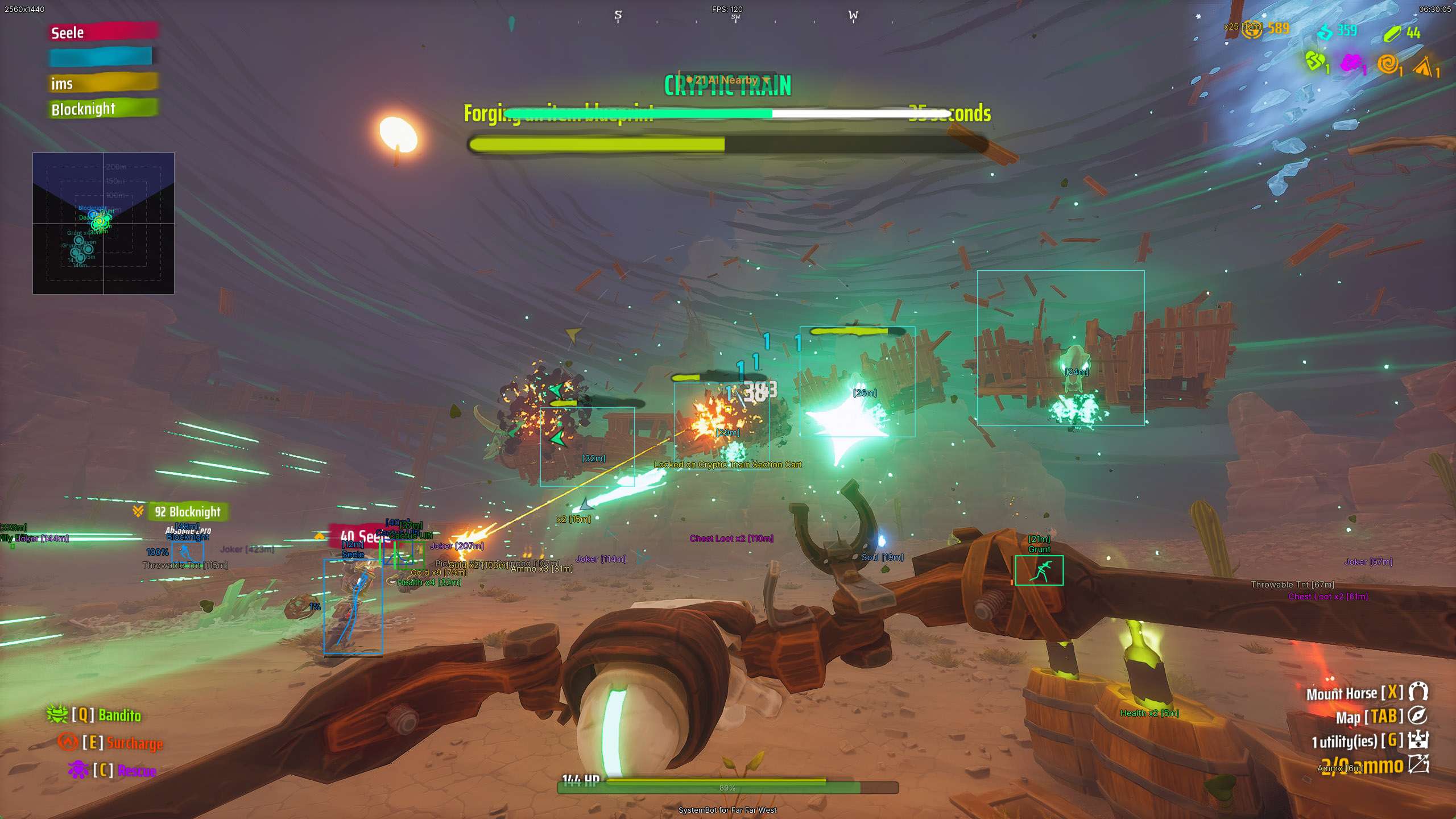
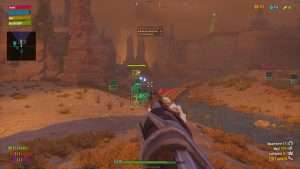
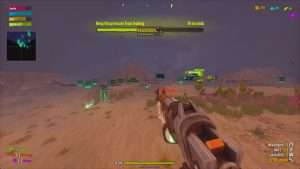
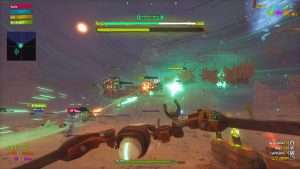
  • Player, AI, and Crypt ESPLocate friendly squadmates, zombie gunslingers, worker bots, elite commanders, and colossal bosses through solid mountains. Displays 2D, 3D, and Corner boxes, skeleton bones, names, distance, health bars, shield bubbles, and head dots. Dedicated Crypt radar highlights enemy spawn spheres, sigils, and summoning totems.
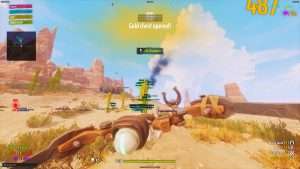
  • Item and Resource ESPNever miss high-tier loot scattered across the frontier. Tracks dropped Joker cards, rare Weapon Blueprints, mining tools like pickaxes and dynamite, Gold and kwart piles, Ammo boxes, Health bottles, Souls, and ancient quest relics up to 500 meters with custom range filtering and cluster grouping.
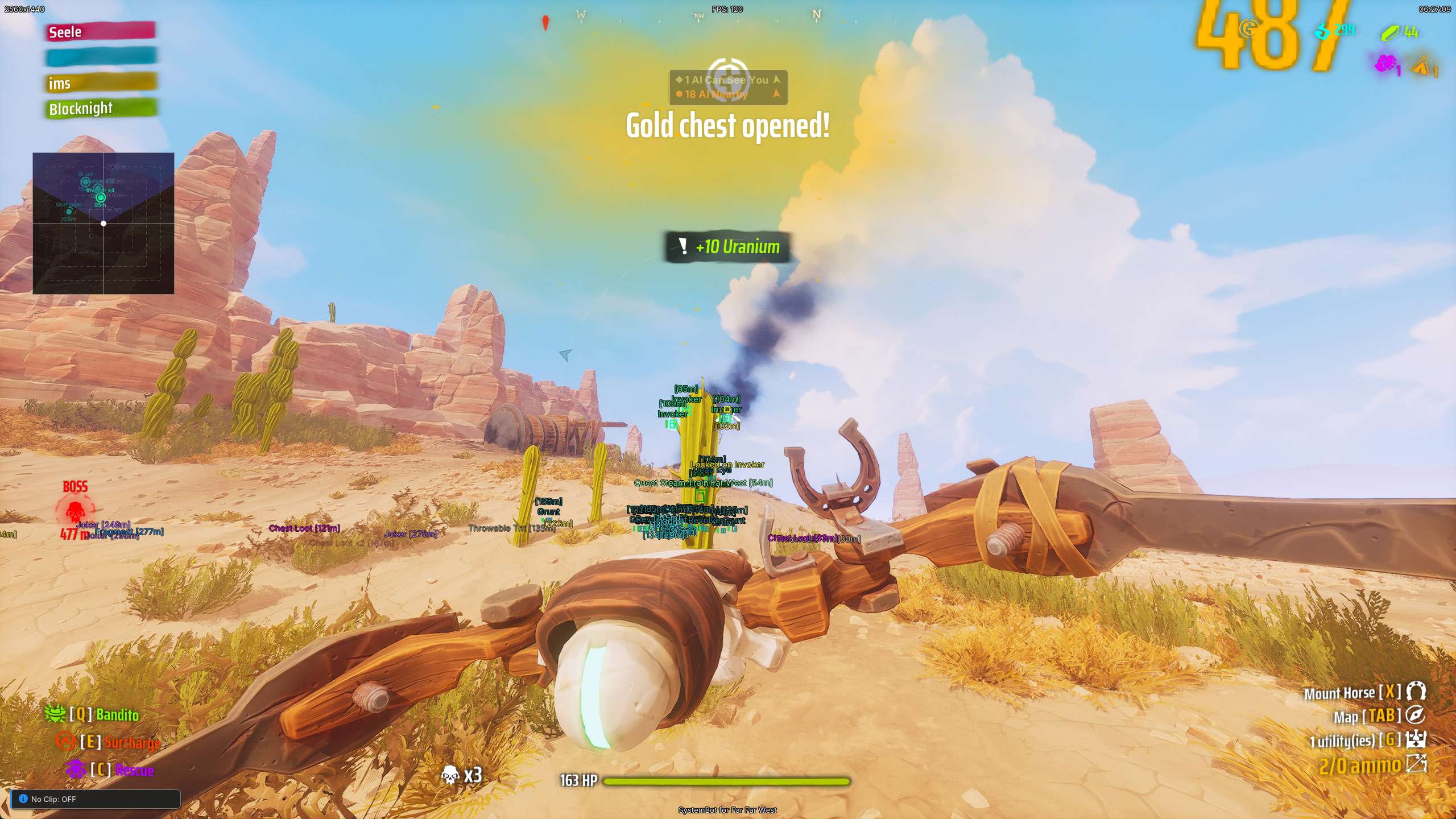
  • Teleport to Entity and Movement ExploitsInstantly teleport one meter above any targeted player, supply node, or chest currently marked on your ESP. Outrun any threat with Speed Hack up to 10x velocity, maintain perpetual momentum with Auto Bhop Dash, and fly through walls and sky with No Clip up to 500 meters per second.
  • Combat Modifiers and Kill AuraEliminate weapon kick completely with No Recoil and No Spread, boost firing cadence up to 5x with Fire Rate multipliers, and lock low-ammo damage buffs forever with Unlimited Ammo. Equip infinite perk cards with Unlimited Joker Slots, slash card shop prices to 1 Soul, and emit 500-meter automated damage pulses with Kill Aura.

Conquer High-Stakes Extraction Expeditions and Multi-Phase Bosses

Expeditions in Far Far West demand relentless firepower and coordinated tactical movement.
Colossal multi-phase bosses like the Great Marauder and ancient Cryptic guardians possess punishing area-of-effect spells, heavy shield bubbles, and relentless reinforcements that can wipe an entire posse in seconds.
Under standard combat conditions, missing critical weak points or running out of ammunition during prolonged boss phases means forfeiting all collected Uranium and hard-earned blueprints.
Our Far Far West aimbot solves this challenge by automatically centering your shots on vulnerable target bones with millimeter precision.
With zero weapon recoil and zero spread, high-powered lever-action rifles and akimbo revolvers deliver perfectly grouped salvos directly into enemy weak points.
For archery enthusiasts, our specialized Bullet Speed and Bullet Drop Prediction calculates target velocity and arrow arc automatically, ensuring compound bow shots land dead center across extreme engagement distances.

Traverse Vertical Redwoods and Volcanic Calderas with Speed Hack and No Clip

The bizarre geography of Far Far West presents dangerous environmental obstacles across every biome.
In the Redwood forest, massive sequoia trees feature elevated platform villages connected by rickety rope bridges, where a single misstep can drop your robot cowboy to instant destruction.
Volcanic calderas and deep sandstone canyons force players to take long, dangerous detours through concentrated enemy ambush zones.
Our movement exploits transform frontier traversal into an effortless experience.
With Speed Hack, you can accelerate sprint velocity up to 10x normal speeds, allowing you to sprint past swarming Zurkers and reposition across entire canyons in seconds.
Activating Auto Bhop Dash automatically executes perfectly timed jumps and dashes the instant your boots touch the terrain, sustaining maximum velocity without fatigue.
When vertical cliffs or fortified barricades block your path, engage No Clip to detach from normal gravity and fly freely through solid mountains, cavern walls, and skyboxes at speeds up to 500 meters per second.

Instant Loot Gathering and Item ESP for Blueprints and Joker Cards

Character progression and weapon crafting in Far Far West require harvesting rare resources and locating valuable blueprint fragments.
Searching through dense woodland foliage, dark mine tunnels, and sprawling canyon floors for dropped Joker cards, mining tools, Uranium nodes, and Gold piles normally consumes hours of tedious scouting.
Our Item ESP highlights every valuable pickup through terrain up to 500 meters away with clear visual text, distance readouts, and smart cluster grouping.
World ESP reveals hidden treasure chests, map-clearing Lighthouses, collectible Grave Crosses, floating balloons, and ancient puzzle pyramids, ensuring your posse uncovers every secret in the zone.
Best of all, pairing Item ESP with Teleport to Entity allows you to warp your robot cowboy directly one meter above any marked chest, blueprint drop, or supply cache with a single keystroke, snatching rare rewards instantly without exposing yourself to enemy crossfire.

Devastating Combat Modifiers, Unlimited Ammo, and Kill Aura

Overhauling your buildcraft allows you to steamroll through the most punishing sheriff contracts in the game.
Weapons in Far Far West often feature powerful intrinsic buffs that trigger when your magazine reaches low ammunition levels.
Our Unlimited Ammo exploit includes a dedicated counter lock that permanently locks your magazine counter at low thresholds, keeping high-damage weapon perks active for every single bullet fired without ever needing to reload.
To expand your combat potential even further, Unlimited Joker Slots bypasses standard deck limits, allowing you to equip infinite perk cards simultaneously.
Combine this with our card shop price override that slashes every Joker card cost down to a single Soul, and you can construct godly perk combinations within minutes of launching an expedition.
When surrounded by swarms of insectoids and skeleton gunslingers, activate Kill Aura to emit devastating automated damage pulses that wipe out all enemies and crypt targets across a 500-meter radius without firing a shot.

How to Use the Far Far West Cheat

Getting started with our Far Far West hack is quick, straightforward, and secure on PC.

01
Download the loader

Choose your subscription plan on our store and download the lightweight SystemCheats loader application.

02
Load and launch

Run the loader as administrator, sign into your active customer account, load the Far Far West cheat profile, and launch the game through Steam.

03
Tame the frontier

Press DELETE in game to open the menu overlay, customize your aimbot smoothness, ESP visuals, and movement modifiers, and bind your favorite hotkeys.

Is it Safe to Use the Far Far West Hack?

Your account longevity and peace of mind are our highest engineering priorities.
Far Far West runs on Unreal Engine 5 and incorporates client-side integrity monitoring alongside automated game telemetry.
Our experienced reverse engineering team provides continuous updates, rigorous code audits, and immediate testing for all official Steam patches and hotfixes.
Our software operates through secure low-level driver architecture with memory obfuscation, ensuring our injection methods remain invisible to automated anti-cheat scanners.
Furthermore, our customizable Smooth Aim, Humanized Aim curves, and Deadzone features ensure that your aim tracking appears completely organic and indistinguishable from natural mouse movement during spectator viewing, allowing you to complete contracts with total confidence.

Frequently Asked Questions

Is the Far Far West hack safe and undetected on PC?

Yes, our Far Far West cheat is engineered with kernel-level driver protection, memory obfuscation, and continuous updates to ensure secure and undetected gameplay on Windows PC.

What features are included in the Far Far West cheat?

The suite includes Precision Aimbot with bow ballistics, Triggerbot, 3D Player and AI ESP, Item and World ESP, 2D Radar, Teleport to Entity, Speed Hack, No Clip, Unlimited Ammo, Unlimited Joker Slots, and 500m Kill Aura.

How does Teleport to Entity work in Far Far West?

Teleport to Entity lets you instantly warp your character one meter above any marked player, dropped blueprint, supply cache, or treasure chest with a single hotkey, bypassing hazardous terrain effortlessly.

How do I get access to the Far Far West cheat?

You can purchase a dedicated Far Far West package on our store or gain instant access to our complete catalog of supported games with our all-inclusive Premium Package.

Claim Frontier Bounties and Rule the Saloon Today

Stop forfeiting valuable Uranium, losing rare blueprints, and struggling against punishing multi-phase bosses.
With Far Far West Cheats from SystemCheats, you unlock the decisive firepower, mobility, and map vision required to dominate every contract and extract with maximum wealth.
Equip your cybernetic cowboy with the ultimate tactical suite and rule the supernatural frontier today.

Need Help with your Far Far West Cheat?

Our dedicated customer support staff is ready around the clock to assist you with loader installation, feature configuration, or optimal gameplay presets. Check out our Premium Package for all-inclusive access to our full library of supported online action titles. Read genuine customer testimonials and community experiences on our official Trustpilot page.

Cheat & Hack Information

What is Far Far West?


Far Far West is a cooperative multiplayer extraction shooter set in an eerie, supernatural space-western frontier. Players band together as robot cowboy outlaws to accept perilous contracts from the Town Sheriff, exploring haunted biomes, slaying cryptics and alien Zurkers, and extracting with rare bounties and blueprints.

Cheating in Far Far West


Surviving punishing boss encounters and extracting safely requires absolute battlefield awareness. Our Far Far West cheat empowers your squad with pinpoint Aimbot targeting, full 3D Player and AI ESP, World and Item ESP, 2D Radar, Teleport to Entity, No Clip flight, Unlimited Ammo, and an automated Kill Aura.

Should you cheat in Far Far West?


Our Far Far West hack is designed for uncompromising performance, security, and stability on PC. Whether you want subtle aim smoothing to bypass detection or full combat dominance with custom modifiers, our software provides total control over every expedition.

Pricing

Features

Aimbot
Aimbot Enable aim assist. Every row below is inert while this is off.
Aimbot Key Bind the key that engages aim assist. Right-click it for Hold, Toggle or Always On.
Field of View (0 ~ 180) Set how far from the crosshair a target still counts, in degrees off centre. Covers the aim assist and both shot rows. Past 90 the ring cannot be drawn, but targeting still works out to 180.
Aim Style (FOV, Distance, Health) Pick how the best target is chosen: nearest to the crosshair, nearest in the world, or weakest.
Aim on Nearest Bone Begin the pull at the body part closest to your crosshair, then walk up to the main aim bone as the shot settles.
Aim Bones (Body Part Picker) Right-click a body part to make it the main aim point. Left-click the others to allow them when the main one is covered.
Stick to Target Hold the current target until they drop or leave range. Prevents flicker between targets.
Max Distance (0 ~ 1500) Ignore targets past this distance in metres.
Silent Aim Land shots on the locked target without your view moving. Hold the aim key to lock on. Cover still protects a target.
Magic Bullet Land shots on the locked target through cover, at any range. Hold the aim key to lock on. Ignores Aim on Visible Only.
Miss Chance (0 ~ 80) Let this percent of shots go where you are really pointing. Landing every shot is the loudest tell there is.
Smooth Aim (1 ~ 100) Damp the movement. Higher = slower drift, lower = snappier.
Humanized Aim Vary the aim speed and bend the path, instead of a steady straight pull.
Randomize Curve (30 ~ 100) Set how strong the humanizing is. 30 = subtle, 100 = speed varies most and the path bows.
Randomize Aim Land slightly off centre instead of the same spot every time. Stays inside the target at any range.
Randomize Aim Speed (10 ~ 1000) Set how often (ms) the landing point moves. Lower = tighter grouping, higher = a wider, slower wander.
Aim Delay (0 ~ 1000) Wait this many ms before the assist starts moving.
Aim Switch Delay (0 ~ 1000) Cool down this many ms before retargeting.
Deadzone (0 ~ 20) Stop moving inside this pixel radius of the target. Kills micro-jitter on-target.
Angle Scaling (FOV, Static) Pick how the target area reacts to zoom. FOV follows your zoom, Static keeps it the same size on screen.
Draw Silent Aim Trace Draw a line from the crosshair to whatever shots are being sent at.
Draw Locked (None, Box, Name, Both) Mark the locked target with a box, its name, or both.
Locked Box Size (6 ~ 20) Size the lock indicator box in pixels.
Locked Box Thickness (1 ~ 10) Thicken the lock box outline.
Draw Aim FOV Draw the field-of-view cone on screen.
Draw Deadzone Draw the deadzone region on screen.
Deadzone Thickness (1 ~ 10) Thicken the deadzone outline.
Auto Fire Pull the trigger while the assist is locked. Cadence comes from the Pre / Post delay sliders. Needs the aim key active.
Trigger Mode (Hold, Tap) Pick how the trigger is pulled. Hold keeps firing and suits every weapon in this game. Tap sends one press per shot.
Min Pre Fire Delay (0 ~ 1000) Set the lower bound (ms) of the pre-fire delay.
Max Pre Fire Delay (0 ~ 1000) Set the upper bound (ms) of the pre-fire delay. The actual delay lands anywhere in the range.
Min Post Fire Delay (0 ~ 1000) Set the lower bound (ms) between shots.
Max Post Fire Delay (0 ~ 1000) Set the upper bound (ms) between shots.
Bullet Speed Prediction Lead moving targets for shots that take time to arrive. The bow needs it. Guns hit instantly and ignore it.
Bullet Drop Prediction Aim higher to cover the fall of the shot over distance. The bow needs it. Guns hit instantly and ignore it.
Prediction Compensation (1 ~ 50) Fine-tune how far ahead of a moving target to aim. 1 = true physics. The drop is physics and is never scaled.
Aim on Enemy Player Target hostile players.
Aim on Friendly Player Target squadmates and other friendly players.
Aim on Enemy AI Target hostile AI - orcs, creatures, drones and turrets.
Aim on Friendly AI Target friendly AI - town NPCs and player-owned drones.
Aim on Vehicles Target cars, mechs and mounted guns. Does not tell friend from foe yet.
Aim on Crypt Targets Target the crypt spheres and mines. Off by default - they do not shoot back.
Aim on Visible Only Skip targets behind cover. Magic Bullet overrides this while it is on.
Ignore Immune Targets Skip targets that cannot be hurt yet.
Triggerbot
Triggerbot Enable auto-fire the moment your crosshair covers a target.
Triggerbot Key Bind the key that arms the triggerbot. Right-click it for Hold, Toggle or Always On.
Triggerbot Prediction Account for how long the round takes to arrive on a moving target.
Min Pre Fire Delay (0 ~ 1000) Set the lower bound (ms) of the pre-fire delay.
Max Pre Fire Delay (0 ~ 1000) Set the upper bound (ms) of the pre-fire delay. The actual delay lands anywhere in the range.
Min Post Fire Delay (0 ~ 1000) Set the lower bound (ms) between shots.
Max Post Fire Delay (0 ~ 1000) Set the upper bound (ms) between shots.
Max Distance (0 ~ 1500) Ignore targets past this distance in metres.
Trigger Mode (Hold, Tap) Pick how the trigger is pulled. Hold keeps firing and suits every weapon in this game. Tap sends one press per shot.
Trigger Bones (Body Part Picker) Click a body part to fire on it, click again to stop. Unpicked parts never pull the trigger.
Trigger on Enemy Player Fire on hostile players.
Trigger on Friendly Player Fire on squadmates and other friendly players.
Trigger on Enemy AI Fire on hostile AI - orcs, creatures, drones and turrets.
Trigger on Friendly AI Fire on friendly AI - town NPCs and player-owned drones.
Trigger on Vehicles Fire on cars, mechs and mounted guns. Does not tell friend from foe yet.
Ignore Immune Targets Hold fire on targets that cannot be hurt yet.
Player ESP
Bounding Box (None, 2D, 3D, Corner) Pick the box style around the target. Corner = brackets only.
Box Size (1 ~ 10) Thicken the bounding box outline.
Player Skeleton ESP Draw the target's body lines.
Player Skeleton Size (1 ~ 10) Thicken the skeleton lines.
Player Name ESP Show the target's display name.
Player Distance ESP Show distance in metres.
Player Immune ESP Mark players the server currently says cannot be hurt.
Player Health ESP (None, Left, Right, Top, Bottom) Pick which side of the box the health bar sits on.
Player Health Percentage ESP Show the numeric health percentage beside the bar.
Player Shield ESP Draw the shield bar in blue.
Shield Bar Placement (Overlap, Next to it) Overlap: shield hides the health bar until it breaks.
Player Shield Percentage ESP Read the shield instead of health while a shield is up. Off, or once it breaks, the number is health again.
Snapline (None, Bottom, Center, Top) Draw a line from the screen edge to the target.
Head Dot Mark the target's head with a dot.
Head Dot Size (2 ~ 20) Size the head dot in pixels.
Max ESP Distance (0 ~ 1500) Hide ESP for targets past this distance (m). 0 = no limit. 0 walks every actor in the level and can cost frames.
Max Skeleton Distance (0 ~ 1500) Hide the skeleton past this distance. 0 = no limit.
Show Enemy Player Draw ESP on opposing-team players. This game is co-op, so nothing matches this.
Show Friendly Player Draw ESP on teammates.
Show Downed Players Draw players who are down and can be revived. They become a rolling ball, not a body.
Show Mounted Players Draw players who are riding a mount.
Show Visible Only Draw only targets you can actually see. Hides anyone behind cover.
AI ESP
Bounding Box (None, 2D, 3D, Corner) Pick the box style around the target. Corner = brackets only.
Box Size (1 ~ 10) Thicken the bounding box outline.
AI Skeleton ESP Draw the target's body lines.
Friendly AI Skeleton Draw body lines on friendly AI too. Off costs frames back - a friendly only needs its box.
AI Skeleton Size (1 ~ 10) Thicken the skeleton lines.
AI Name ESP Show the target's display name.
AI Distance ESP Show distance in metres.
AI Immune ESP Mark enemies that cannot be hurt right now.
AI Health ESP (None, Left, Right, Top, Bottom) Pick which side of the box the health bar sits on.
AI Health Percentage ESP Show the numeric health percentage beside the bar.
AI Shielded Tag Mark enemies whose shield bubble is up.
Snapline (None, Bottom, Center, Top) Draw a line from the screen edge to the target.
Head Dot Mark the target's head with a dot.
Head Dot Size (2 ~ 20) Size the head dot in pixels.
Max ESP Distance (0 ~ 1500) Hide ESP for targets past this distance (m). 0 = no limit. 0 walks every actor in the level and can cost frames.
Max Skeleton Distance (0 ~ 1500) Hide the skeleton past this distance. 0 = no limit.
Show Enemy AI Draw ESP on hostile zombies and bots.
Show Friendly AI Draw ESP on friendly zombies and bots.
Show AI Elites Draw elites and bosses, in their own colour.
Show Visible Only Draw only targets you can actually see. Hides anyone behind cover.
Crypt ESP Show where enemies spawn from and what stops them.
Crypt Box ESP Draw a box around each crypt target.
Crypt Name ESP Name each one - Cryptic Sphere, Sigil, Totem.
Crypt Distance ESP Show distance in metres.
Crypt Distance Fade Fade the marker out as it gets further away.
Max ESP Distance (0 ~ 1500) Hide crypt targets past this distance (m). 0 = no limit.
Crypt Stack Distance (0 ~ 50) Group nearby crypt targets of the same name into one marker. 0 turns grouping off.
Crypt Stack Count (2 ~ 10) How many have to be together before they group. Smaller groups are left as separate markers.
Item ESP
Joker ESP Show joker cards on the ground, decoys included.
Joker Distance (0 ~ 500) Stop drawing this kind past this distance in metres.
Weapon Blueprint ESP Show the weapon blueprints you pick up - Bow, Shotgun, Minigun and the rest. This is the [F] PICK UP ITEM BLUEPRINT one.
Weapon Blueprint Distance (0 ~ 500) Stop drawing this kind past this distance in metres.
Tools ESP Show pickaxes, shovels, nitro, fuel and dynamite.
Tools Distance (0 ~ 500) Stop drawing this kind past this distance in metres.
Gold ESP Show gold and kwart on the ground.
Gold Distance (0 ~ 500) Stop drawing this kind past this distance in metres.
Ammo ESP Show ammo boxes of every type.
Ammo Distance (0 ~ 500) Stop drawing this kind past this distance in metres.
Health ESP Show healing bottles.
Health Distance (0 ~ 500) Stop drawing this kind past this distance in metres.
Soul ESP Show souls on the ground.
Soul Distance (0 ~ 500) Stop drawing this kind past this distance in metres.
Quest Item ESP Show quest and secret pickups - amulets, rings, clues.
Quest Item Distance (0 ~ 500) Stop drawing this kind past this distance in metres.
Blueprint Fragment ESP Show the fragments blueprints break into. For the blueprint itself, use Weapon Blueprint above.
Blueprint Fragment Distance (0 ~ 500) Stop drawing this kind past this distance in metres.
Item Box ESP Draw a box around each pickup.
Item Name ESP Show the pickup name.
Item Distance ESP Show distance in metres next to each pickup.
Item Distance Fade Fade pickups out with distance: solid to half of that kind's distance, then fading to nothing at the limit.
Item Stack Distance (0 ~ 50) Group nearby pickups of the same name into one marker. 0 turns grouping off.
Item Stack Count (2 ~ 10) How many have to be together before they group. Smaller groups are left as separate markers.
World ESP
Mission ESP Show mission objectives and the areas around them.
Mission Distance (0 ~ 1500) Stop drawing this kind past this distance in metres.
Mission Marker ESP Show the floating markers the game places over missions.
Mission Marker Distance (0 ~ 1500) Stop drawing this kind past this distance in metres.
Landmark ESP Show map landmarks - points of interest and camps.
Landmark Distance (0 ~ 1500) Stop drawing this kind past this distance in metres.
Chest ESP Show loot, gold, fuel and cryptic chests.
Chest Distance (0 ~ 1500) Stop drawing this kind past this distance in metres.
Grave ESP Show grave crosses, the map collectible.
Grave Distance (0 ~ 1500) Stop drawing this kind past this distance in metres.
Quest ESP Show quest markers placed in the level. Position is where the designer left the actor, not the task.
Quest Distance (0 ~ 1500) Stop drawing this kind past this distance in metres.
Breakables ESP Show what blows up when shot - barrels, mines and balloons.
Breakables Distance (0 ~ 1500) Stop drawing this kind past this distance in metres.
Disc Fragment ESP Show music disc fragments you have not collected yet.
Disc Fragment Distance (0 ~ 1500) Stop drawing this kind past this distance in metres.
Projectile ESP Show rounds, grenades and spells in flight, yours and theirs. Off by default - a firefight fills the screen with them.
Projectile Distance (0 ~ 1500) Stop drawing this kind past this distance in metres.
Show Projectile Name Name each projectile as well as its distance. Off shows the distance alone, which is what a firefight needs.
Ping ESP Show map pings - the game's own and the ones players place.
Ping Distance (0 ~ 1500) Stop drawing this kind past this distance in metres.
World Box ESP Draw a box around each object.
World Name ESP Show the object name.
World Distance ESP Show distance in metres next to each object.
World Distance Fade Fade objects out with distance: solid to half of that kind's distance, then fading to nothing at the limit.
World Stack Distance (0 ~ 50) Group nearby objects of the same name into one marker. 0 turns grouping off.
World Stack Count (2 ~ 10) How many have to be together before they group. Smaller groups are left as separate markers.
Radar
Show Radar Draw the radar overlay.
Show Cross Draw crosshair lines through the radar center.
Show Window Draw the outer border of the radar.
Show Player Marker Draw your own marker at the radar center.
Show FOV Draw a cone showing your view direction. It narrows when you aim.
Scroll to Zoom Change Radar Scale with the mouse wheel over the radar. Only while the menu is open.
Pin to Screen Center Pin the radar over your crosshair. Dragging and resizing are disabled while this is on.
Shape (Square, Circular) Pick the radar window shape and its clipping boundary.
Radar Scale (5 ~ 500) Set the distance in metres at the radar edge. Lower = zoomed in, higher = zoomed out.
Window Size (45 ~ 500) Size the radar window in pixels.
Cross Size (45 ~ 500) Span the cross axes end-to-end, in pixels.
Background Fill (0 ~ 100) Fade a fill behind the radar so markers read over bright terrain. The colour is Radar Background.
Max Distance (0 ~ 1500) Stop plotting targets past this distance in metres. 0 = no limit.
Marker Size (2 ~ 20) Size every radar marker in pixels, yours included.
Marker Shape (Triangle, Dot) Pick the marker shape. A triangle turns to show which way a contact is looking, and falls back to a dot when that cannot be read.
Out of Range (Hide, Pin to Rim, Draw Anywhere) Choose what happens to a contact further out than Radar Scale. Pin to Rim keeps its direction, dimmed, at the edge.
Stack Distance (0 ~ 60) Merge markers closer together than this many pixels. 0 turns stacking off. Try 14.
Stack Count (2 ~ 10) Only merge a group of at least this many markers.
Ring Labels Print the metres on each range ring.
Ring Amount (0 ~ 4) Draw rings inside the radar to read a distance off. 0 turns them off.
Ring Opacity (0% ~ 100%) Fade the rings and their metre text together.
Show Enemy Player Plot enemy players on the radar.
Show Friendly Player Plot friendly players on the radar.
Show Downed Players Plot downed players in their own colour.
Show Visible Player Only Plot only players you can actually see. Hides anyone behind cover.
Show Enemy AI Plot hostile zombies and bots on the radar.
Show Friendly AI Plot friendly zombies and bots on the radar.
Show AI Elites Plot elites and bosses, in their own colour.
Show Visible AI Only Plot only AI you can actually see. Hides anyone behind cover.
Show Crypt Targets Plot cryptic spheres, mines and train sections.
Teleport
Teleport to Entity Armed when ON. Press the bound key to land 1 m above the entity nearest your aim. The press also switches this row off. Only what the ESP draws can be a target.
Show Teleport Indicator Tag the entity the next press would send you to.
TP to Entity Size (8 ~ 40) Size the [TP] marker in pixels, independently of the ESP font.
Movement
Speed Hack Move faster than normal. Only applies while you are moving.
Speed Multiplier (1 ~ 10) How much faster than normal. High values can make the server pull you back.
Auto Bhop Dash Jump and dash together while the key is held. Both fire the moment you touch the ground.
No Clip Fly, and pass through the world. WASD to move, Space up, Ctrl down.
No Clip Speed (m/s) (10 ~ 500) How fast to fly, in metres per second.
Modifiers
No Recoil Stop the weapon kicking as you fire. The log says whether the write held.
No Spread Land every shot on the crosshair. Only your own weapon is affected.
Fire Rate Speed the weapon up so it fires faster. On a slow, hard-kicking weapon the recoil stacks and the aim climbs. The minigun sets its own rate and is not covered.
Fire Rate Multiplier (1 ~ 5) How much faster the weapon runs.
Unlimited Ammo Never run out and never reload. The counter sits at 2, which also keeps the low-ammo bonus on.
Unlimited Joker Slots Fit any number of joker cards on a weapon. The server refuses the loadout on save - unequip the extras before you leave a match.
Joker Cards Cost 1 Drop every joker card's shop price to 1 soul.
Kill Aura Damage every enemy around you without attacking. Land one real hit first - it copies that hit.
Aura Range (0 ~ 500) How far the aura reaches, in metres. 0 = no limit. 0 walks every actor in the level and can cost frames.
Aura Rate (0.5 ~ 20) Bursts per second. Low is quieter and still kills.
Aura Damage (0 ~ 10000) Damage per claim. 0 reuses your own last hit's number.
Include Crypt Targets Also damage the crypt spheres and mines in range.
Warning
Warning System Enable the on-screen warnings. Drop the background opacity to 0 for floating text with no panel.
Show Header Draw the WARNINGS strip above the lines. Off leaves only the warnings themselves.
Uppercase Print AI CAN SEE YOU instead of AI Can See You.
Draw Panel Background Draw the card behind the warnings. Off leaves floating text with no panel.
Max Distance (0 ~ 1500) Set the warning range in metres. 0 means no limit.
Aiming At You Warn when an enemy's aim is within the angle below.
Aiming Angle (0 ~ 180) How close to head-on counts as aiming, in degrees. Smaller is stricter.
Can See You Warn when an enemy's view cone covers you AND nothing is in the way. Falls back to the angle alone until the visibility cache has an answer.
Seeing Angle (0 ~ 180) How wide an enemy's view cone is, in degrees.
Enemies Nearby Warn about anyone within Max Distance. Pure proximity, ignores sightlines and aim.
Split Player and AI Keep separate lines per class. Off merges them into one ENEMY line per tier.
Show Counts Print 3 AI AIMING instead of a line that is only on or off.
Keep Empty Rows Hold every row in place, greyed out, instead of collapsing the panel as threats come and go.
Worst Tier Only Show only the most severe tier that has anybody in it. Aiming beats seeing beats nearby.
Direction Arrow Point an arrow at the nearest contact on that line.
Arrow Side (Left, Right) Put the direction arrow before or after the text.
Tier Icon Mark each tier with a shape as well as a colour.
Icon Side (Left, Right) Put the tier icon before or after the text.
Colour By Tier Colour each line by its threat tier. Off colours it by class instead, using the Filters swatches.
Stripe Follows Worst Turn the panel's edge stripe the colour of the worst active tier.
Pulse On Escalation Flash a line when it first appears. Twice, not a loop.
Hold Time (0 ~ 3000) Keep a count on screen this many milliseconds after it drops. 0 shows the raw frame-by-frame value.
Background Opacity (0% ~ 100%) Fade the warning panel background from 0 to 100 percent.
Text Opacity (0% ~ 100%) Fade the warning text from 0 to 100 percent.
Linked Size (12 ~ 30) The one size every row uses while Link All Sizes is on.
Font Boldness (Default, Bold) Pick the font weight for the warning panel.
Font Shadow (None, Bordered, Shadow) Pick the outline or shadow behind the warning text.
Show Enemy Player Count enemy players as threats.
Show Friendly Player Count friendly players as threats. This game is co-op, so this is the only way to see the Player rows work at all.
Show Visible Player Only Only count players you can actually see. Aiming and Can See You already require it.
Show Enemy AI Count hostile AI as threats.
Show Friendly AI Count friendly AI, NPCs and animals as threats.
Show AI Elites Count elites and bosses. Its own channel - this works with Show Enemy AI off.
Show Visible AI Only Only count AI you can actually see. Aiming and Can See You already require it.
Link All Sizes Put every row on the Linked Size slider. Off lets each row keep its own size.
Spectator Panel Show who is spectating you in a second movable panel. No source found on this game yet - awaiting a live capture.
Show Header Draw the SPECTATORS strip above the names.
Show Count Print how many are watching beside the header.
Draw Background Draw the card behind the names. Off leaves floating text with no panel.
Name Size (12 ~ 30) Size the spectator names in pixels.
Panel Opacity (0% ~ 100%) Fade the spectator panel background from 0 to 100 percent.
Text Opacity (0% ~ 100%) Fade the spectator names from 0 to 100 percent.
Font Boldness (Default, Bold) Pick the font weight for the spectator panel.
Font Shadow (None, Bordered, Shadow) Pick the outline or shadow behind the spectator names.
Misc
Language Pick the menu language. One entry means this build ships one.
Menu Key Show or hide the menu. Default DELETE.
Panic Key (Hide All Visuals) Hide every visual at once. Press again to restore. The menu still opens. Unbound by default.
Unload Key (Eject Cheat) Unload completely. Bind the key you want here. F10 always works as the backup.
Open Dev Menu Open the game's own cheat panel. F9 in game. Most of what it offers is host-only.
Draw FPS Draw the current frame rate top-center.
Draw Resolution Draw the screen resolution top-left.
Draw Time Draw the current time top-right.
Draw Watermark Draw the watermark bottom-center.
Draw Health Bar Draw your own health as a bar. Drag it while the menu is open to reposition. Hidden at full health.
Draw Health Bar Percentage Draw the numeric percentage on the health bar.
Draws Opacity (%) (10% ~ 100%) Fade the FPS, resolution, time and watermark together. 100 = fully opaque.
Health Bar Opacity (%) (10% ~ 100%) Fade the bar, its background, its border and the percentage. 100 = fully opaque.
DPI Scaling (100% ~ 200%) Scale the menu size in percent. Does not affect the overlay.
Font Boldness (Default, Bold) Pick the font weight for overlay text. The menu is unaffected.
Font Shadow (None, Bordered, Shadow) Pick the outline or shadow behind overlay text.
Font Size (12 ~ 30) Size the overlay text. The menu is unaffected.
Custom FOV Override the game field of view with the slider below. Aim zoom is held at the same value while this is on.
FOV (30 ~ 170) Set the field of view in degrees. 90 is typical; above 120 distorts the weapon model.
Crosshair (None, Dot, Cross, T-Cross, X) Draw a crosshair at screen center, over the game's own.
Crosshair Size (1 ~ 20) Set the arm length in pixels (dot diameter in Dot mode).
Crosshair Thickness (0.5 ~ 5) Thicken the arms. Dot mode is filled and ignores this.
Crosshair Gap (0 ~ 10) Set the gap from screen center to where each arm starts.
Notifications Show pop-up cards for keybinds, toggles and setting changes.
Notify Keybinds Show a card when a keybind is captured or cleared.
Notify Toggles Show a card when a keybind flips a feature.
Notify Setting Changes Show a card when a colour or slider changes. Off by default - it gets noisy while tuning.
Position (Bottom Left, Bottom Right, Top Left, Top Right, Top Center) Pick where notification cards stack on screen.
Duration (s) (1 ~ 10) Set how long each card stays visible before fading.
Max Visible (1 ~ 8) Cap how many cards stack at once.
Fade Duration (s) (0 ~ 1.5) Set the fade-in and fade-out tail length in seconds.
Filters
Filter Lists Build named lists of things to show or hide - by name or by type - and every ESP tab obeys them.
Colors
Per-Feature Colors Recolour anything the menu draws. Every box, label, line, marker and warning has its own colour, grouped under the tab it belongs to.
Visible and Hidden Channels Give a target one colour when you can see it and another when it is behind cover.
Menu Theme Recolour the menu itself - surfaces, text, accents - and save the result as a theme.
Keybinds
Bind Anything Every switch in the menu can be bound to a key, gathered here in one place instead of hunted for.
Hold, Toggle or Always On Choose per key how it behaves. Hold runs the feature only while the key is down. Toggle flips it on and off. Always On leaves it running and keeps the key as a reminder of what it does - which is how you run the aimbot without holding anything. Rows that fire once per press, like a teleport, only offer a plain key.
Panic Key One key hides everything the menu draws, instantly.
Settings
Save Config Save everything - every switch, slider, colour, keybind and overlay position - under a name of your choosing.
Load Switch the whole menu to a saved config in one press.
Load Hotkey Give a config its own key. Press it in game to swap your entire setup mid-match, without opening the menu.
Auto Save Save the active config on every change, so nothing is ever lost.
Save As / Duplicate / Rename / Delete Manage your configs. Copying a config carries its hotkey and its notes with it.
Notes Write a note on a config so you remember what it was for.
Import / Copy to Clipboard Share a config with someone else, or paste one in.
Reset to Default Put everything back to factory settings.
Additional
Fully Streamproof