Dead by Daylight Hack, DBD Aimbot and ESP Cheat for PC

Included in Premium Package and One Day Trial

Steam & Microsoft Store are supported
Cheat video
Cheat video
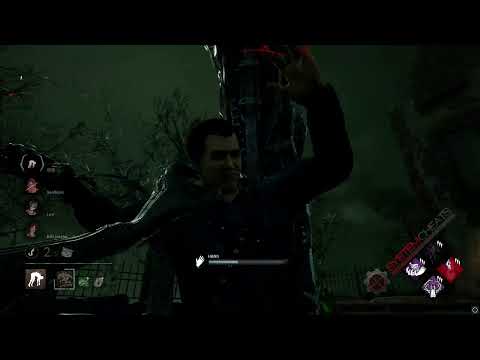
DBD Screenshot 1
DBD Screenshot 2
DBD Screenshot 3
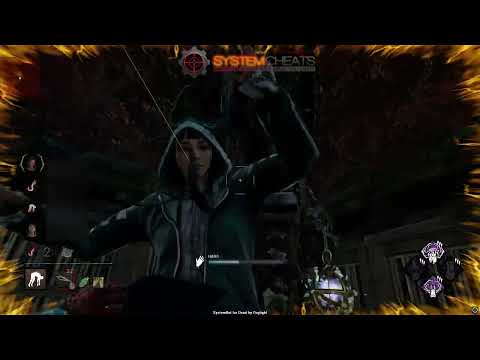
DBD Screenshot 4
Survival horror • Survivor and Killer tools • Steam and Microsoft Store

Dead by Daylight Hack with ESP and Aimbot for PC

Get instant access to the Dead by Daylight Cheat for PC.

Dead by Daylight is the asymmetric multiplayer survival horror game from Behaviour Interactive. Four Survivors face one Killer in a Trial, set in an otherworldly place ruled by The Entity, where even death is not an escape. Survivors play in third person and the Killer plays in first person.

Here is how a Trial works. Survivors repair five of the seven Generators to power the Exit Gates, then escape through a gate or find the Hatch. Skill Checks pop up while they repair and heal. The Killer chases, downs and hooks them, and a Survivor is sacrificed on their third hook. Each character brings up to four Perks plus items, add-ons and offerings, and each character levels up in the Bloodweb with the Bloodpoints you earn in matches. Next to the standard 1v4 Trials, the game runs limited-time modes such as 2v8, Chaos Shuffle and Lights Out.

Our Dead by Daylight hack covers both sides of the Trial: ESP for Survivors, the Killer, Generators, Hooks, Totems and the Hatch, a 2D radar and a Warning System, Perfect Skill Check and Auto Wiggle for Survivors, and an aimbot and triggerbot for Killers.

Trial briefing
Know where things are in the Trial

Generators with their repair percentage, Hex Totems with their perk names, the Hatch, the Exit Gates and a Killer who tries to stay hidden. The Dead by Daylight cheat puts that information on your screen, takes care of Skill Checks for you, and is part of the Premium Package and the One Day Trial.

Dead by Daylight Hack and Cheat Features

The DBD cheat covers awareness, Skill Checks, aim and control. You set it up in the in-game menu, and you can save a default setup plus three custom setups. Each custom setup loads with its own key. The highlights are below, and the full option list is in the Features panel on this page.

  • Survivor and Killer ESPBounding Box in 2D or 3D, 2D Line and Head Dot. Survivor Status ESP shows Healthy, Injured, Dying or Hooked, next to the Deep Wound Timer, Hook Timer and Anti-Camp Meter. Killer Name, Distance and Status ESP, Killer Type ESP and Killer Bloodlust ESP.
  • Generator, Hook and Totem ESPGenerator ESP through walls, with repair percentage and regression status. Hook Status ESP tells standard, Scourge and Basement Hooks apart. Totem ESP covers Dull, Hex and Boon Totems, and Hex Totem Perk ESP names the perk.
  • Hatch, Gate and Object ESPHatch ESP with its open or closed state and Escape Door ESP with the exit switch power status. Pallet, Window, Locker, Chest, Trap, Glyph, Dropped Item, Projectile and Killer Power ESP, each in its own colour.
  • Skill Check ToolsPerfect Skill Check hits Great Skill Checks during repair and healing, with a success chance you set. Auto Skill Check completes Skill Checks without input, and Auto Wiggle does the wiggle Skill Checks when you are picked up.
  • 2D RadarA top-down radar with Show Generators and Show Hooks, Survivors, the Killer and cloaked Killers as dots, plus Show FOV, Radar Scale, Window Size and Center 2D Radar.
  • Warning SystemAn on-screen warning when the Killer or an enemy is aiming at you or can see you, each with its own angle, a Max Distance and a Beep System sound alert.
  • Aimbot and TriggerbotAuto Aim with Smooth Aim, Limit Angle and Use Aim Key. Bullet Speed Prediction leads moving targets, Bullet Drop Prediction adjusts for drop over distance, and Aim Bone picks Head, Neck or Chest. The Triggerbot attacks when your crosshair crosses a valid target, with its own Fire Delay and key.
  • Misc and ControlNo Blindness against flashlights and firecrackers, No Chainsaw Collision for the Hillbilly and the Cannibal, a Speed Hack, Lobby Info, a Panic Key, OBS Streamproof on Steam, six friendly and six enemy filter slots, and default plus three custom settings slots.
Dead by Daylight Hack in-game screenshot 1 of 4 Dead by Daylight Hack in-game screenshot 2 of 4 Dead by Daylight Hack in-game screenshot 3 of 4 Dead by Daylight Hack in-game screenshot 4 of 4

Dead by Daylight ESP for Generators and Exit Gates

For Survivors, each Trial starts with the Generators. Survivors need five of the seven done before the Exit Gates get power. Generator ESP highlights each Generator through walls, and Generator Status ESP shows its repair percentage and whether it is regressing. Some Killer perks and actions make a Generator regress, which means it loses repair progress, so seeing that status tells you which Generator needs you and which one is close to done. When the last Generator is finished, Escape Door ESP marks the Exit Gates and the power status of each exit switch, so you do not waste the end of the Trial searching for a gate.

Dead by Daylight Skill Check Hack with Auto Wiggle

Skill Checks pop up while you repair a Generator or heal a teammate, and each one has a Great zone. Perfect Skill Check hits Great Skill Checks for you during repair and healing. You set its success chance from 1% to 100%, and Perfect Skill Check Bonus sets how often the Great Skill Check bonus is triggered. Auto Skill Check is a separate option that completes Skill Checks without pressing a key. When the Killer picks you up, Auto Wiggle takes over the wiggle Skill Checks, so you can watch what happens around you.

Dead by Daylight Killer ESP for Stealth and Surprise

Some Killers are built to stay hidden. The Wraith, the Spirit and Ghost Face can cloak or move in stealth, and they can reach a Survivor who did not see them coming. Show Invisible displays those cloaked or stealth Killers on the 3D Radar and on the 2D Radar. The Warning System adds an on-screen warning when the Killer can see you or is aiming at you, and the Beep System plays a sound when an enemy locks onto you.

Killer Type ESP tells you which Killer you face, Killer Distance ESP shows how far away the Killer is in meters, and Killer Status ESP shows its current state. Killer Bloodlust ESP shows the active Bloodlust tier. Killer Power ESP highlights Killer specific powers such as Zombies, Supply Cases and Clocks, and Trap ESP marks Bear Traps and Phantasm Traps, with Trap Status ESP showing whether a trap is armed.

DBD Hack for Hex Totems and Meat Hooks

Hex perks work through Totems. Killer perks such as Hex: Hive Mind, Hex: Scared to Death and Hex: Under Your Thumb light a Dull Totem somewhere on the map, and Survivors have to find the right one among the others. Totem ESP highlights Dull, Hex and Boon Totems, each in its own colour, and Hex Totem Perk ESP shows the active Hex Totems with the name of their perk, so you know which Hex you are dealing with before you go looking. Hooks matter just as much. Hook ESP highlights Meat Hooks across the map, and Hook Status ESP tells standard, Scourge and Basement Hooks apart.

DBD ESP for Solo Queue Survivors

Playing solo means playing without a voice call. Behaviour itself has written about the information gap between players who use voice chat and those who do not, and a solo Survivor often has to guess where teammates are and what they plan to do. Survivor Status ESP shows each teammate as Healthy, Injured, Dying or Hooked, right where they are on the map.

The Survivor Hook Timer shows the Hook stage progression, the Survivor Anti-Camp Meter shows the Anti-Facecamp meter of a hooked teammate, and the Survivor Deep Wound Timer shows the bleed-out timer of a Survivor with a Deep Wound. Survivor Name and Distance ESP tell you who is where, in meters, so you can decide whether to go for the unhook or stay on a Generator.

Dead by Daylight Aimbot and Triggerbot for Killers

Some Killers attack at range with thrown weapons, and a ranged attack rewards leading a moving Survivor instead of aiming where they stand. The Dead by Daylight aimbot uses Bullet Speed Prediction to lead moving targets and Bullet Drop Prediction to adjust the aim for drop over distance, with Prediction Scale to tune how strong the lead is.

Aim Style picks targets by FOV, distance or lowest health, and Aim on Crawling decides whether downed Survivors count as targets. Up close, the Triggerbot attacks when your crosshair crosses a valid target, with a Fire Delay and its own trigger key. Two more options help the Killer side: No Chainsaw Collision removes the environment collision bounce for the Hillbilly and Cannibal chainsaws, and No Blindness prevents flashlight and firecracker blind effects on your screen.

Dead by Daylight ESP for the Hatch, Chests and Lockers

When the Generators are done, the Trial turns into a race to the Exit Gates or the Hatch. Hatch ESP shows where the Hatch is and whether it is open or closed. Chest ESP highlights loot Chests. Locker ESP shows Lockers and whether a Survivor or the Killer is inside, and Pallet and Window ESP show standing, dropped and broken Pallets and vaultable or blocked Windows for your next loop. The 2D Radar with Show Generators, Show Hooks and Radar Scale keeps Generators and Hooks in one small window on your screen, so you can plan your route without looking around.

How to Get the Dead by Daylight Cheat

Getting started with SystemCheats takes three steps.

01
Check the Status

Open the live cheat status page. It shows each cheat as online, offline or staff only.

02
Create Your Account

Register on the forum for free. Your subscriptions, downloads and support all run through it.

03
Pick Your Plan

Buy Dead by Daylight as a single cheat, or get it with the other games in the Premium Package. Both are in the price box on this page.

Is It Safe to Cheat in Dead by Daylight?

The Steam store page lists Dead by Daylight with Easy Anti-Cheat and marks it as a kernel level anti-cheat. Behaviour has also run a limited-time trial of another anti-cheat provider, and it asks players to report cheaters in game under Hacking/Exploiting, naming wallhacks, speedhacks and teleporting. No cheat is ever completely risk free. The settings stay in your hands: Use Aim Key and Smooth Aim control when and how fast the aim moves, and the Panic Key hides the menu and all visuals with one press. The live cheat status page always shows the current state of every cheat.

Frequently Asked Questions

Is the Dead by Daylight cheat online?

The live cheat status page always shows the current state of every cheat, including Dead by Daylight. Check it before you buy.

Is Dead by Daylight included in the Premium Package?

Yes. Dead by Daylight is part of the Premium Package and the One Day Trial. You can also buy it as a single cheat. Both options are in the price box on this page.

Which versions of Dead by Daylight does the cheat support?

The Steam version and the Microsoft Store version of Dead by Daylight on Windows 10 and 11. OBS Streamproof works on the Steam version only. If you play on another store, ask our support on the forum before you buy.

Which anti-cheat does Dead by Daylight use?

The Steam store page lists Easy Anti-Cheat and marks it as a kernel level anti-cheat. Behaviour has also tested another anti-cheat provider in a limited-time trial.

Does the cheat help Survivors and Killers?

Yes. Perfect Skill Check, Auto Skill Check and Auto Wiggle are Survivor tools. The aimbot, the triggerbot and No Chainsaw Collision for the Hillbilly and the Cannibal are Killer tools. The ESP, the 2D Radar and the Warning System show you the map.

How does Perfect Skill Check work?

It hits Great Skill Checks for you during repair and healing. You set its success chance from 1% to 100%, and Perfect Skill Check Bonus sets how often the Great Skill Check bonus is triggered. Auto Skill Check is a separate option that completes Skill Checks without input.

Can I keep one setup for Survivor and one for Killer?

Yes. You can save and load a default setup and three custom setups, Custom 1, Custom 2 and Custom 3, and each custom setup loads with its own key. For example, keep Custom 1 for Survivor and Custom 2 for Killer.

Escape the Fog with the Dead by Daylight Cheat

Dead by Daylight is four Survivors, one Killer, seven Generators and a lot that you cannot see from where you stand. The Dead by Daylight cheat shows the Killer, the Generators, the Totems, the Hooks and the Hatch, takes care of Skill Checks and the wiggle, and gives Killers an aimbot and a triggerbot. Check the status page, pick a single cheat or the Premium Package, and set it up your way. The other games we support are on the cheats page.

Need Help?

Our support team is available 24 hours a day, 7 days a week through the SystemCheats forum and TeamSpeak. Read what customers say on Trustpilot, or compare all cheat packages to find the right fit.

Cheat & Hack Information

What is Dead by Daylight?


Dead by Daylight is the asymmetric survival horror game from Behaviour Interactive. Four Survivors repair Generators to power the Exit Gates and escape, while one Killer hunts them and puts them on hooks.


Cheating in Dead by Daylight


Our Dead by Daylight cheat has Survivor and Killer ESP, Generator and Totem ESP, Perfect Skill Check, Auto Wiggle and an aimbot and triggerbot for Killers. You can buy it as a single cheat or get it with the Premium Package.


Is the Dead by Daylight cheat safe?


Dead by Daylight uses Easy Anti-Cheat, which the Steam store page marks as a kernel level anti-cheat. No cheat is ever completely risk free. However, you can always adjust your settings to play legitimately for the long run. Check the live status page before you play.

Reviews

Pricing

Features

Aimbot
Auto Aim Moves your aim onto a valid target for you automatically
Auto Fire Fires your weapon for you once a target is locked
Fire Delay (0 ~ 1000) Adds a short wait in milliseconds before firing once a target is locked
Smooth Aim (1 ~ 50) Slows the aim movement so it looks natural, and higher values make it slower
Limit Angle (0 ~ 180) Sets how far from your crosshair a target can be for the aimbot to lock on
Use Aim Key Makes the aimbot work only while you hold or toggle your aim key
Bullet Speed Prediction Leads moving targets based on how long the shot takes to arrive
Bullet Drop Prediction Aims a little higher to make up for bullet drop over long distances
Prediction Scale (1 ~ 30) Fine tunes how strong the lead and bullet drop prediction is
Visibility Check Stops the aimbot from targeting enemies hidden behind walls or cover
Stick to Target Keeps the aimbot on one target until it is down or leaves range
Aim Style (FOV, Distance, Health) Sets how the aimbot chooses the best target when more than one is in range
Aim Bone (Head, Neck, Chest) Sets which body part the aimbot aims at, such as the head or chest
Aim on Friendly Lets the aimbot target and lock onto your teammates
Aim on Enemy Lets the aimbot target and lock onto enemies
Aim on AI Lets the aimbot target and lock onto AI characters
Aim on Crawling Lets the aimbot target downed Survivors who are crawling
Aim on Hooked Lets the aimbot target Survivors who are on a hook
Max Distance (0 ~ 700) Sets the farthest distance, in meters, at which targets are still picked up or shown
Draw Locked Draws a marker on the target the aimbot is locked onto
Draw Aim FOV Draws a circle on screen that shows where the aimbot is active
Triggerbot
Triggerbot Shoots for you when your crosshair is on a valid target
Use Trigger Key Makes the triggerbot fire only while you hold the trigger key
Fire Delay (0 ~ 1000) Adds a short wait in milliseconds before firing once a target is locked
Trigger on Friendly Lets the triggerbot fire at friendly teammates
Trigger on Enemy Lets the triggerbot fire at enemies in your crosshair
Trigger on AI Lets the triggerbot fire at AI controlled characters
Trigger on Crawling Lets the triggerbot attack downed survivors who are crawling
Trigger on Hooked Lets the triggerbot attack survivors who are on a hook
Max Distance (0 ~ 700) Sets the farthest distance, in meters, at which targets are still picked up or shown
3D Radar
Bounding Box (None, 2D, 3D) Draws a box around each target so you can see where they are
Box Size (1 ~ 10) Sets how thick the lines of each ESP box are drawn
2D Line Draws snap lines from your screen to each target
Survivor Name ESP Shows the character and player name of each Survivor
Survivor Distance ESP Shows how far away each Survivor is in meters
Survivor Status ESP Shows the health state of each Survivor, such as Injured, Dying or Hooked
Survivor Deep Wound Timer Shows the Deep Wound bleed-out timer on Survivors
Survivor Hook Timer Shows the hook stage timer on hooked Survivors
Survivor Anti-Camp Meter Shows the Anti-Facecamp meter on hooked Survivors
Killer Name ESP Shows the name of the killer through walls
Killer Distance ESP Shows how far away the killer is from you
Killer Status ESP Shows what the killer is doing, such as stalking or chasing
Killer Type ESP Shows which Killer you are playing against
Killer Bloodlust ESP Shows the current Bloodlust level of the Killer
AI Name ESP Shows the name or type of each AI character
AI Distance ESP Shows how far away each AI character is from you
AI Type ESP Shows what type of AI character each target is
Head Dot Draws a dot on the head of each target you can see
Dot Size (2 ~ 20) Sets how big the dot markers are drawn on each target
Aim Laser Draws a line that shows where each target is aiming
Laser Size (50 ~ 3000) Sets the length and thickness of the aim laser line
Projectile ESP Shows grenades, thrown items and other projectiles while they fly
Generator ESP Shows all generators across the map through walls
Generator Status ESP Shows the repair progress of each generator
Hook ESP Shows all hooks across the map through walls
Hook Status ESP Shows the type of each hook, such as Scourge or Basement hooks
Lament Configuration ESP Shows the Lament Configuration puzzle box of Pinhead
Hex Totem Perk ESP Shows Hex Totems and the perk each one holds
Chest ESP Shows loot chests across the map that you can open
Trap ESP Highlights traps placed on the map, such as bear traps and tripwires
Trap Status ESP Shows whether each trap is armed and active
Totem ESP Highlights Dull, Hex and Boon Totems so you can find them fast
Locker ESP Shows lockers and whether someone is hiding inside
Pallet ESP Shows pallets and whether they are standing, dropped or broken
Window ESP Highlights windows you can vault and blocked vault spots
Hatch ESP Shows the escape Hatch and whether it is open or closed
Escape Door ESP Shows the Exit Gates and whether their switches have power
Glyph ESP Shows the Archive challenge Glyphs on the map
Dropped Item ESP Shows items dropped on the ground, such as weapons and gear
Killer Power ESP Shows objects that belong to the power of the Killer
Special ESP Highlights special event items and map objects
Show Friendly Shows your teammates on the ESP and radar
Show Enemy Shows enemies on the ESP and radar so you always know where they are
Show AI Shows AI characters on the ESP and radar
Show Invisible Shows hidden, stealthy and cloaked targets on the radar
Max Distance (0 ~ 700) Sets the farthest distance, in meters, at which targets are still picked up or shown
Item Max Distance (0 ~ 100) Sets how far away items are still shown on screen
Item Distance ESP Shows how far away each item is from you
2D Radar
Show Radar Turns on the 2D radar overlay on your screen
Show Cross Draws cross lines through the middle of the radar
Show Window Draws the background frame of the radar window
Show Dot Shows targets as dots on the radar window
Show FOV Draws a cone on the radar that shows where you are looking
Show Friendly Shows your teammates on the ESP and radar
Show Enemy Shows enemies on the ESP and radar so you always know where they are
Show AI Shows AI characters on the ESP and radar
Show Invisible Shows hidden, stealthy and cloaked targets on the radar
Show Generators Shows where the generators are on the radar
Show Hooks Shows where the hooks are on the radar window
Stick To Window Keeps targets that are out of range pinned to the edge of the radar
Radar Scale (0 ~ 60) Sets the radar zoom, lower zooms in and higher zooms out
Window Size (45 ~ 260) Sets the width and height of the radar window
Cross Size (45 ~ 260) Sets the length of the cross lines in the middle of the radar
Dot Size (2 ~ 20) Sets how big the dot markers are drawn on each target
Center 2D Radar Places the radar in the middle of the screen, around your crosshair
Warning System
Warning System Shows on-screen warnings when enemies are near, can see you or aim at you
Is Aiming At You Angle (0 ~ 180) Sets the angle used to warn you when an enemy is aiming at you
Can See You Angle (0 ~ 180) Sets the angle used to warn you when an enemy can see you
Max Distance (0 ~ 700) Sets the farthest distance, in meters, at which targets are still picked up or shown
Beep System Plays a warning beep when an enemy is looking or aiming at you
Misc
Crosshair Draws a custom crosshair in the center of your screen, over the game's own
Crosshair Size (2 ~ 200) Sets the size of the custom crosshair on your screen
Draw FPS Shows your current frames per second on screen
Draw Resolution Shows your current screen resolution on the overlay
Draw Time Shows your local system time on the overlay
Draw Watermark Shows the SystemCheats watermark on screen so you know the cheat is active
Use Panic Key Turns on a hotkey that instantly hides all cheat visuals and menus
Font Size (10 ~ 20) Sets the size of the ESP and overlay text on screen
Font Shadow Adds a shadow or border behind overlay text so it is easier to read
Perfect Skill Check Hits Great Skill Checks for you automatically during repairs and healing
Perfect Skill Check Bonus Sets the chance of hitting a Great Skill Check bonus
Auto Skill Check Completes skill checks for you automatically without pressing a key
Auto Wiggle Wiggles for you automatically to break free when you are picked up
No Chainsaw Collision Stops chainsaws from bouncing off objects for Hillbilly and Cannibal
No Blindness Stops flashlights and firecrackers from blinding your screen
Speed Hack Makes your character move faster than normal
Speed Hack Amount (10 ~ 500) Sets how strong the speed boost is while Speed Hack is on
Lobby Info Shows pre-game lobby info such as the Killer type and ping
Filters
6 Friendly Filter Slots Lets you enter friendly player names to show or hide on the ESP
6 Enemy Filter Slots Lets you enter enemy player names to show or hide on the ESP
Colors
Enemy Invisible RGBA Sets the color for enemies hidden behind walls or cover
Enemy Visible RGBA Sets the color for enemies in your direct line of sight
Enemy AI Invisible RGBA Sets the color for hostile AI hidden behind walls or cover
Enemy AI Visible RGBA Sets the color for hostile AI in your direct line of sight
Friendly Invisible RGBA Sets the color for teammates hidden behind walls or cover
Friendly Visible RGBA Sets the color for teammates in your direct line of sight
Friendly AI Invisible RGBA Sets the color for friendly AI hidden behind walls or cover
Friendly AI Visible RGBA Sets the color for friendly AI in your direct line of sight
Projectile RGBA Sets the color for thrown and incoming projectiles such as grenades
Generator RGBA Sets the color for Generators shown on the ESP
Hook RGBA Sets the color for Meat Hooks shown on the ESP
Scourge Hook RGBA Sets the color the ESP uses for Scourge Hooks
Basement Hook RGBA Sets the color used to draw Basement Hooks on the ESP
Lament Configuration RGBA Sets the color for Pinhead's Lament Configuration on the ESP
Chest RGBA Sets the color used to draw loot chests on the ESP
Trap RGBA Sets the color the ESP uses for placed traps
Totem RGBA Sets the color the ESP uses for Dull Totems
Hex Totem RGBA Sets the color for active Hex Totems shown on the ESP
Boon Totem RGBA Sets the color used to draw active Boon Totems on the ESP
Locker RGBA Sets the color for Lockers shown on the ESP
Pallet RGBA Sets the color the ESP uses for standing and dropped pallets
Window RGBA Sets the color the ESP uses for vaultable windows
Blocked Window RGBA Sets the color used to draw windows blocked by the Entity on the ESP
Hatch RGBA Sets the color for the escape Hatch shown on the ESP
Escape Door RGBA Sets the color for Exit Gates shown on the ESP
Glyph RGBA Sets the color for challenge Glyphs shown on the ESP
Dropped Item RGBA Sets the color for dropped items, weapons and gear on the ESP
Killer Power RGBA Sets the color for Killer power objects shown on the ESP
Special RGBA Sets the color the ESP uses for special event objects
Lobby Killer RGBA Sets the highlight color for the Killer in the pre-game lobby
Lobby Survivor RGBA Sets the highlight color for Survivors in the pre-game lobby
Crosshair RGBA Sets the color for the custom crosshair drawn on your screen
Menu RGBA Sets the color scheme for the in-game cheat menu
Is Aiming At You RGBA Sets the warning color used when an enemy aims at you
Can See You RGBA Sets the color of the warning shown when an enemy can see you
Is Visible RGBA Sets the indicator color used when you are exposed and visible
Aim FOV RGBA Sets the color of the aimbot FOV circle drawn on screen
Positions
RadarX Position Sets the horizontal screen position of the radar window
RadarY Position Sets the vertical screen position of the radar window
MenuX Position Sets the horizontal screen position of the cheat menu
MenuY Position Sets the vertical screen position of the cheat menu
Settings/Keys
Panic Key Sets a key that instantly hides or turns off all cheat features
Menu Key Sets the key that opens and closes the cheat menu
Aim Key Sets the key that turns on the aimbot while held or toggled
Trigger Key Sets the key you hold or toggle to turn the triggerbot on
Item Key Sets a key that shows or hides the item ESP
Speed Hack Key Sets the key that turns on the Speed Hack movement boost
Default Key Sets a key that loads the default profile instantly
Custom 1 Key Sets a key that loads custom profile 1 instantly
Custom 2 Key Sets a key that loads custom profile 2 instantly
Custom 3 Key Sets a key that loads custom profile 3 instantly
Save/Load Default Settings Saves your settings to the default profile or loads them back
Save/Load Custom 1 Settings Saves your settings to custom profile 1 or loads them back
Save/Load Custom 2 Settings Saves your settings to custom profile 2 or loads them back
Save/Load Custom 3 Settings Saves your settings to custom profile 3 or loads them back
Additional
Microsoft Store Supported Works with the Microsoft Store and Xbox Game Pass PC version
OBS Streamproof Hides cheat visuals from OBS and other recording software