Gray Zone Warfare Hack, GZW Aimbot and ESP Cheat for PC

Included in Premium Package and One Day Trial
Cheat video
Cheat video
Cheat video
Gray Zone Warfare Hack
Gray Zone Warfare Cheat
Gray Zone Warfare ESP
Gray Zone Warfare Aimbot
Tactical shooter • PvE and PvEvP on Lamang • Steam

Gray Zone Warfare Hack with Aimbot and ESP for PC

Get instant access to the Gray Zone Warfare Cheat for PC.

Gray Zone Warfare is a tactical first person shooter from MADFINGER Games, a studio in Brno, Czech Republic, that also publishes the game itself. It runs on Unreal Engine 5 together with the studio’s own Skalla engine, and it launched in Steam Early Access for Windows PC. Steam describes it as a PvE-first open-world tactical shooter set on a quarantined Southeast Asian island torn apart by faction warfare. That island is Lamang, closed off after a mystery known only as the Event.

A raid starts at your faction’s base camp. You take on tasks, fly onto the island by helicopter, fight hostile AI and loot what you find, alone or with a small squad of friends. On PvE servers the danger comes from the AI. On PvEvP servers, short for Player versus Everything, other players hunt the same ground as you. If you die, you lose what you were carrying, and that gives each firefight real weight.

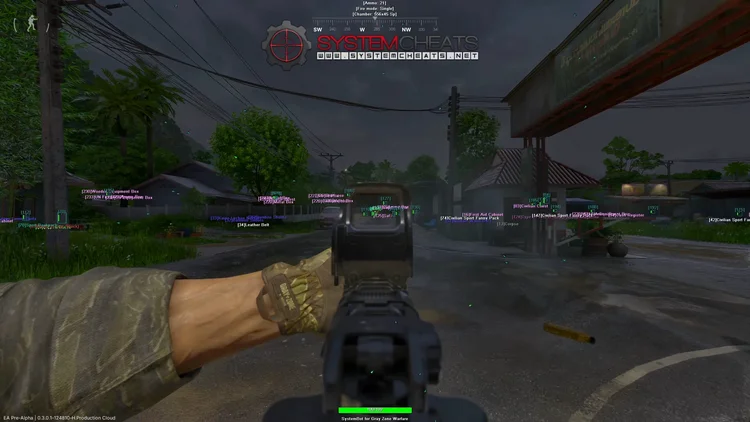
That mix of realistic gunplay, tough AI and high stakes is where our Gray Zone Warfare hack helps. It brings an aimbot with bullet drop and bullet speed prediction, 3D radar ESP for players, AI units and bosses, loot and quest ESP, a 2D radar, a warning system, No Recoil and Ghost Mode, all in one cheat for the Steam version of the game.

Tactical upgrade briefing
Built for raids on Lamang

In Gray Zone Warfare, one bad corner can cost you your whole loadout. The Gray Zone Warfare cheat shows you the AI, the bosses, the other players and the loot before you walk into them, marks the places your tasks send you to, and helps your rifle land the first shot.

Gray Zone Warfare Hack and Cheat Features

The GZW cheat covers aim, awareness, loot and quests, with separate switches for players, AI units, vehicles and downed targets. Everything is set in the cheat menu, which opens and closes with its own Menu Key. The highlights are below, and the full option list is in the Features panel on this page.

  • Aimbot with Bullet PredictionAuto Aim with Linear Smooth Aim, Constant Smooth Aim, Humanized Aim and Randomize Curve. Bullet Drop Prediction adjusts for bullet drop, Bullet Speed Prediction leads moving targets and Prediction Scale sets how aggressive the prediction is. Aim Style picks targets by angle, distance or health.
  • Triggerbot and Auto FireThe Triggerbot fires when your crosshair is on a valid target, with a Pre Fire Delay, a Post Fire Delay, its own trigger key and a Max Distance. Auto Fire shoots when the aimbot has a target locked. Players, AI units, vehicles and downed targets each have their own switch.
  • 3D Radar ESP for Players and AIBounding Box in 3D or 2D, Head Dot, 2D Line and Aim Laser. Name, distance, health and weapon ESP for players and for AI units, plus Player Downed ESP for players who are downed but not dead.
  • Boss AI and Quest ESPBoss AI ESP tracks boss level AI enemies with their own colours. Quest Guide ESP marks quest locations, Task ESP shows the items your active quests need, and Code ESP and Keycard ESP highlight codes and access items.
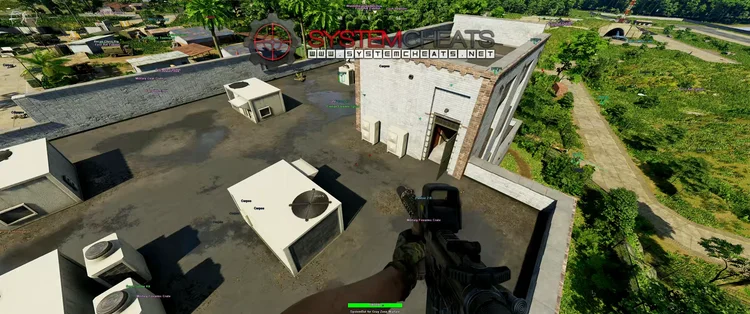
  • Loot and Item ESPWeapon, Ammo, Attachment, Armor, Gear, Cash, Medicine, Provision, Backpack, Container and Crate ESP, plus player and AI corpses. The 50 Item Filter and Max Item Distance keep the screen clean, and the Item Key toggles item ESP.
  • 2D RadarA top-down radar with Radar Scale, Window Size and Stick To Window. Dots or directional triangles for friendly and enemy players, AI units and vehicles, Show Invisible for units behind cover, and Show FOV.
  • Warning SystemAn alert above your crosshair when an enemy is aiming at you or can see you, each with its own angle, plus a Beep System audio alert and a Max Distance for threats.
  • Weapon Control and Ghost ModeNo Recoil, No Spread and No Sway steady your weapon. Ghost Mode lets you move freely through walls and terrain, with Ghost Mode Speed, a hotkey and Save Ghost Location. OBS Stream Proof and a Panic Key round it off.
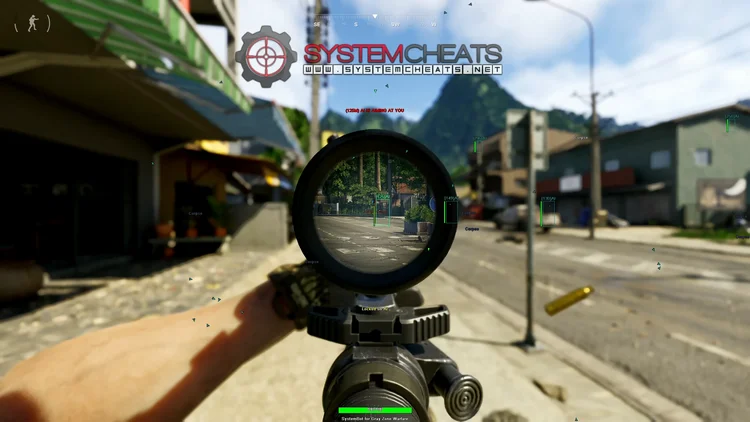
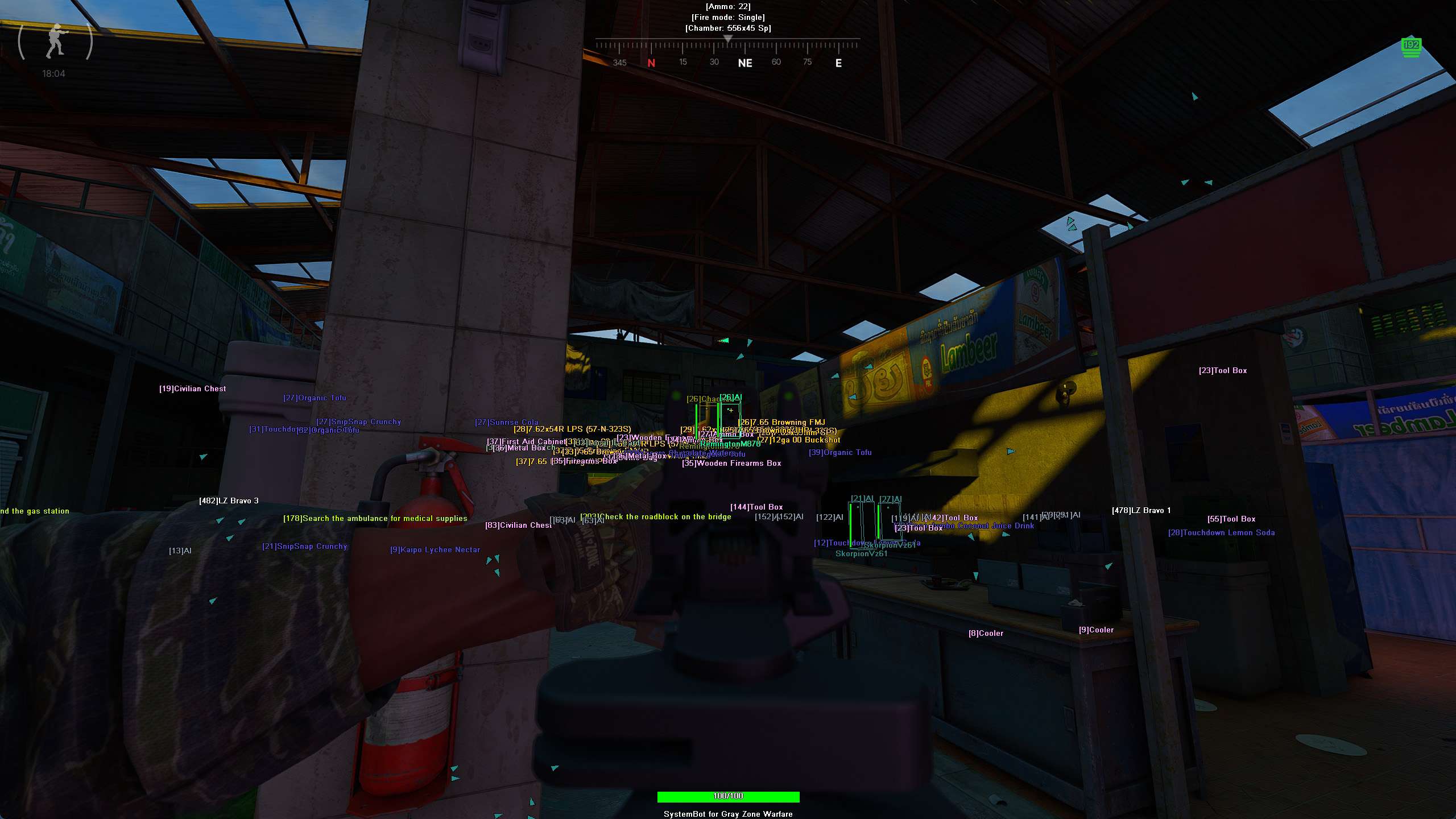
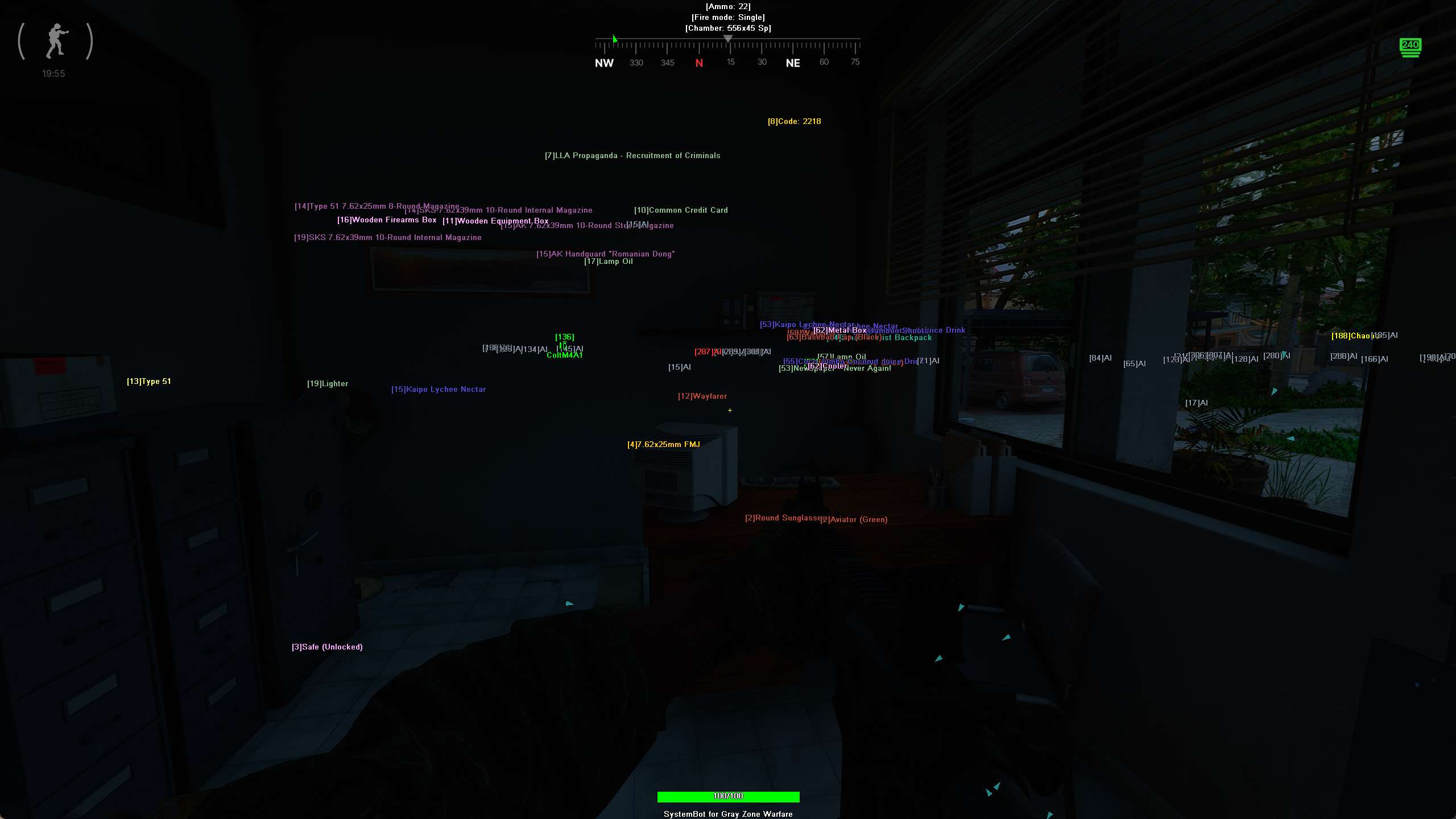
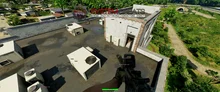
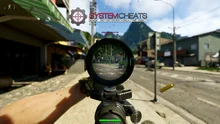
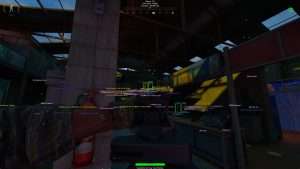
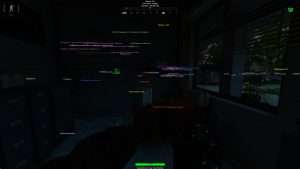
Gray Zone Warfare Hack in-game screenshot 1 of 4 Gray Zone Warfare Hack in-game screenshot 2 of 4 Gray Zone Warfare Hack in-game screenshot 3 of 4 Gray Zone Warfare Hack in-game screenshot 4 of 4

Gray Zone Warfare ESP for AI Factions and Their Bosses

The AI on Lamang is split into several clearly different factions, and each faction has its own boss. Bosses spawn with guards in roles such as bodyguards and sergeants, so a boss fight usually means a whole group shooting back. AI enemies shoot back hard, and one careless step into the open can end a raid. The Gray Zone Warfare ESP helps you read the fight before it starts.

Boss AI ESP gives bosses their own tracking, with separate Boss AI Visible and Boss AI Invisible colours. AI Name ESP shows the name or type of each AI enemy, AI Weapon ESP shows which weapon it is using, and AI Health ESP shows its health as a bar or as text. The Enemy AI Visible and Enemy AI Invisible colours tell you which guards stand in the open and which ones are behind cover.

Quest Guide ESP for Tasks, Codes and Keycards

Gray Zone Warfare has a long list of tasks. Many of them can be played again, some include puzzles, and Long-Term Contracts send you on item searches, location investigations and eliminations. On a big island, finding the right building, the right item or the right code takes a lot of walking, and a lot of walking means a lot of chances to run into AI.

Quest Guide ESP shows markers for quest locations and objectives, and the Quest Guide Key turns those markers on and off. Task ESP displays the items your active quests need, Code ESP highlights keypad codes and objective codes, and Keycard ESP highlights keycards and access items. Max Quest Guide Distance limits how far out the markers reach.

Gray Zone Warfare Loot ESP for Cash, Gear and Containers

Good loot keeps you in the fight in Gray Zone Warfare. Vendors unlock as your rank goes up and sell secure containers, and everything else you carry has to be found out in the field. You search buildings, boxes and crates for weapons, ammo and medical supplies. Container ESP shows lootable containers like boxes, Crate ESP highlights special supply crates, and Show Open Crate marks crates that have been looted, so you can see which ones someone has already searched.

Cash ESP highlights pickable stacks of currency, Weapon, Ammo, Attachment, Armor, Gear, Medicine and Provision ESP cover the main item types, and Misc Item ESP shows the items that fit no other group. The 50 Item Filter lets you pick which items appear, Item Distance ESP adds the distance next to each item name, and Max Item Distance keeps far away loot off your screen.

Gray Zone Warfare Aimbot for Realistic Ballistics

Gunplay in Gray Zone Warfare is built to feel real. Bullets drop over distance and take time to reach the target, rounds can ricochet, and rifles can be zeroed for range. With rifles such as the M14, the M1A and the Remington Model 788, a moving target at long range is hard to hit by eye.

The Gray Zone Warfare aimbot does the maths for you. Bullet Drop Prediction adjusts the aim vertically for bullet drop, Bullet Speed Prediction predicts the travel time to lead moving targets, and Prediction Scale sets how aggressive the prediction is. No Recoil removes weapon recoil, No Spread eliminates bullet spread and No Sway disables weapon sway when aiming, so your sights stay steady between shots.

Dark Nights, Dense Forests and the Warning System

Lamang is not an easy place to see far. Bamboo forests, burned forests and swamps break up your view, and the nights on the island are dark, which makes players and AI hard to spot. The Warning System shows an alert above your crosshair when an enemy can see you or is aiming at you, with its own angle for each, and the Beep System plays an audible alert when a threat is detected. The 2D Radar with Show Invisible keeps units behind cover on the radar, and the Enemy Invisible and Enemy AI Invisible colours make it clear which targets are hidden from plain view.

PvEvP Fights, Combat Outposts and the Coma System

On PvEvP servers, other players add a second layer of danger. Players fight over Combat Outposts that can be captured, a conflict zone forms around a player who comes under attack, and players killed there respawn at base camp. Critically injured players fall into a coma and can be revived. The Gray Zone Warfare cheat keeps the two sides apart.

Show Friendly Player and Show Enemy Player switch the ESP for each side, and six friendly and six enemy player filters let you show or hide specific players. Outpost ESP displays markers for player outposts, Player Weapon ESP shows what weapon each player is holding, and Player Downed ESP highlights players who are downed but not dead. Show Downed puts them on the 2D Radar, and Aim on Downed and Trigger on Downed decide whether the aimbot and the triggerbot target them.

Gray Zone Warfare Hack for Landing Zones and Ghost Mode

Raids in Gray Zone Warfare begin with a helicopter flight from base camp, and knowing where you can land and leave shapes the whole trip. Landing Zone ESP displays landing and extraction zone markers on your screen, and Max LZ Distance sets how far out they appear, so you know where to head when your bag is full. Once you are on the ground, Ghost Mode changes how you get around, because it lets you move freely through walls and terrain. Ghost Mode Speed controls how fast you move, Save Ghost Location stores a position to return to later, and the Ghost Mode Key turns it on and off.

How to Get the Gray Zone Warfare Cheat

Getting started with the Gray Zone Warfare cheat takes three steps.

01
Create Your Account

Register on the forum for free. Your subscriptions, downloads and support all run through it.

02
Pick a Plan

Buy the Gray Zone Warfare cheat on its own, or get it as part of the Premium Package. The price box on this page shows the plans.

03
Check the Status and Play

Look at the live cheat status page before you start, then launch the Steam version of Gray Zone Warfare and set up the cheat in its menu.

Gray Zone Warfare Anti-Cheat: What You Should Know

Gray Zone Warfare uses Easy Anti-Cheat. The Steam store page marks it as a kernel level anti-cheat that asks players to accept a third party EULA. MADFINGER Games has stated that it improved its wallhack detection and banning, and the studio has published a security report about exploiters it punished with suspensions and account wipes. No cheat is ever completely risk free. The live cheat status page always shows the current state of every cheat, so check it before you play.

Frequently Asked Questions

Is the Gray Zone Warfare cheat included in the Premium Package?

Yes. The GZW cheat is sold on its own and is also included in the Premium Package. It is part of the One Day Trial too.

Which versions of Gray Zone Warfare does the cheat support?

The cheat supports the Steam version of Gray Zone Warfare on Windows PC.

Which anti-cheat does Gray Zone Warfare use?

Easy Anti-Cheat. The Steam store page lists it as a kernel level anti-cheat.

Is the Gray Zone Warfare cheat online?

The live cheat status page always shows the current state of every cheat, including Gray Zone Warfare. Check it before you buy and before you play.

Can the cheat show quest items, codes and keycards?

Yes. Quest Guide ESP shows markers for quest locations and objectives, Task ESP displays the items your active quests need, Code ESP highlights keypad codes and Keycard ESP highlights keycards and access items.

Does the cheat show AI bosses and their guards?

Yes. Boss AI ESP gives boss level AI enemies their own tracking and colours, and Show Enemy AI adds the other hostile AI units to the ESP and the 2D Radar, with name, weapon and health ESP.

Get the Gray Zone Warfare Cheat

Gray Zone Warfare rewards the player who sees the danger first, knows where the loot is and lands the first shot. The Gray Zone Warfare cheat helps with all three, from Boss AI ESP and Quest Guide ESP to the aimbot with bullet prediction. Create your account, pick a plan and take it on your next raid.

Need Help?

Our support team is available 24 hours a day, 7 days a week through the SystemCheats forum and TeamSpeak. Read what customers say on Trustpilot, or compare all cheat packages to find the right fit.

Cheat & Hack Information

What is Gray Zone Warfare?


Gray Zone Warfare is a tactical first person shooter from MADFINGER Games, set on the quarantined island of Lamang. You fight hostile AI on PvE servers, meet other players on PvEvP servers, and lose what you carry if you die.


Cheating in Gray Zone Warfare


Our Gray Zone Warfare cheat has an aimbot with bullet drop prediction, ESP for players, AI and bosses, Quest Guide ESP, loot ESP and Ghost Mode. You can buy it as a single cheat or get it with the Premium Package.


Is the Gray Zone Warfare cheat safe?


Gray Zone Warfare uses Easy Anti-Cheat, which the Steam store page marks as a kernel level anti-cheat. No cheat is ever completely risk free. However, you can always adjust your settings to play legitimately for the long run. Check the live status page before you play.
Reviews

Pricing

Features

Aimbot
Auto Aim Moves your aim onto a valid target for you automatically
Auto Fire Fires your weapon for you once a target is locked
Fire Delay (0 ~ 1000) Adds a short wait in milliseconds before firing once a target is locked
Linear Smooth Aim (1 ~ 50) Moves the aim toward the target at a steady pace for natural mouse movement
Constant Smooth Aim (1 ~ 100) Keeps the aim moving at one steady speed, no matter how far away the target is
Humanized Aim Moves the aim on a curved path with small changes in speed, like a real hand
Randomize Curve (0 ~ 100) Sets how strongly the aim path curves and changes speed for a human look
Limit Angle (0 ~ 180) Sets how far from your crosshair a target can be for the aimbot to lock on
Deadzone Angle (0 ~ 20) Sets a small area around the crosshair where the aimbot stops pulling
Angle Scaling Sets whether the aimbot angle grows and shrinks with your zoom or stays the same
Use Aim Key Makes the aimbot work only while you hold or toggle your aim key
Bullet Speed Prediction Leads moving targets based on how long the shot takes to arrive
Bullet Drop Prediction Aims a little higher to make up for bullet drop over long distances
Prediction Scale (1 ~ 30) Fine tunes how strong the lead and bullet drop prediction is
Visibility Check Stops the aimbot from targeting enemies hidden behind walls or cover
Stick to Target Keeps the aimbot on one target until it is down or leaves range
Randomize Aim Adds small random changes to where your aim lands for a human look
Randomize Aim Speed (10 ~ 1000) Sets how often, in milliseconds, the random aim movement changes
Aim Style Sets how the aimbot chooses the best target when more than one is in range
Aim Bone Sets which body part the aimbot aims at, such as the head or chest
Aim on Friendly Player Lets the aimbot target friendly players and squad members
Aim on Enemy Player Lets the aimbot target and lock onto enemy players
Aim on Friendly AI Lets the aimbot target friendly AI, such as allied bots and NPCs
Aim on Enemy AI Lets the aimbot target hostile AI, such as bots, monsters and bosses
Aim on Vehicle Lets the aimbot lock onto vehicles as well as players on foot
Aim on Downed Lets the aimbot target players and enemies who are downed
Max Distance (0 ~ 1500) Sets the farthest distance, in meters, at which targets are still picked up or shown
Draw Locked Draws a marker on the target the aimbot is locked onto
Draw Aim FOV Draws a circle on screen that shows where the aimbot is active
Triggerbot
Triggerbot Shoots for you when your crosshair is on a valid target
Use Trigger Key Makes the triggerbot fire only while you hold the trigger key
Pre Fire Delay (0 ~ 1000) Adds a short wait in milliseconds before firing once a target is locked
Post Fire Delay (0 ~ 1000) Adds a short wait in milliseconds after each shot
Trigger on Friendly Player Lets the triggerbot fire at friendly players
Trigger on Enemy Player Lets the triggerbot fire at enemy players
Trigger on Friendly AI Lets the triggerbot fire at friendly AI units
Trigger on Enemy AI Lets the triggerbot fire at hostile AI enemies
Trigger on Vehicle Lets the triggerbot fire at vehicles in your crosshair
Trigger on Downed Lets the triggerbot fire at downed targets
Max Distance (0 ~ 1500) Sets the farthest distance, in meters, at which targets are still picked up or shown
3D Radar
Bounding Box (None, 3D, 2D) Draws a box around each target so you can see where they are
Box Size (1 ~ 10) Sets how thick the lines of each ESP box are drawn
2D Line (None, Bottom, Top, Crosshair) Draws snap lines from your screen to each target
Player Name ESP Shows the name of each player above their character
Player Distance ESP Shows how far away each player is in meters
Player Health ESP (None, Bar, Text) Shows a health bar for each player so you can see how hurt they are
Player Weapon ESP Shows the weapon each player is holding right now
Player Downed ESP Highlights players who are downed but not dead and need a revive
AI Name ESP Shows the name or type of each AI character
AI Distance ESP Shows how far away each AI character is from you
AI Health ESP (None, Bar, Text) Shows a health bar for each AI character
AI Weapon ESP Shows which weapon each AI enemy is using
Head Dot Draws a dot on the head of each target you can see
Dot Size (2 ~ 20) Sets how big the dot markers are drawn on each target
Aim Laser Draws a line that shows where each target is aiming
Laser Size (50 ~ 3000) Sets the length and thickness of the aim laser line
Projectile ESP Shows grenades, thrown items and other projectiles while they fly
Weapon ESP Highlights dropped weapons on the ground
Ammo ESP Shows ammo boxes and ammo pickups across the map
Attachment ESP Shows weapon attachments such as scopes, grips and suppressors
Armor ESP Shows armor pickups lying on the ground near you
Gear ESP Shows gear such as utility items and tools
Backpack ESP Shows dropped backpacks that you can open and loot
Container ESP Shows lootable containers and supply caches
Crate ESP Shows supply crates on the map that you can loot
Show Open Crate Shows crates that have already been looted
Cash ESP Shows stacks of cash and money that you can pick up
Medicine ESP Shows medkits and other healing items on the map
Provision ESP Shows food and water items so you can find them fast
Keycard ESP Shows keycards and other access items on the map
Task ESP Shows items you need for your active quests
Misc Item ESP Shows items that do not fit any other category
Corpse Player ESP Shows the bodies of dead players so you can loot them
Corpse AI ESP Shows the bodies of dead AI enemies on the map
Landing Zone ESP Shows landing zones and extraction zones
Quest Guide ESP Shows markers for quest locations and objectives
Code ESP Shows keypad codes and objective codes on the map
Outpost ESP Shows markers for the outposts that players have set up
Boss AI ESP Highlights boss AI enemies so you can track them
Show Friendly Player Shows friendly players and teammates on the ESP and radar
Show Enemy Player Shows enemy players on the ESP and radar
Show Friendly AI Shows friendly AI, such as allied bots, on the ESP and radar
Show Enemy AI Shows hostile AI, such as bots and monsters, on the ESP and radar
Show Vehicle Shows vehicles on the ESP and radar so you always know where they are
Show Downed Shows downed players and AI on the ESP and radar
Max Distance (0 ~ 1500) Sets the farthest distance, in meters, at which targets are still picked up or shown
Max Item Distance (0 ~ 500) Sets how far away items and loot are still shown
Max Corpse Distance (0 ~ 500) Sets how far away dead bodies are still shown
Max LZ Distance Sets how far away landing zones are still shown
Max Quest Guide Distance Sets how far away quest markers are still shown
Item Distance ESP Shows how far away each item is from you
Filter Opens the list where you pick which radar items are shown
2D Radar
Show Radar Turns on the 2D radar overlay on your screen
Show Cross Draws cross lines through the middle of the radar
Show Window Draws the background frame of the radar window
Show Dot Shows targets as dots on the radar window
Show FOV Draws a cone on the radar that shows where you are looking
Show Friendly Player Shows friendly players and teammates on the ESP and radar
Show Enemy Player Shows enemy players on the ESP and radar
Show Friendly AI Shows friendly AI, such as allied bots, on the ESP and radar
Show Enemy AI Shows hostile AI, such as bots and monsters, on the ESP and radar
Show Vehicle Shows vehicles on the ESP and radar so you always know where they are
Show Invisible Shows hidden, stealthy and cloaked targets on the radar
Show Downed Shows downed players and AI on the ESP and radar
Stick To Window Keeps targets that are out of range pinned to the edge of the radar
Radar Scale (0 ~ 60) Sets the radar zoom, lower zooms in and higher zooms out
Window Size (45 ~ 260) Sets the width and height of the radar window
Cross Size (45 ~ 260) Sets the length of the cross lines in the middle of the radar
Dot Size (2 ~ 20) Sets how big the dot markers are drawn on each target
Dot Type (Triangle, Dot) Switches radar markers between plain dots and triangles that point where targets face
Center 2D Radar Places the radar in the middle of the screen, around your crosshair
Max Distance (0 ~ 1500) Sets the farthest distance, in meters, at which targets are still picked up or shown
Warning System
Warning System Shows on-screen warnings when enemies are near, can see you or aim at you
Is Aiming At You Angle (0 ~ 180) Sets the angle used to warn you when an enemy is aiming at you
Can See You Angle (0 ~ 180) Sets the angle used to warn you when an enemy can see you
Max Distance (0 ~ 1500) Sets the farthest distance, in meters, at which targets are still picked up or shown
Beep System Plays a warning beep when an enemy is looking or aiming at you
Misc
Crosshair (None, Cross, Dot, T-Cross) Draws a custom crosshair in the center of your screen, over the game's own
Crosshair Size (2 ~ 200) Sets the size of the custom crosshair on your screen
Dynamic Crosshair Resizes the crosshair as your weapon spread changes when you move and shoot
Draw FPS Shows your current frames per second on screen
Draw Resolution Shows your current screen resolution on the overlay
Draw Time Shows your local system time on the overlay
Draw Watermark Shows the SystemCheats watermark on screen so you know the cheat is active
Draw Health Bar Shows your own health as a bar on screen
Draw Ammo Shows your current weapon ammo count on screen
Use Panic Key Turns on a hotkey that instantly hides all cheat visuals and menus
Font Size (10 ~ 20) Sets the size of the ESP and overlay text on screen
Font Shadow (None, Shadow, Bordered) Adds a shadow or border behind overlay text so it is easier to read
No Recoil Removes weapon recoil so your aim stays steady while firing
No Spread Removes bullet spread so every shot lands on your crosshair
No Sway Removes weapon sway so your sights stay still while aiming
Ghost Mode Lets you fly freely through walls and terrain to scout the map
Ghost Mode Speed (1 ~ 100) Sets how fast you fly while Ghost Mode is on
Save Ghost Location Remembers your Ghost Mode position so you return there next time
Colors
Customizable Enemy Invisible RGBA Color Sets the color for enemies hidden behind walls or cover
Customizable Enemy Visible RGBA Color Sets the color for enemies in your direct line of sight
Customizable Enemy AI Invisible RGBA Color Sets the color for hostile AI hidden behind walls or cover
Customizable Enemy AI Visible RGBA Color Sets the color for hostile AI in your direct line of sight
Customizable Boss AI Invisible RGBA Color Sets the ESP color for AI bosses that are hidden behind cover
Customizable Boss AI Visible RGBA Color Sets the ESP color for AI bosses that are in your line of sight
Customizable Enemy Vehicle RGBA Color Sets the color for enemy vehicles shown on the ESP
Customizable Friendly Invisible RGBA Color Sets the color for teammates hidden behind walls or cover
Customizable Friendly Visible RGBA Color Sets the color for teammates in your direct line of sight
Customizable Friendly Vehicle RGBA Color Sets the color for friendly team vehicles shown on the ESP
Customizable Projectile RGBA Color Sets the color the ESP uses for incoming hostile projectiles
Customizable Weapon RGBA Color Sets the color the ESP uses for dropped weapons
Customizable Ammo RGBA Color Sets the color used to draw ammo boxes and pickups on the ESP
Customizable Attachment RGBA Color Sets the color used to draw weapon attachments on the ESP
Customizable Armor RGBA Color Sets the color used to draw armor items on the ESP
Customizable Gear RGBA Color Sets the color for gear items shown on the ESP
Customizable Backpack RGBA Color Sets the color used to draw backpacks on the ESP
Customizable Container RGBA Color Sets the color used to draw loot containers on the ESP
Customizable Crate RGBA Color Sets the color used to draw crates on the ESP
Customizable Cash RGBA Color Sets the color used to draw cash on the ESP
Customizable Medicine RGBA Color Sets the color for medical items shown on the ESP
Customizable Provision RGBA Color Sets the color the ESP uses for provisions
Customizable Keycard RGBA Color Sets the color for keycards shown on the ESP
Customizable Task RGBA Color Sets the color the ESP uses for task markers
Customizable Code RGBA Color Sets the color used to draw codes on the ESP
Customizable Outpost RGBA Color Sets the color the ESP uses for outposts
Customizable Misc Item RGBA Color Sets the color for dropped and other uncategorized items on the ESP
Customizable Corpse Player RGBA Color Sets the color used to draw dead player bodies on the ESP
Customizable Corpse AI RGBA Color Sets the color used to draw dead AI bodies on the ESP
Customizable Landing Zone RGBA Color Sets the color for landing zones shown on the ESP
Customizable Quest Guide RGBA Color Sets the color the ESP uses for quest guide markers
Customizable Crosshair RGBA Color Sets the color for the custom crosshair drawn on your screen
Customizable Menu RGBA Color Sets the color scheme for the in-game cheat menu
Customizable Is Aiming At You RGBA Color Sets the warning color used when an enemy aims at you
Customizable Can See You RGBA Color Sets the color of the warning shown when an enemy can see you
Customizable Is Visible RGBA Color Sets the indicator color used when you are exposed and visible
Customizable Aim FOV RGBA Color Sets the color of the aimbot FOV circle drawn on screen
Filters
6 Friendly Player Lets you enter friendly player names to show or hide on the ESP
6 Enemy Player Lets you enter enemy player names to show or hide on the ESP
50 Item Filter Lets you list item names to fine tune which items the ESP shows
Positions
Customizable Menu Position with the Mouse Lets you move the menu by dragging it with the mouse
Customizable Radar Position with the Mouse Lets you move the radar by dragging it with the mouse
Settings/Keys
Panic Key Sets a key that instantly hides or turns off all cheat features
Menu Key Sets the key that opens and closes the cheat menu
Quest Guide Key Sets a key that shows or hides quest objective markers
Ghost Mode Key Sets the key that switches Ghost Mode on and off
Item Key Sets a key that shows or hides the item ESP
Additional
OBS Stream Proof Hides cheat visuals from OBS and other recording software