Battlefield 1 Hack, BF1 Aimbot and ESP Cheat for PC: On Hold

Included in Premium Package and One Day Trial

Steam & EA Launcher are supported
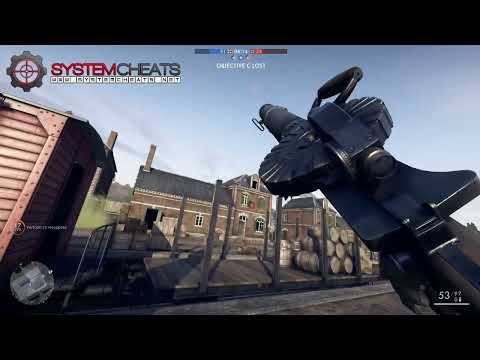
Cheat video
Cheat video
Cheat video
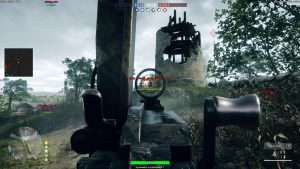
BF1 Screenshot 2
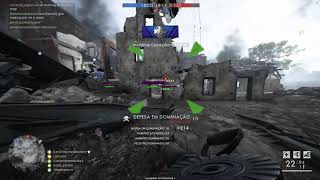
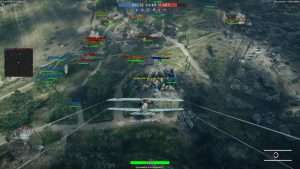
BF1 Screenshot 1
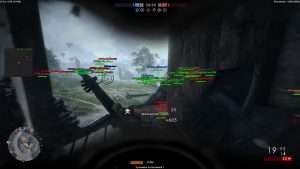
BF1 Screenshot 3
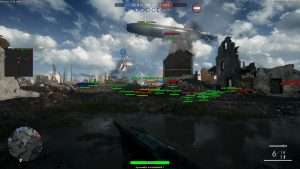
BF1 Screenshot 4
On hold • WW1 multiplayer suite • Steam and EA app

Battlefield 1 Hack with Aimbot and ESP for PC

The Battlefield 1 Cheat for PC is on hold.

Battlefield 1 is the First World War shooter from DICE, with extra work by Criterion Games and DICE Los Angeles. Electronic Arts publishes it, it runs on the Frostbite 3 engine, and it came out for Windows PC, PlayStation 4 and Xbox One. On PC you play it through the EA app or Steam. The War Stories campaign follows soldiers of different nations from the Western Front and the Italian Alps to Gallipoli and the Arabian desert.

Multiplayer is where the game lives. Up to 64 players fight on foot and in vehicles on land, in the air and at sea, on maps like Sinai Desert, Monte Grappa, Argonne Forest and St. Quentin Scar. There are four infantry classes (Assault, Medic, Support and Scout), and bullets travel and drop instead of hitting the moment you fire. A team that falls far behind in Conquest or Operations gets a Behemoth, such as a Zeppelin L 30, an armoured train, a Dreadnought or a Char 2C.

Our Battlefield 1 hack is built for those big fights: an aimbot with bullet drop and speed prediction, 3D and 2D radar ESP for soldiers and vehicles, a triggerbot, Auto Melee and a warning system for snipers and flankers. The cheat is on hold right now, so read the status notice below before you buy.

Status notice
The Battlefield 1 Cheat Is on Hold

The Battlefield 1 cheat is on hold right now and offline. The prices stay on this page and Battlefield 1 is still listed in the Premium Package, but the Battlefield 1 subscription is on hold. Please check the live cheat status page before you buy. It shows whether the Battlefield 1 cheat is online.

Battlefield 1 Hack and Cheat Features

The BF1 cheat covers aim, awareness and control, with options for infantry fights, vehicles and long range shots. Everything is set from the cheat menu, and three settings slots keep different setups ready. The highlights are below, and the full option list is in the Features panel on this page.

  • Aimbot with Bullet PredictionAuto Aim with Smooth Aim, Limit Angle and an aim key. Bullet Drop Prediction, Bullet Speed Prediction and Prediction Scale lead moving targets at range. Aim Bone picks Bone Scan, Head or Chest, and Aim Style picks targets by FOV, distance or first in list.
  • Triggerbot and Auto FireThe Triggerbot fires when your crosshair crosses a valid target. Set a Fire Delay, choose enemies, friendlies or vehicles, cap the Max Distance and run it on its own trigger key. The aimbot also has Auto Fire.
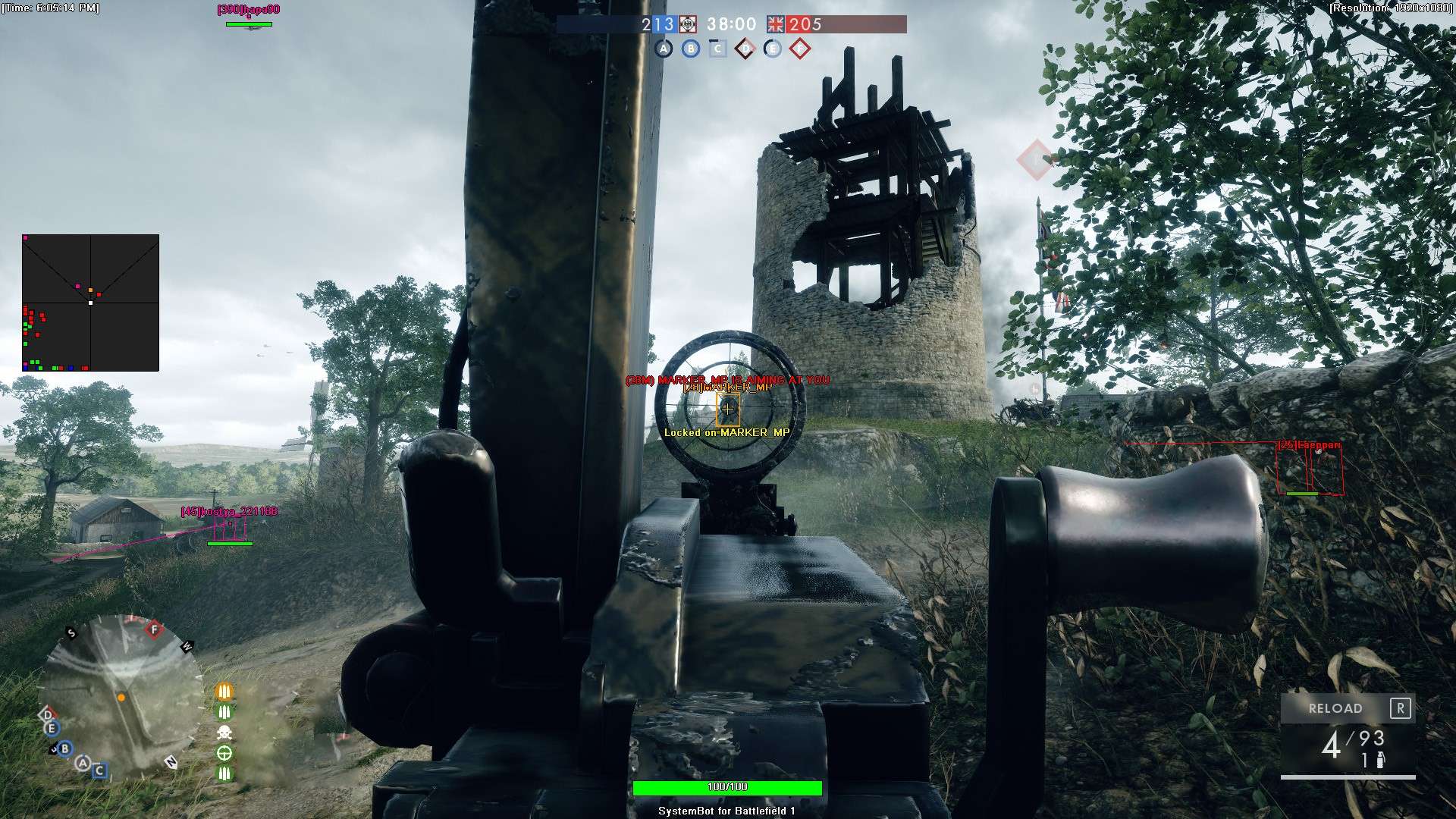
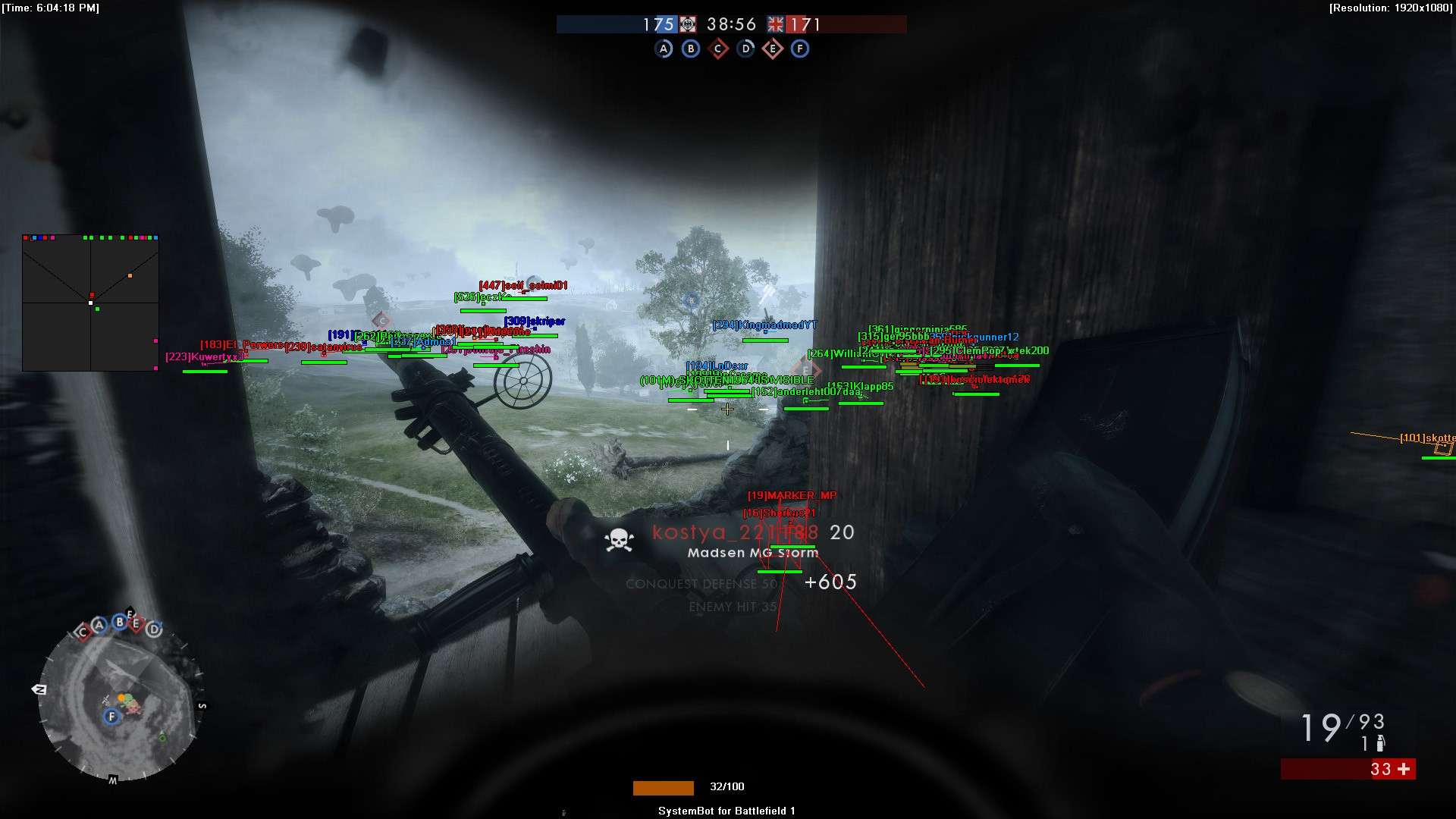
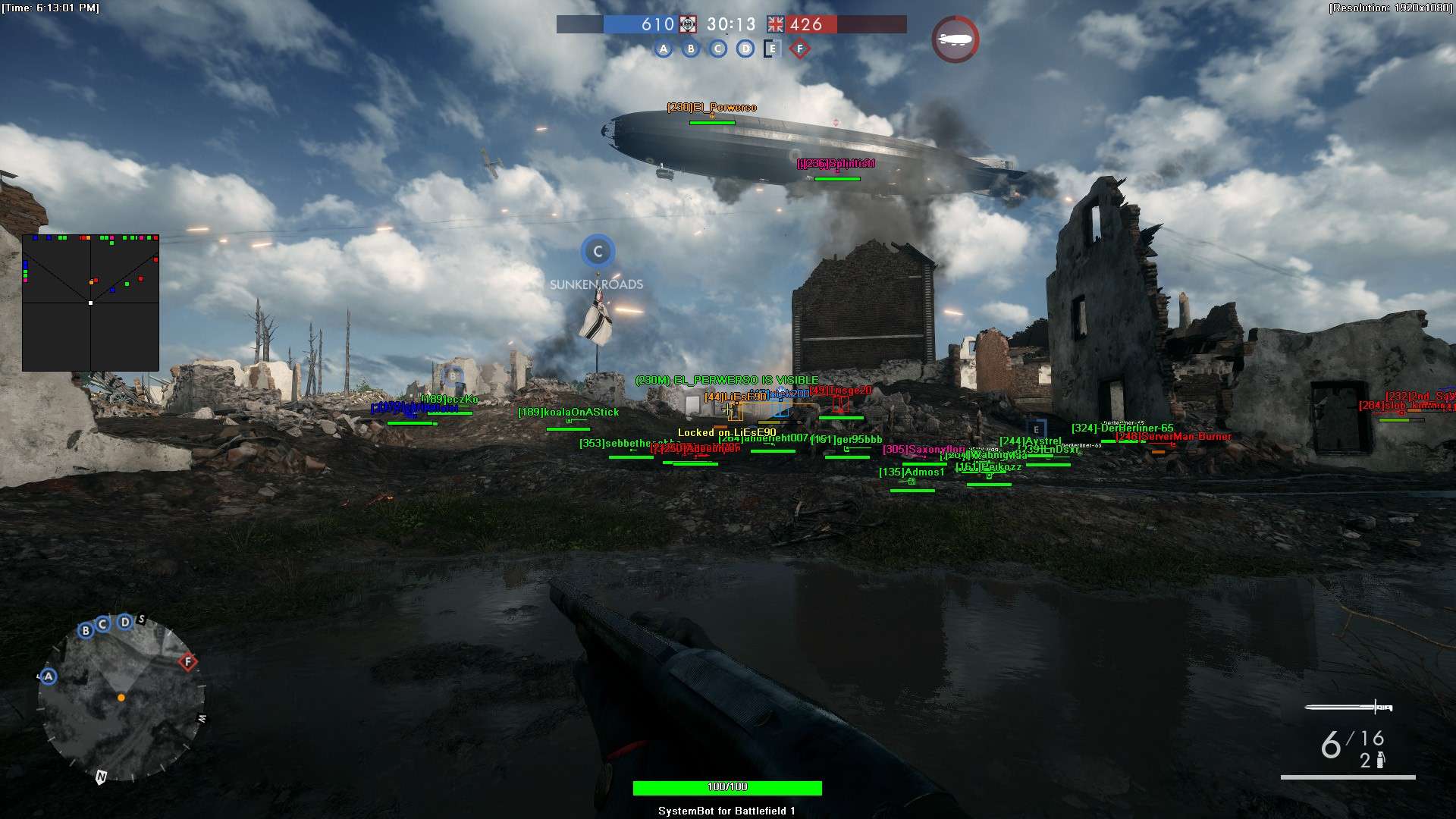
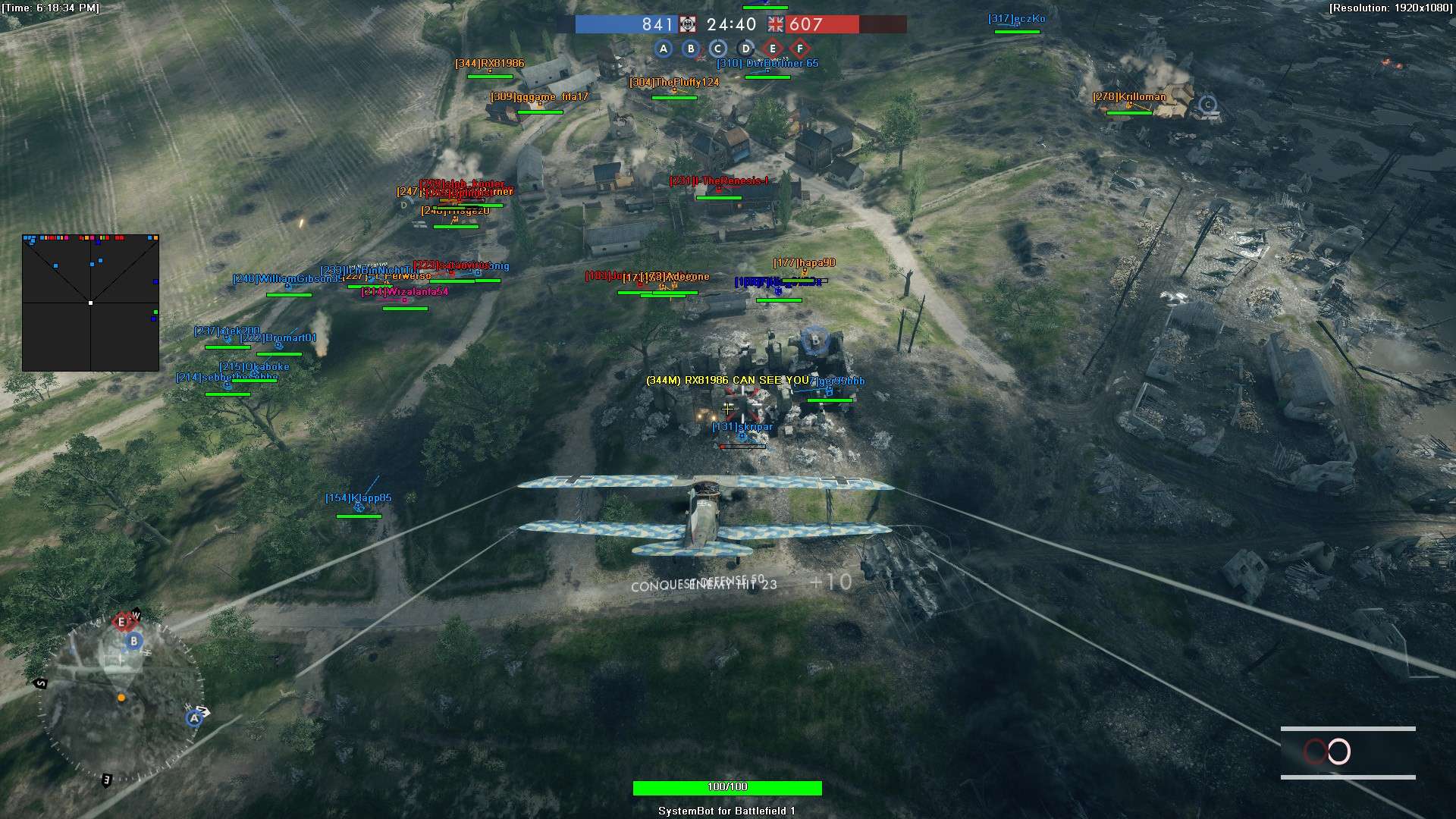
  • 3D Radar ESPBounding Box in 2D or 3D, Head Dot, 2D Line and Aim Laser, with player name, distance, health and weapon. Show friendlies, enemies, vehicles and soldiers out of sight, each with its own colour.
  • 2D RadarA top-down radar with Radar Scale, Window Size and Stick To Window. Friendly, enemy and vehicle dots, plus Show FOV, so you can see who is around you.
  • Warning SystemAn on-screen warning when an enemy is aiming at you or can see you, each with its own angle, plus a Beep System with its own Max Distance.
  • Auto MeleeAuto Melee with a choice of Manual Aim or Auto Aim for close range fights, plus Visibility Check so the aimbot only picks enemies you can see.
  • Vehicle TargetingAim on Vehicle, Trigger on Vehicle and Show Vehicle on both radars, with separate colours for enemy and friendly vehicles.
  • Misc and ControlNo Breath, a custom crosshair (Cross, Dot or T-Cross), health bars, a Panic Key, six friendly and six enemy filter slots, and default plus two custom settings slots.
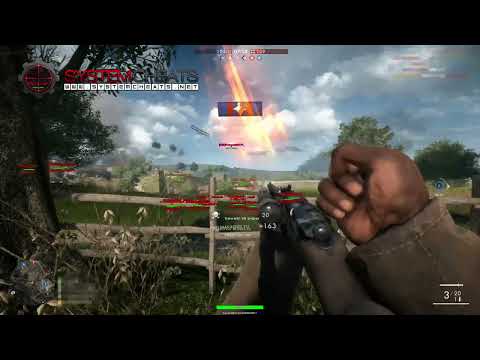
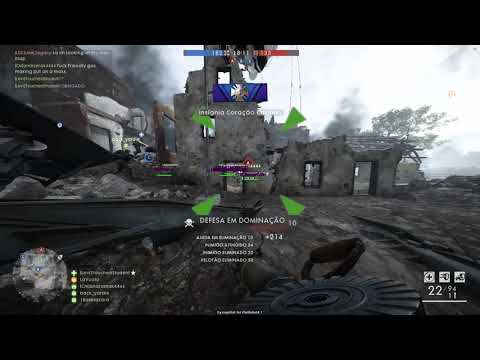
Battlefield 1 Hack in-game screenshot 1 of 4 Battlefield 1 Hack in-game screenshot 2 of 4 Battlefield 1 Hack in-game screenshot 3 of 4 Battlefield 1 Hack in-game screenshot 4 of 4

Battlefield 1 Aimbot for Bullet Drop and Travel Time

In Battlefield 1, bullets travel and drop. A shot at a running soldier or a plane has to be led and lifted by hand, and the right lead changes with each gun. Game Rant lists the Gewehr 98 Sniper at 880 m/s, while the Russian 1895 Trench is much slower at 530 m/s. The Battlefield 1 aimbot uses Bullet Speed Prediction, Bullet Drop Prediction and Prediction Scale to place the aim where the target will be when the bullet arrives, so you do not have to work out the drop in your head.

Scout Rifles and the Sweet Spot

Scout rifles in Battlefield 1 have a sweet spot, a distance band where one body shot kills. For the Gewehr 98 Sniper it is 80 to 125 metres, for the M1903 Sniper 100 to 150 metres and for the SMLE MKIII Marksman 40 to 75 metres. Outside that band, one body shot is not enough to kill. The Player Distance ESP shows how far away each target is, so you can see when an enemy is inside your band, and Aim Bone set to Head or Chest decides where the shot lands. Max Distance keeps the aimbot on targets within the range you choose.

Battlefield 1 ESP for 64 Player Maps

Conquest puts up to 64 players on one map, and big maps like Sinai Desert and Monte Grappa spread the fight wide. With that many players, it is hard to know where the next threat comes from. The Battlefield 1 ESP in the 3D Radar draws a box and a Head Dot on each soldier in range, with name, health and weapon, and the Enemy Visible and Enemy Invisible colours tell you at a glance who is in the open and who is behind cover. The 2D Radar with Radar Scale shows the area around you from above, with friendly, enemy and vehicle dots.

Battlefield 1 Hack for Tank and Plane Fights

Vehicles decide a lot of Battlefield 1 matches. Tanks, planes, cavalry and boats are part of the fight on the large maps, and Tanker and Pilot are classes of their own. Leading a fast plane with bullets that travel is hard, and a tank at the edge of your view can end a push. That is why the cheat has Aim on Vehicle, Trigger on Vehicle and Show Vehicle on both radars, with the Enemy Vehicle colour marking enemy vehicles so they stand out from friendly ones.

Warning System for Snipers and Flankers

On a 64 player map, the shot that ends your life can come from a Scout far away or from a player who walked around your flank. The Warning System shows a warning when an enemy is aiming at you or can see you, each with its own angle, and the Beep System adds a sound alert within its set distance. The Is Aiming At You and Can See You colours make each warning easy to read, so a sniper lining up a shot gives you a moment to react.

Auto Melee for Close Range Fights

Plenty of fights in Battlefield 1 happen up close. Maps like Argonne Forest, Amiens and Ballroom Blitz bring the fight to close quarters, and melee is a big part of the trench fighting in a First World War shooter. Auto Melee can be set to Manual Aim or Auto Aim. The Triggerbot fires with your chosen Fire Delay when a target crosses your crosshair, and Visibility Check keeps the aimbot on enemies you can see.

Aim That Stays Under Your Control

Not every fight needs a hard lock. With Use Aim Key on, the aimbot only works while you hold the key. Randomize Aim varies where the aim lands, Smooth Aim and Limit Angle shape how the aim moves, and Stick to Target stays on one enemy instead of jumping between them. Draw Locked marks the target the aimbot is on. The cheat saves a default setup plus Custom 1 and Custom 2, so one slot can hold an infantry setup, another a vehicle setup and the third a Scout setup. The Panic Key hides the whole overlay with one press.

How to Get a Battlefield Cheat

The Battlefield 1 cheat is on hold right now, so check its status before you buy. Getting started with SystemCheats takes three steps.

01
Check the Status

Open the live cheat status page. It lists each cheat as online, offline or staff only, including Battlefield 1.

02
Create Your Account

Register on the forum for free. Your subscriptions, downloads and support all run through it.

03
Pick a Cheat That Is Online

If the status page shows Battlefield 1 online, pick a plan on this page. If not, browse all cheats. Battlefield 4 has its own Battlefield 4 cheat, and the status page shows if it is online.

Is It Safe to Cheat in Battlefield 1?

Battlefield 1 uses EA anticheat, also called EA Javelin. It is EA’s own kernel level anti-cheat, and EA says it only runs during gameplay. Before it, the game relied on FairFight, a server side system that looks at player statistics and behaviour. No cheat is ever completely risk free. The BF1 cheat is on hold, so check the status page before you buy.

Frequently Asked Questions

Is the Battlefield 1 cheat available right now?

No. The Battlefield 1 cheat is on hold and offline right now. The prices stay on this page, but the subscription is on hold. Please check the live cheat status page before you buy.

Is Battlefield 1 included in the Premium Package?

Battlefield 1 is listed under Cheats Included on the Premium Package page, but the cheat is on hold. Check the status page first, so you know whether it is online before you buy.

Which PC stores does the Battlefield 1 cheat support?

Battlefield 1 from Steam and from the EA app, on Windows PC.

Which anti-cheat does Battlefield 1 use?

EA anticheat, also known as EA Javelin. It is a kernel level anti-cheat that EA says only runs during gameplay. Before it, Battlefield 1 used FairFight, a server side system.

Which Battlefield cheat can I use instead?

Battlefield 4 has its own Battlefield 4 cheat. The status page shows which Battlefield cheats are online at any moment.

Stay Updated on Battlefield 1

The Battlefield 1 cheat is on hold right now, so please check the live cheat status page before you buy. The cheats that are online are ready on the cheats page.

Need Help?

Our support team is available 24 hours a day, 7 days a week through the SystemCheats forum and TeamSpeak. Read what customers say on Trustpilot, or compare all cheat packages to find the right fit.

Cheat & Hack Information

What is Battlefield 1?


Battlefield 1 is the First World War shooter from DICE, published by Electronic Arts. Up to 64 players fight on foot and in vehicles on land, in the air and at sea. On PC you play it through Steam or the EA app.


Cheating in Battlefield 1


The Battlefield 1 cheat has an aimbot with bullet drop and speed prediction, 3D and 2D radar ESP for soldiers and vehicles, a triggerbot, Auto Melee and a warning system. It is sold as a single cheat and is listed in the Premium Package.


Is the Battlefield 1 cheat safe?


Battlefield 1 uses EA anticheat, also called EA Javelin, a kernel level anti-cheat. No cheat is ever completely risk free. However, you can always adjust your settings to play legitimately for the long run. The Battlefield 1 cheat is on hold, so do not buy before you check the live status page.

Reviews

Pricing

Features

Aimbot
Auto Aim Moves your aim onto a valid target for you automatically
Auto Fire Fires your weapon for you once a target is locked
Fire Delay (0 ~ 1000) Adds a short wait in milliseconds before firing once a target is locked
Smooth Aim (1 ~ 50) Slows the aim movement so it looks natural, and higher values make it slower
Limit Angle (0 ~ 180) Sets how far from your crosshair a target can be for the aimbot to lock on
Use Aim Key Makes the aimbot work only while you hold or toggle your aim key
Bullet Speed Prediction Leads moving targets based on how long the shot takes to arrive
Bullet Drop Prediction Aims a little higher to make up for bullet drop over long distances
Prediction Scale (1 ~ 30) Fine tunes how strong the lead and bullet drop prediction is
Visibility Check Stops the aimbot from targeting enemies hidden behind walls or cover
Stick to Target Keeps the aimbot on one target until it is down or leaves range
Randomize Aim Adds small random changes to where your aim lands for a human look
Aim Style (FOV, Distance, First in list) Sets how the aimbot chooses the best target when more than one is in range
Aim Bone (Bone Scan, Head, Chest) Sets which body part the aimbot aims at, such as the head or chest
Aim on Friendly Lets the aimbot target and lock onto your teammates
Aim on Enemy Lets the aimbot target and lock onto enemies
Aim on Vehicle Lets the aimbot lock onto vehicles as well as players on foot
Max Distance (0 ~ 1500) Sets the farthest distance, in meters, at which targets are still picked up or shown
Draw Locked Draws a marker on the target the aimbot is locked onto
Auto Melee (None, Manual Aim, Auto Aim) Makes a melee attack for you when an enemy is within reach
Triggerbot
Triggerbot Shoots for you when your crosshair is on a valid target
Use Trigger Key Makes the triggerbot fire only while you hold the trigger key
Fire Delay (0 ~ 1000) Adds a short wait in milliseconds before firing once a target is locked
Trigger on Friendly Lets the triggerbot fire at friendly teammates
Trigger on Enemy Lets the triggerbot fire at enemies in your crosshair
Trigger on Vehicle Lets the triggerbot fire at vehicles in your crosshair
Max Distance (0 ~ 1500) Sets the farthest distance, in meters, at which targets are still picked up or shown
3D Radar
Bounding Box (None, 3D, 2D) Draws a box around each target so you can see where they are
Box Size (1 ~ 10) Sets how thick the lines of each ESP box are drawn
2D Line Draws snap lines from your screen to each target
Player Name ESP Shows the name of each player above their character
Player Distance ESP Shows how far away each player is in meters
Player Health ESP Shows a health bar for each player so you can see how hurt they are
Player Weapon ESP Shows the weapon each player is holding right now
Head Dot Draws a dot on the head of each target you can see
Dot Size (2 ~ 20) Sets how big the dot markers are drawn on each target
Aim Laser Draws a line that shows where each target is aiming
Laser Size (50 ~ 3000) Sets the length and thickness of the aim laser line
Show Friendly Shows your teammates on the ESP and radar
Show Enemy Shows enemies on the ESP and radar so you always know where they are
Show Vehicle Shows vehicles on the ESP and radar so you always know where they are
Show Invisible Shows hidden, stealthy and cloaked targets on the radar
Max Distance (0 ~ 1500) Sets the farthest distance, in meters, at which targets are still picked up or shown
2D Radar
Show Radar Turns on the 2D radar overlay on your screen
Show Cross Draws cross lines through the middle of the radar
Show Window Draws the background frame of the radar window
Show Dot Shows targets as dots on the radar window
Show FOV Draws a cone on the radar that shows where you are looking
Show Friendly Shows your teammates on the ESP and radar
Show Enemy Shows enemies on the ESP and radar so you always know where they are
Show Vehicle Shows vehicles on the ESP and radar so you always know where they are
Show Invisible Shows hidden, stealthy and cloaked targets on the radar
Stick To Window Keeps targets that are out of range pinned to the edge of the radar
Radar Scale (0 ~ 60) Sets the radar zoom, lower zooms in and higher zooms out
Window Size (45 ~ 260) Sets the width and height of the radar window
Cross Size (45 ~ 260) Sets the length of the cross lines in the middle of the radar
Dot Size (2 ~ 20) Sets how big the dot markers are drawn on each target
Warning System
Warning System Shows on-screen warnings when enemies are near, can see you or aim at you
Aiming At You Angle Sets the angle within which an enemy aiming your way triggers the Aiming At You warning
Can See You Angle (0 ~ 180) Sets the angle used to warn you when an enemy can see you
Max Distance (0 ~ 1500) Sets the farthest distance, in meters, at which targets are still picked up or shown
Beep System Plays a warning beep when an enemy is looking or aiming at you
Max Distance (0 ~ 1500) Sets the farthest distance, in meters, at which targets are still picked up or shown
Misc
Crosshair (None, Cross, Dot, T-Cross) Draws a custom crosshair in the center of your screen, over the game's own
Crosshair Size (2 ~ 200) Sets the size of the custom crosshair on your screen
Draw Resolution Shows your current screen resolution on the overlay
Draw FPS Shows your current frames per second on screen
Draw Time Shows your local system time on the overlay
Draw Watermark Shows the SystemCheats watermark on screen so you know the cheat is active
Draw Health Bar Shows your own health as a bar on screen
Use Panic Key Turns on a hotkey that instantly hides all cheat visuals and menus
Font Size (10 ~ 20) Sets the size of the ESP and overlay text on screen
No Breath Keeps your scope steady without holding your breath
Colors
Customizable Enemy Invisible RGBA Color Sets the color for enemies hidden behind walls or cover
Customizable Enemy Visible RGBA Color Sets the color for enemies in your direct line of sight
Customizable Enemy Vehicle RGBA Color Sets the color for enemy vehicles shown on the ESP
Customizable Friendly Invisible RGBA Color Sets the color for teammates hidden behind walls or cover
Customizable Friendly Visible RGBA Color Sets the color for teammates in your direct line of sight
Customizable Friendly Vehicle RGBA Color Sets the color for friendly team vehicles shown on the ESP
Customizable Crosshair RGBA Color Sets the color for the custom crosshair drawn on your screen
Customizable Menu RGBA Color Sets the color scheme for the in-game cheat menu
Customizable Is Aiming At You RGBA Color Sets the warning color used when an enemy aims at you
Customizable Can See You RGBA Color Sets the color of the warning shown when an enemy can see you
Customizable Is Visible RGBA Color Sets the indicator color used when you are exposed and visible
Filters
6 Friendly filter slots Lets you enter friendly player names to show or hide on the ESP
6 Enemy filter slots Lets you enter enemy player names to show or hide on the ESP
Positions
Customizable Radar position with the mouse Lets you move the radar by dragging it with the mouse
Customizable Menu position with the mouse Lets you move the menu by dragging it with the mouse
Keys
Customizable Panic Key Sets a key that instantly hides or turns off all cheat features
Customizable Menu Key Sets the key that opens and closes the cheat menu
Customizable Aim Key Sets the key that turns on the aimbot while held or toggled
Customizable Trigger Key Sets the key you hold or toggle to turn the triggerbot on
Settings
Save default settings Saves your current settings to the default profile
Load default settings Loads your saved settings from the default profile
Save custom 1 settings Saves your current settings to custom profile 1
Load custom 1 settings Loads your saved settings from custom profile 1
Save custom 2 settings Saves your current settings to custom profile 2
Load custom 2 settings Loads your saved settings from custom profile 2
Additional
Steam Supported Works with the Steam version of the game
EA Supported Works with the EA app version of the game