Killing Floor 3 Hack, KF3 Aimbot, ESP and Radar Cheat for PC

Included in Premium Package and One Day Trial

Only Steam version supported
Cheat video
Killing Floor 3 Hack
Killing Floor 3 Cheat
Killing Floor 3 Aimbot
Killing Floor 3 Hacks
Co-op horror shooter • Zed wave survival • Windows PC

Killing Floor 3 Hack with Aimbot and ESP for PC

Get instant access to the Killing Floor 3 Cheat for PC.

Killing Floor 3 is the co-op action horror shooter from Tripwire Interactive, built on Unreal Engine 5 for Windows PC, PlayStation 5 and Xbox Series X and S. The megacorp Horzine has made bioengineered monsters called Zeds, and you fight them as part of the rebel group Nightfall. You can play alone or in a squad of up to six players.

A match is a run of waves. You survive a wave of Zeds, earn Dosh, the in-game cash, spend it at the trader, and then face the next wave, with a boss waiting at the end. The standard game has five waves, and Long mode stretches it to 10 waves plus a boss fight. Zed Time slows the action at key moments, and the M.E.A.T. system takes Zeds apart piece by piece.

Our Killing Floor 3 hack is built for that pressure: an aimbot with Head Priority and bullet prediction, a 3D Radar ESP for Zeds, teammates and cash, a 2D radar, a triggerbot and weapon options such as No Recoil, Rapid Fire and One Shot Kill.

Tactical upgrade briefing
Built for Zed waves and boss fights

Keep your whole squad on screen, see which Zeds are behind the next wall and pick up the cash on the map before the trader opens. The Killing Floor 3 cheat puts aim help, ESP and weapon control in one in-game menu, and it is also part of the Premium Package.

Killing Floor 3 Hack and Cheat Features

The KF3 cheat covers aim, awareness and weapon control. Everything is set in the in-game menu, and you can save a default setup plus three custom setups. The highlights are below, and the full option list is in the Features panel on this page.

  • Aimbot with Head PriorityAuto Aim with Smooth Aim, Limit Angle and an aim key. Aim Bone picks Head Priority, Chest Priority, Head or Chest, and Aim Style picks targets by FOV, distance or health. Auto Fire with a Fire Delay, plus Draw Aim FOV and Draw Locked.
  • Bullet PredictionBullet Speed Prediction, Bullet Drop Prediction and Prediction Scale lead moving Zeds. Visibility Check only picks targets you can see, and Stick to Target stays on one target instead of jumping between them.
  • TriggerbotFires when your crosshair is on a valid target. Set a Fire Delay, choose friendlies or enemies, cap the Max Distance and run it on its own trigger key.
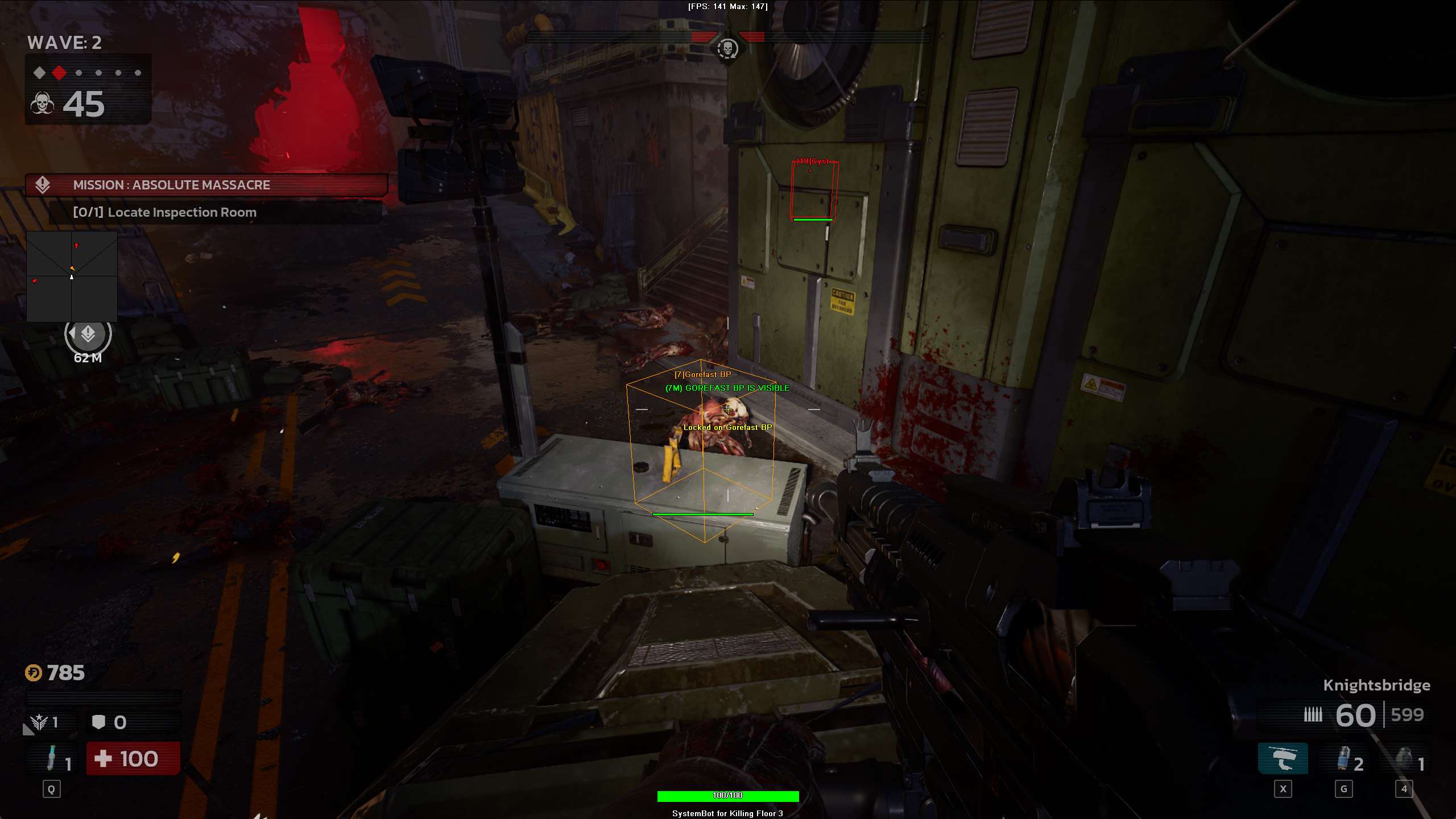
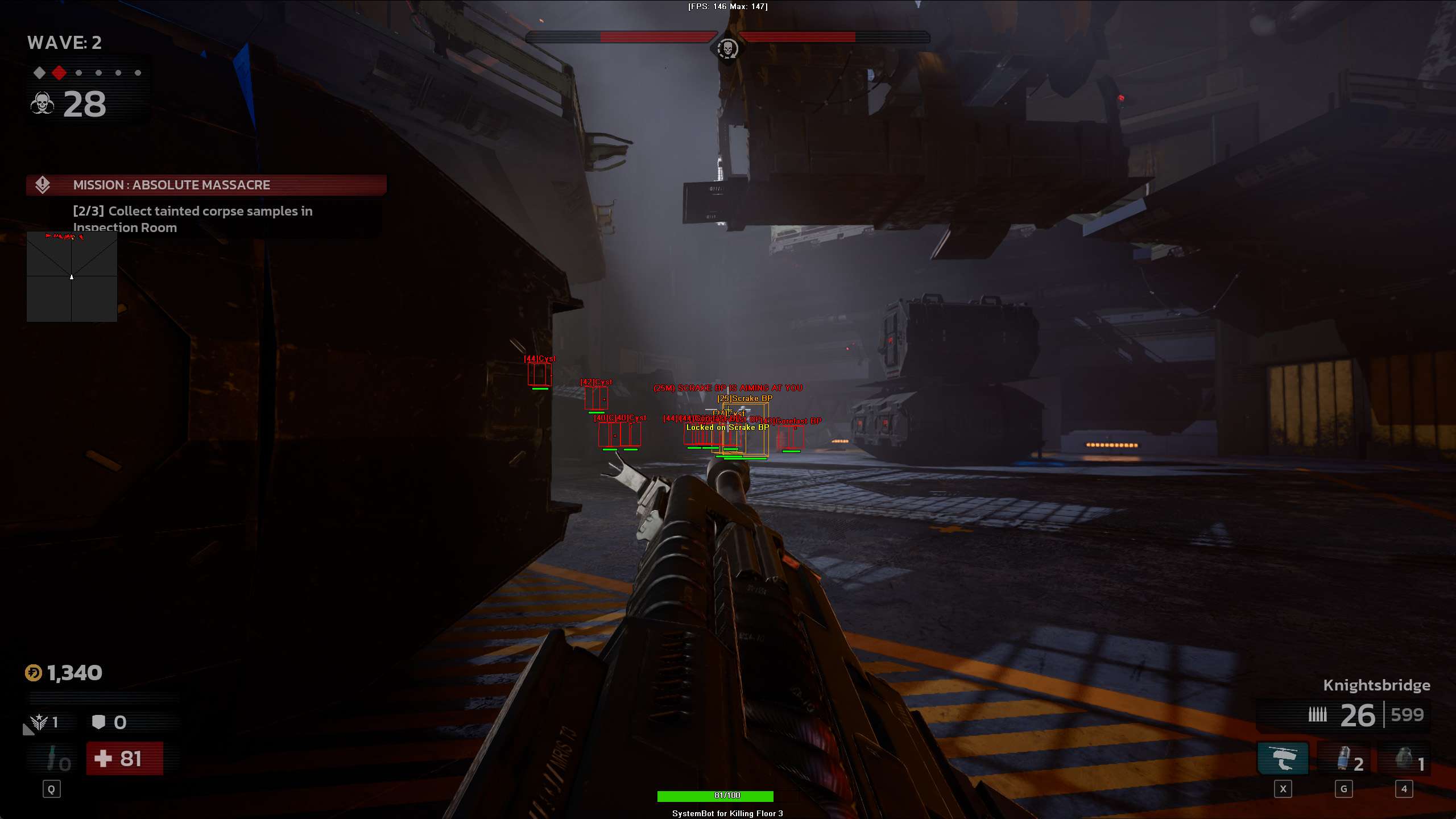
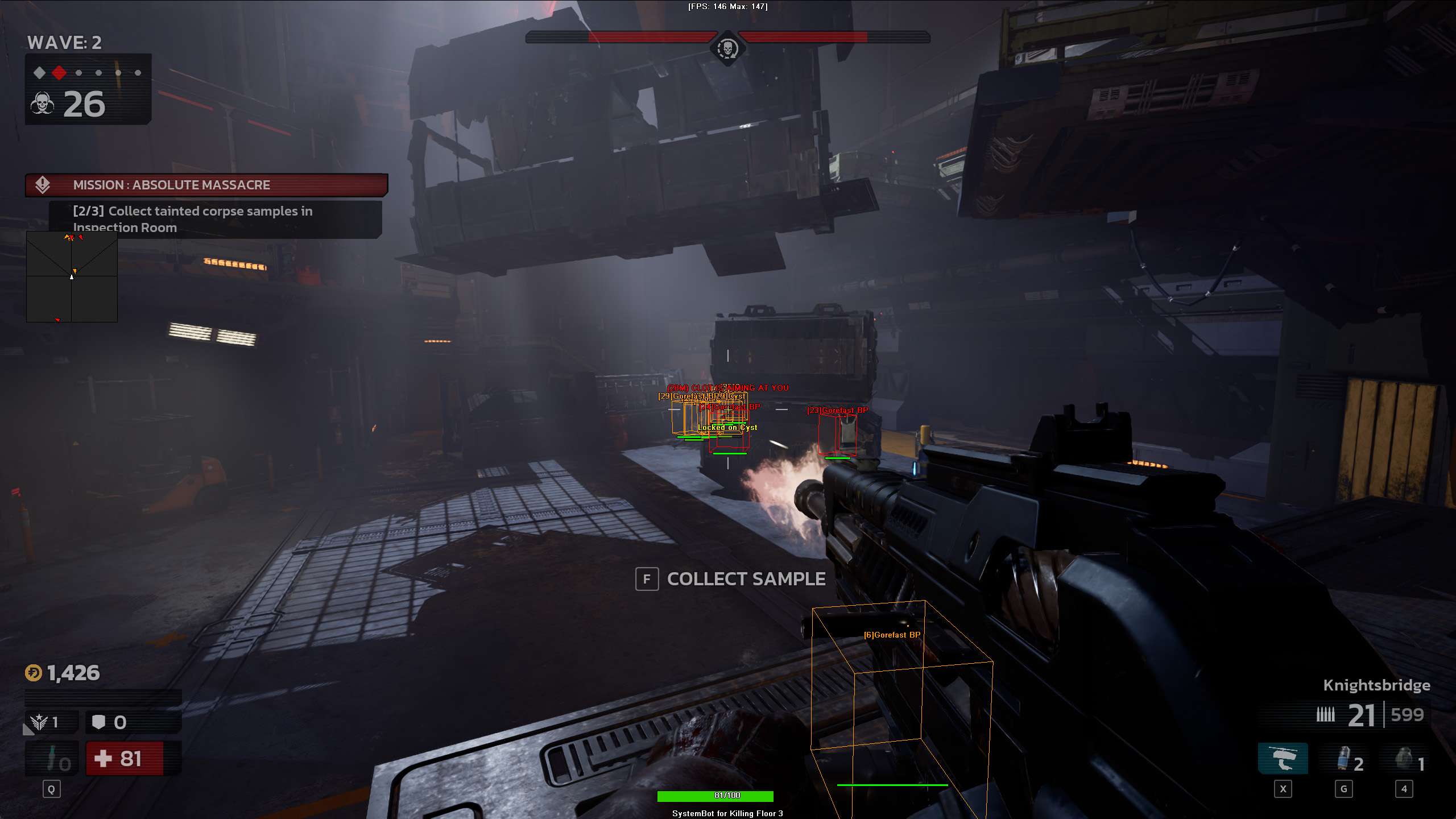
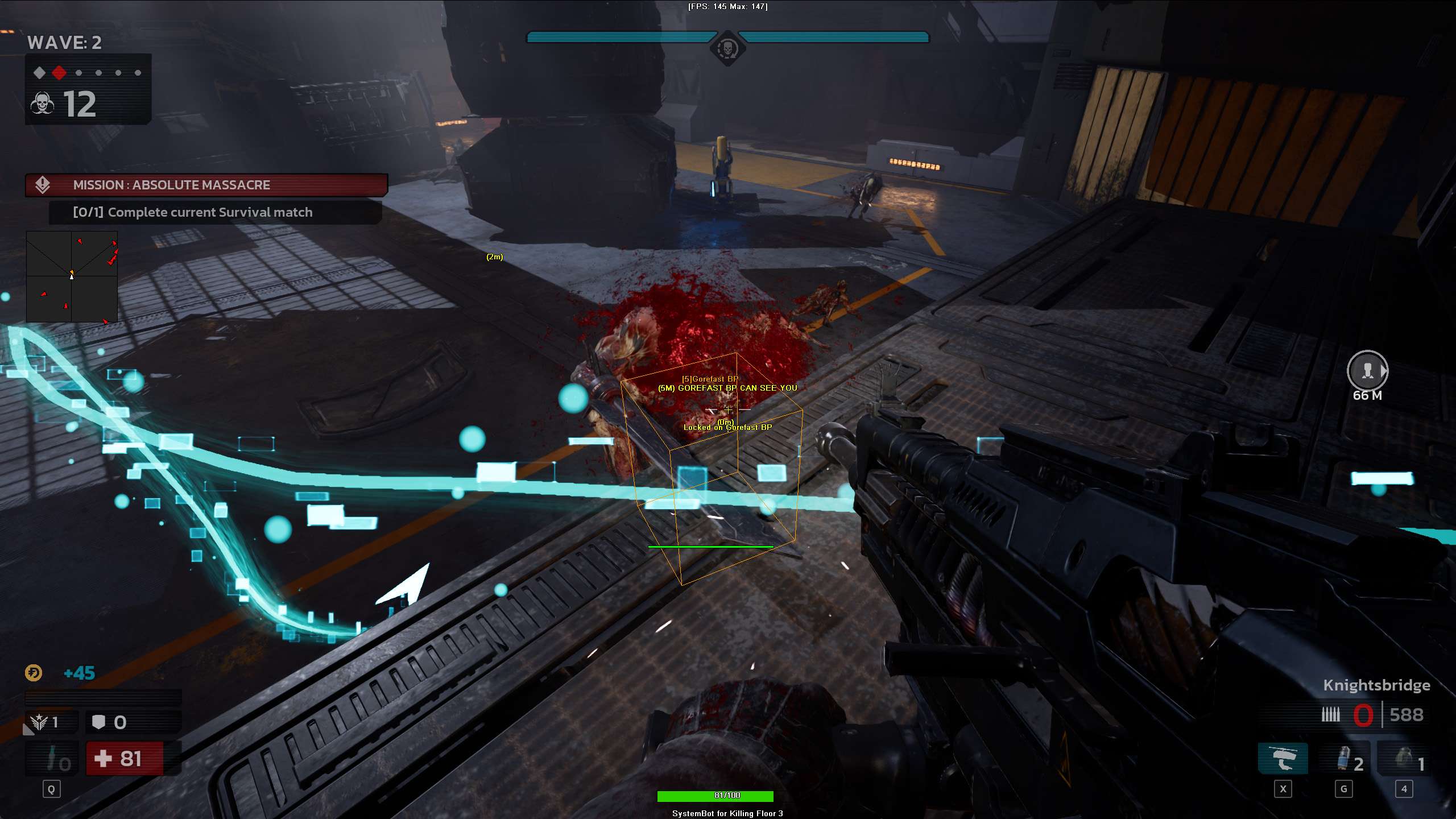
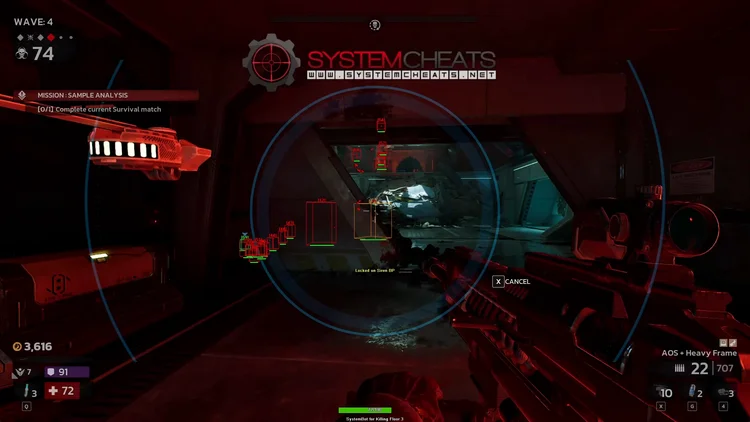
  • 3D Radar ESPBounding Box in 2D or 3D with Box Size, Head Dot, 2D Line and Aim Laser. Name, distance and health ESP for enemies and friendlies, with health shown Vertical, Scaled or Static.
  • Cash and Item ESPCash ESP with Item Distance ESP and Max Item Distance, plus Projectile ESP and Destroyable ESP, each with its own colour.
  • 2D RadarA top-down radar with Radar Scale, Window Size, Center 2D Radar and Stick To Window. Friendly and enemy dots as a Triangle or Dot, plus Show FOV.
  • Weapon and Speed OptionsNo Recoil, No Spread and No Sway for steady aim, plus Rapid Fire, One Shot Kill and Kill Aura. Speed Hack from 1.2x to 3x, on Hold or Toggle with its own key.
  • Misc and ControlA custom crosshair (Cross, Dot or T-Cross) with Dynamic Crosshair, health bars, a Panic Key, six friendly and six enemy filter slots, and default plus three custom settings slots with their own hotkeys.
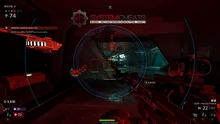
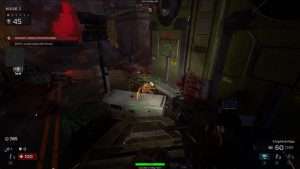
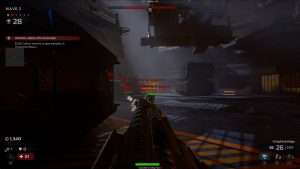
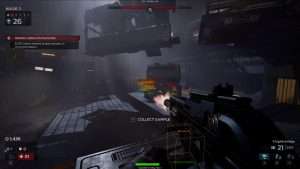
Killing Floor 3 Hack in-game screenshot 1 of 4 Killing Floor 3 Hack in-game screenshot 2 of 4 Killing Floor 3 Hack in-game screenshot 3 of 4 Killing Floor 3 Hack in-game screenshot 4 of 4

Killing Floor 3 ESP for Six Player Squads and Zed Hordes

A full lobby of six players and a wave of Zeds fill the screen fast. In the halls of Offices or the tunnels of Sewers it is easy to lose track of which Zed is closest and which teammate needs help. The 3D Radar draws a Bounding Box in 2D or 3D and a Head Dot on the Zeds in range, with Enemy Name, Distance and Health ESP.

Show Friendly adds your teammates with their own name, distance and health, so you can see who is low before they go down. The Enemy Visible and Enemy Invisible colours tell you at a glance which Zeds are in the open and which are behind a wall.

Killing Floor 3 Aimbot for Suicidal and Hell on Earth

Killing Floor 3 has a ladder of difficulties, and Suicidal sits between Hard and Hell on Earth. On the top difficulties Zeds hit hard and come in fast, so there is little room for missed shots. With Aim Bone set to Head Priority, the aimbot puts the head first, and Smooth Aim with a low Limit Angle keeps the movement calm. No Recoil and No Spread keep a long burst from a Commando rifle such as the MKR-350 on target.

2D Radar for Fast Scavenger Packs

Some Zeds are built to catch you off guard. Scavengers hunt in fast packs and leave toxic fumes behind. The Stalker can cloak, and the game gives you its own tools to reveal it, such as the Pulse Lure, the Sonar Sight and UV Light mods and the Commando passive. The cheat does not replace those tools. What the 2D Radar does is show the enemies it tracks as dots around you, with Radar Scale, Center 2D Radar and a Triangle or Dot marker. Together with the Head Dot on the 3D Radar, that helps you follow a pack as it moves around your squad.

Boss Fights Against the Alpha Scavenger and Moorcroft

The waves lead up to a boss. The Alpha Scavenger eats fallen Scavengers to grow stronger, so a slow fight makes it harder. Moorcroft, merged with a substance called the Mire, fights in several phases and uses a shield. Aim Style set to Health lets the aimbot choose targets by health, and the Triggerbot fires when your crosshair is on a valid target. For a louder setup, Rapid Fire and One Shot Kill sit in the Misc menu.

Killing Floor 3 Cheat for Dosh and the Trader

Dosh decides what you carry into the next wave. You earn it during the waves and spend it at the trader in between, so cash you leave behind is gear you cannot buy. Cash ESP marks cash on the map, Item Distance ESP shows how far away it is, and Max Item Distance sets how far out the item ESP looks. Cash has its own colour, and so do Projectile ESP and Destroyable ESP, so each type stands out on a busy screen.

KF3 Aimbot for Gunslinger Pistols and Sharpshooter Rifles

Killing Floor 3 has seven perks: Commando, Engineer, Firebug, Medic, Ninja, Sharpshooter and Gunslinger. Each perk has its own skill tree, grenade and gadget, and any specialist can play any perk. The Gunslinger fights with fast, dual wielded pistols such as the Desert Eagles and Night Adders, and the Sharpshooter uses rifles like the M14 EBR. For those perks, Bullet Speed Prediction, Bullet Drop Prediction and Prediction Scale lead a Zed that is on the move, and No Sway keeps the scope still.

Killing Floor 3 Hack for Long Mode and Onslaught

In Long mode, one bad wave costs a lot of time. The Onslaught map gives you no retreat and its traps make the match harder as it goes on. The Speed Hack runs from 1.2x to 3x, on Hold or Toggle, to help you reach the trader or a teammate faster, and Kill Aura is there for the crowd that closes in. One settings slot can hold a soft setup with Smooth Aim, Use Aim Key and Visibility Check, and Custom 1 a loud one with Rapid Fire, each on its own hotkey.

How to Get the Killing Floor 3 Cheat

Getting started with SystemCheats takes three steps.

01
Check the Status

Open the live cheat status page. It lists every cheat as online, offline or staff only.

02
Create Your Account

Register on the forum for free. Your subscriptions, downloads and support all run through it.

03
Pick Your Plan

Buy Killing Floor 3 as a single cheat, or get it with the other games in the Premium Package. Both are in the price box on this page.

Is It Safe to Cheat in Killing Floor 3?

Killing Floor 3 uses Easy Anti-Cheat. The Steam store page says the game uses kernel level anti-cheat, and Tripwire’s own patch notes mention Easy Anti-Cheat on PC. We found no official statement from Tripwire about ban waves. No cheat is ever completely risk free. Smooth Aim, a low Limit Angle, Use Aim Key and Visibility Check give you a quieter setup, and the live cheat status page always shows the current state of every cheat.

Frequently Asked Questions

Is the Killing Floor 3 cheat online?

The live cheat status page always shows the current state of every cheat, including Killing Floor 3. Check it before you buy.

Is Killing Floor 3 included in the Premium Package?

Yes. Killing Floor 3 is part of the Premium Package, together with the other games listed under Cheats Included on its page. You can also buy it as a single cheat. Both options are in the price box on this page.

Which versions of Killing Floor 3 does the cheat support?

The Killing Floor 3 cheat is made for Windows PC, on Windows 10 and 11. Only the Steam version of the game is supported.

Which anti-cheat does Killing Floor 3 use?

Easy Anti-Cheat. The Steam store page lists it as kernel level anti-cheat.

Does the cheat help me find Dosh?

The 3D Radar has Cash ESP, Item Distance ESP and Max Item Distance, so cash on the map shows up with its distance and its own colour.

Can I keep a quiet setup and a loud setup?

Yes. You can save a default setup and three custom setups, each with its own hotkey, and switch between them in the game.

Do you have a Killing Floor 2 cheat?

Yes. Killing Floor 2 has its own Killing Floor 2 cheat page, and the status page shows if it is online.

Take On the Zeds with the Killing Floor 3 Hack

Six player squads, fast Scavenger packs, bosses that grow stronger or hide behind a shield, and Long mode runs of 10 waves. The Killing Floor 3 cheat gives you aim help, ESP and weapon control in one menu. Check the status page, pick a single cheat or the Premium Package, and set it up your way. Every other game we support is on the cheats page.

Need Help?

Our support team is available 24 hours a day, 7 days a week through the SystemCheats forum and TeamSpeak. Read what customers say on Trustpilot, or compare all cheat packages to find the right fit.

Cheat & Hack Information

What is Killing Floor 3?


Killing Floor 3 is the co-op action horror shooter from Tripwire Interactive. Up to six players fight waves of Zeds, earn Dosh to spend at the trader between waves, and face a boss at the end.


Cheating in Killing Floor 3


Our Killing Floor 3 cheat has an aimbot with Head Priority, 3D Radar ESP, Cash ESP, a triggerbot, No Recoil and One Shot Kill. You can buy it as a single cheat or get it with the Premium Package.


Is the Killing Floor 3 cheat safe?


Killing Floor 3 uses Easy Anti-Cheat, which Tripwire names in its own patch notes for PC. No cheat is ever completely risk free. However, you can always adjust your settings to play legitimately for the long run. Check the live status page before you play.

Reviews

Pricing

Features

Aimbot
Auto Aim Moves your aim onto a valid target for you automatically
Auto Fire Fires your weapon for you once a target is locked
Fire Delay (0 ~ 1000) Adds a short wait in milliseconds before firing once a target is locked
Smooth Aim (1 ~ 50) Slows the aim movement so it looks natural, and higher values make it slower
Limit Angle (0 ~ 180) Sets how far from your crosshair a target can be for the aimbot to lock on
Use Aim Key Makes the aimbot work only while you hold or toggle your aim key
Bullet Speed Prediction Leads moving targets based on how long the shot takes to arrive
Bullet Drop Prediction Aims a little higher to make up for bullet drop over long distances
Prediction Scale (1 ~ 30) Fine tunes how strong the lead and bullet drop prediction is
Visibility Check Stops the aimbot from targeting enemies hidden behind walls or cover
Stick to Target Keeps the aimbot on one target until it is down or leaves range
Aim Style (FOV, Distance, Health) Sets how the aimbot chooses the best target when more than one is in range
Aim Bone (Head Priority, Chest Priority, Head, Chest) Sets which body part the aimbot aims at, such as the head or chest
Aim on Friendly Lets the aimbot target and lock onto your teammates
Aim on Enemy Lets the aimbot target and lock onto enemies
Max Distance (0 ~ 1500) Sets the farthest distance, in meters, at which targets are still picked up or shown
Draw Locked Draws a marker on the target the aimbot is locked onto
Draw Aim FOV Draws a circle on screen that shows where the aimbot is active
Triggerbot
Triggerbot Shoots for you when your crosshair is on a valid target
Use Trigger Key Makes the triggerbot fire only while you hold the trigger key
Fire Delay (0 ~ 1000) Adds a short wait in milliseconds before firing once a target is locked
Trigger on Friendly Lets the triggerbot fire at friendly teammates
Trigger on Enemy Lets the triggerbot fire at enemies in your crosshair
Max Distance (0 ~ 1500) Sets the farthest distance, in meters, at which targets are still picked up or shown
3D Radar
Bounding Box (None, 3D, 2D) Draws a box around each target so you can see where they are
Box Size (1 ~ 10) Sets how thick the lines of each ESP box are drawn
2D Line Draws snap lines from your screen to each target
Friendly Name ESP Shows the name of each of your teammates on the map
Friendly Distance ESP Shows how far away each teammate is from you
Friendly Health ESP (None, Vertical, Scaled, Static) Shows a health bar for each teammate on the map
Enemy Name ESP Shows the name of each enemy you can see on the map
Enemy Distance ESP Shows how far away each enemy is from you
Enemy Health ESP (None, Vertical, Scaled, Static) Shows a health bar for each enemy you can see
Head Dot Draws a dot on the head of each target you can see
Dot Size (2 ~ 20) Sets how big the dot markers are drawn on each target
Aim Laser Draws a line that shows where each target is aiming
Laser Size (50 ~ 3000) Sets the length and thickness of the aim laser line
Projectile ESP Shows grenades, thrown items and other projectiles while they fly
Cash ESP Shows stacks of cash and money that you can pick up
Destroyable ESP Shows objects in the world that can be destroyed
Show Friendly Shows your teammates on the ESP and radar
Show Enemy Shows enemies on the ESP and radar so you always know where they are
Max Distance (0 ~ 1500) Sets the farthest distance, in meters, at which targets are still picked up or shown
Max Item Distance (0 ~ 500) Sets how far away items and loot are still shown
Item Distance ESP Shows how far away each item is from you
2D Radar
Show Radar Turns on the 2D radar overlay on your screen
Show Cross Draws cross lines through the middle of the radar
Show Window Draws the background frame of the radar window
Show Dot Shows targets as dots on the radar window
Show FOV Draws a cone on the radar that shows where you are looking
Show Friendly Shows your teammates on the ESP and radar
Show Enemy Shows enemies on the ESP and radar so you always know where they are
Stick To Window Keeps targets that are out of range pinned to the edge of the radar
Radar Scale (0 ~ 60) Sets the radar zoom, lower zooms in and higher zooms out
Window Size (45 ~ 260) Sets the width and height of the radar window
Cross Size (45 ~ 260) Sets the length of the cross lines in the middle of the radar
Dot Size (2 ~ 20) Sets how big the dot markers are drawn on each target
Dot Type (Triangle, Dot) Switches radar markers between plain dots and triangles that point where targets face
Center 2D Radar Places the radar in the middle of the screen, around your crosshair
Max Distance (0 ~ 1500) Sets the farthest distance, in meters, at which targets are still picked up or shown
Warning System
Warning System Shows on-screen warnings when enemies are near, can see you or aim at you
Is Aiming At You Angle (0 ~ 180) Sets the angle used to warn you when an enemy is aiming at you
Can See You Angle (0 ~ 180) Sets the angle used to warn you when an enemy can see you
Max Distance (0 ~ 1500) Sets the farthest distance, in meters, at which targets are still picked up or shown
Beep System Plays a warning beep when an enemy is looking or aiming at you
Misc
Crosshair (None, Cross, Dot, T-Cross) Draws a custom crosshair in the center of your screen, over the game's own
Crosshair Size (2 ~ 200) Sets the size of the custom crosshair on your screen
Dynamic Crosshair Resizes the crosshair as your weapon spread changes when you move and shoot
Draw FPS Shows your current frames per second on screen
Draw Resolution Shows your current screen resolution on the overlay
Draw Time Shows your local system time on the overlay
Draw Watermark Shows the SystemCheats watermark on screen so you know the cheat is active
Draw Health Bar Shows your own health as a bar on screen
Use Panic Key Turns on a hotkey that instantly hides all cheat visuals and menus
Font Size (10 ~ 20) Sets the size of the ESP and overlay text on screen
Font Shadow (None, Shadow, Bordered) Adds a shadow or border behind overlay text so it is easier to read
No Recoil Removes weapon recoil so your aim stays steady while firing
No Spread Removes bullet spread so every shot lands on your crosshair
No Sway Removes weapon sway so your sights stay still while aiming
Unlimited Ammo Stops your ammo from running out so you can keep firing
Rapid Fire Raises the fire rate of your weapons far above normal
One Shot Kill Kills enemies with a single shot instead of many
Speed Hack (Off, 1.2x ~ 3x) Makes your character move faster than normal
Speed Hack Type (Hold, Toggle) Sets how the speed hack works, such as holding or toggling its key
Kill Aura Damages every enemy around you automatically without you attacking
Colors
Customizable Enemy Invisible RGBA Color Sets the color for enemies hidden behind walls or cover
Customizable Enemy Visible RGBA Color Sets the color for enemies in your direct line of sight
Customizable Friendly Invisible RGBA Color Sets the color for teammates hidden behind walls or cover
Customizable Friendly Visible RGBA Color Sets the color for teammates in your direct line of sight
Customizable Projectile RGBA Color Sets the color the ESP uses for incoming hostile projectiles
Customizable Cash RGBA Color Sets the color used to draw cash on the ESP
Customizable Destroyable RGBA Color Sets the color for destroyable objects shown on the ESP
Customizable Crosshair RGBA Color Sets the color for the custom crosshair drawn on your screen
Customizable Menu RGBA Color Sets the color scheme for the in-game cheat menu
Customizable Is Aiming At You RGBA Color Sets the warning color used when an enemy aims at you
Customizable Can See You RGBA Color Sets the color of the warning shown when an enemy can see you
Customizable Is Visible RGBA Color Sets the indicator color used when you are exposed and visible
Customizable Aim FOV RGBA Color Sets the color of the aimbot FOV circle drawn on screen
Filters
6 Friendly Player Lets you enter friendly player names to show or hide on the ESP
6 Enemy Player Lets you enter enemy player names to show or hide on the ESP
Positions
Customizable Menu Position with the Mouse Lets you move the menu by dragging it with the mouse
Customizable Radar Position with the Mouse Lets you move the radar by dragging it with the mouse
Settings/Keys
Customizable Panic Key Sets a key that instantly hides or turns off all cheat features
Customizable Menu Key Sets the key that opens and closes the cheat menu
Customizable Aim Key Sets the key that turns on the aimbot while held or toggled
Customizable Trigger Key Sets the key you hold or toggle to turn the triggerbot on
Customizable Item Key Sets a key that shows or hides the item ESP
Customizable Speed Hack Key Sets the key that turns on the Speed Hack movement boost
Save Default Settings Saves your current settings to the default profile
Load Default Settings Loads your saved settings from the default profile
Customizable Hotkey for Default Config Sets a key that loads the default profile instantly
Save Custom 1 Settings Saves your current settings to custom profile 1
Load Custom 1 Settings Loads your saved settings from custom profile 1
Customizable Hotkey for Custom 1 Config Sets a key that loads custom profile 1 instantly
Save Custom 2 Settings Saves your current settings to custom profile 2
Load Custom 2 Settings Loads your saved settings from custom profile 2
Customizable Hotkey for Custom 2 Config Sets a key that loads custom profile 2 instantly
Save Custom 3 Settings Saves your current settings to custom profile 3
Load Custom 3 Settings Loads your saved settings from custom profile 3
Customizable Hotkey for Custom 3 Config Sets a key that loads custom profile 3 instantly